
- Title: ZTE V889D
- Listed: March, 2013
- Last modified: 03/17/2013 8:32 pm
- Version: ROM Android 4.0.4
You must be logged for ROM download.
16470 total views, 1 today


 Member Info
DESCRIPTION
ROM ZTE V889D – ROM Android 4.0.4
Features ROM:
Restore native locks (non-software)
70% transparent status bar
The global transparent, set the background (black and white, after all, BUG, so I do not use)
Dial interface landscaping
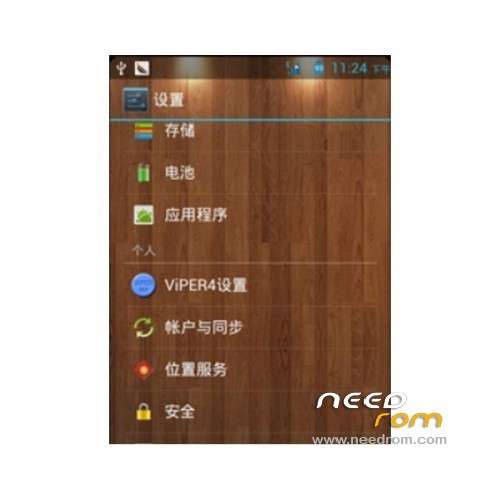
Add Viper4 sound settings
To add Advanced Power (non-software)
Beautify the pop-up menu background
Remove the drop-down bar virtual clock
Language support: EN/CN
Rom install :
1, open the USB debugging on your phone and install drivers
2, Keep the phone connected to computer, run recovery5.0.2.8_v889d.exe, follow the prompts
3, you first need to enter bootloader mode: Boot Logo screen appears and stays intact
4, to continue to the next step will brush into recovery, then restart
5, into the recovery method: press and hold the volume + power button is turned on, and hold the button until you enter a new recovery
Root install:
1, Download ROOT the package placed to SDCARD
2, shut down, press and hold the volume up + power button is turned on, and hold the button until the new recovery
3, select from the SD card, select the Brush Pack "
4, and then choose "Select the ZIP file from the SD card"
5, to find just downloaded the zip Brush packet acknowledgment
6, after brushing, return to the first menu, and select "reboot system now" to restart the phone
7, you have access to ROOT permissions
※Please make a backup of your device before installing or updating ROM
What is the cwm english ver or chinese ver ?
chinese
i cant flash. install aborted
you tried with spbflash ?
i only know to used cwm to flash. help me
give me your: about phone
I Installed Gapps but can't login to Google Acount then can't connect to Play Google
bac minhcanhdn up dc rom nay k.sap em up toan install aborted
can u give your id yahoo .socr@te ?
no id yahoo