
- Title: ZTE v889s Official multi-langual
- Listed: November, 2013
- Last modified: 11/02/2013 12:02 am
- Version: ROM Android 4.1.1
You must be logged for ROM download.
39897 total views, 6 today
1 Total favorites


 Member Info
DESCRIPTION
ROM Install:
- Unpack ROM in first folder, Click on Flash_tool.exe
- Select a the MT6577_Android_scatter_emmc.txt in ROM
- Wait file to be added into Flash Tool
- choose Option->USB Model,click USB Model
- Turn off your phone, remove the battery.
- "Press Download button" – and connect your phone into the computer via USB data cable.
- The process will start and a red progress bar will appear after color red, yellow.
- And green circles display
- Finish !
- You can now safely disconnect your phone and turn it on.
- ROOM is rooted
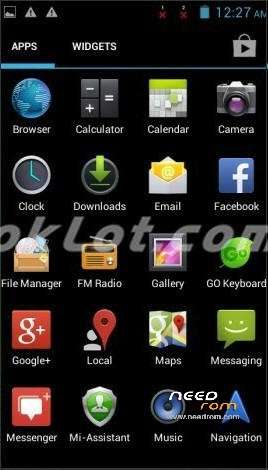
- Language suppoort : Multi-language (view image)
※Please make a backup of your device before installing or updating ROM
Do I need to install USB drivers first?
atlast! this one did it. thnx a milli
Funciona a la perfección.
Tuve que hacer un cambio para que me funcionara.
ROM Install:
- Unpack ROM in first folder, Click on Flash_tool.exe
- Select a the MT6577_Android_scatter_emmc.txt in ROM
- Wait file to be added into Flash Tool
- choose Option->USB Model,click USB Model
- Turn off your phone, remove the battery.
- "Press Download button" – and connect your phone into the computer via USB data cable.
- Como el contador se quedaba en 0% y no hacía nada, en este paso puse la pila de nuevo al celular y tuve que cambiar cable USB a otro puerto y comenzó el update.
- The process will start and a red progress bar will appear after color red, yellow.
- And green circles display
- Finish !
- You can now safely disconnect your phone and turn it on.
- ROOM is rooted
- Language suppoort : Multi-language (view image)
MUCHAS GRACIAS, al final quedó PERFECTO.
Wen i plug de phone in usb nothinng its hapent………why
hello
sorry for my bad english
is ther anyone who can explane me how to do in french ?
thx
hello
it's ok
i do it well
bye
This looks to be the same ROM my V889S came installed with, at least that is what I'm hoping so I have a good backup as well as a working ROM to run through Android Kitchen to edit and tweak. It's not too bad to begin with, very little bloat from ZTE and what looks to be mostly standard AOSP apps which is fine by me.
My English is bad … this is google translate, sorry:
Rom is very good, easy to do on the phone, maybe a little longer consumes power than the original rom … but perhaps it is now and suggestive. I had an error when the battery runs out, did not give a warning, but throw an error UI does not work. After reinstalling everything is ok.
thank you very much
http://www.htcmania.com/archiv.....p/t-712913.html
For me this change in the mobile is ESSENTIAL as it was a huge bitch never know what actual% battery left and remove those lows around the charger provided very little confidence. Now I disconnected 20 min ago and still 99% and enabled the wifi and notifications.
Thanks to santaheckler forero (http://www.forocoches.com/foro.....er.php?u=387329) and we have to enjoy it properly our mobile
here the link to dropbox
https://www.dropbox.com/s/kddd.....cer/NewBOOT.zip
Alternative link: http://x.co/2juyt
instructions:
-Put file in the root of the SD
-Step into recovery and hit "Install from zip"
-Select the file
-Reboot system
We recommend to calibrate the battery after
How to root & install cwm? Please! Tell me.