
- Title: ZTE v889s Official multi-langual
- Listed: November, 2013
- Last modified: 11/02/2013 12:02 am
- Version: ROM Android 4.1.1
You must be logged for ROM download.
39897 total views, 6 today
1 Total favorites

 Member Info
DESCRIPTION
ROM Install:
- Unpack ROM in first folder, Click on Flash_tool.exe
- Select a the MT6577_Android_scatter_emmc.txt in ROM
- Wait file to be added into Flash Tool
- choose Option->USB Model,click USB Model
- Turn off your phone, remove the battery.
- "Press Download button" – and connect your phone into the computer via USB data cable.
- The process will start and a red progress bar will appear after color red, yellow.
- And green circles display
- Finish !
- You can now safely disconnect your phone and turn it on.
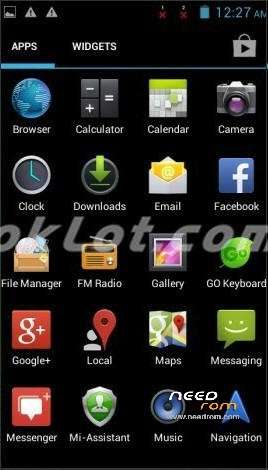
- ROOM is rooted
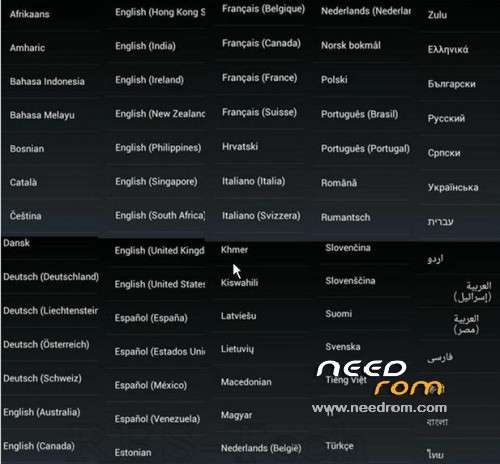
- Language suppoort : Multi-language (view image)
※Please make a backup of your device before installing or updating ROM
thanks
Hi pleeeez help me, my zte v889s does't lunch any more since i instal some app it turned off and didn't work after that tried to charge it but same thing .
Built-in email client hangs when i what to open an email!
thanks
Does somebody know, how to extend internal memory 512mb to more? Or how to split internal with phone memory in order to get more space for aplications? In this case, memory card will be used for aplications data. Thanks in advance.
Can't use internal e-mail, "Unfortunately e-mail has stopped" if I click on a message.
Can't put apps to SD card only to phone storage, although I see the SD card in file manager and under Storage in Settings, but it does not appear at all in app manager.
Leaves me 2G free of internal storager and ~400MB in device memory for apps.
thanks
Have tested on V807 which was hanging on logo even when u hardreset and Worked Perfect thanks
Works great with All MTK Drivers/MT65xx Preloader/2K_XP_COM/usb2ser_2kXP.inf driver for me