
- Title: ZUK Z1
- Listed: November, 2015
- Last modified: 11/04/2015 1:56 am
- Version: ROM Android 5.1.1
You must be logged for ROM download.
27370 total views, 2 today
5 Total favorites
 Member Info
DESCRIPTION
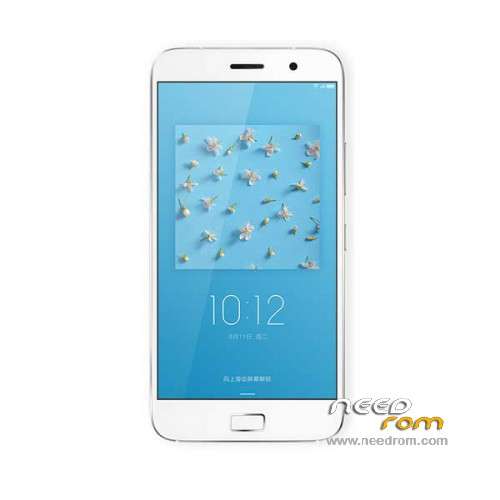
ROM Mobile Lenovo ZUK Z1 - ROM Android 5.1.1
ONLY MSM8974
Official ROM ZUK Z1 version:
ROM 1 – Z1_CN_OPEN_USER_Q4275715.1_L_ZUI_1.0.062_ST_150927 – k9-user 5.1.1 LMY47V ( QSB )
ROM 2 – 1.0.062 ——-> 1.1.028 ( OTA )
Google services&login include – No Rooted
Language support: EN/CN
Rom install : install Rom 1 after Rom 2
ROM 1
Install with QSB Method :
Need a memory card, create folder sdfuse and copy to install on this ROM (QSB tailed).
a) normal phone boot into Android OS, use a USB cable to connect PC, the pop-up screen, select USB mass storage devices, and turn on USB storage device;
b) New sdfuse folder, unrar the downloaded firmware, and copied file QSB to the phone sdfuse directory;
Note: Make sure before upgrading phone there is a certain amount of power
2. T card upgrade process
Long press VOLUP + POWER_KEY enter droidboot, a menu appears and select the fourth SDUPDATE, the bottom of the screen you can see the progress and status upgrade
See "SDCARD UPDATE SUCCESS!!!" Indicates a successful upgrade
ROM 2
OTA
1.copy 1.1.028-ota-update.zip to root folder of the phone SD card (no need to unzip).
2.Turn off the phone, then keep pressing power button and volume+ button until the robot icon appear, then press power button again
3.Press the volume- to move up and down to choose“wipe data/factory reset”, then press volume+ button to confirm.
4.Choose “yes—delete all user data”, then press volume+ button to enter the page as below.
5.It will enter below page after finishing delete all user data.
6.Then choose“apply update from sdcard”
7.Find and select the ROM, press volume+ to enter the page as below.
8.Please make sure the power is sufficient during the upgrading. It will showed as below when the upgrading finished.
9.Choose “reboot system now”,then press volume+ button to reboot your phone.
※Please make a backup of your device before installing or updating ROM
U GOT CM VERSION.
no gapps include & no Multilang
No gapps and no multi… But is says so
No VolumeUP + Power, but VolumeDown + Power, it's the testmode or the engineer menu (it's like Lenovo Vibe Z). Otherwise, OTA needs recovery, press down both volume buttons and power button at the same time.
qfil file need
LOL .. Z1 has no sdcard slot
no sd card slot