
- Title: JIAYU S3 Plus
- Listed: November, 2015
- Last modified: 02/24/2016 12:56 am
- Version: ROM Android 5.1
You must be logged for ROM download.
43438 total views, 2 today
39 Total favorites
 Member Info
DESCRIPTION
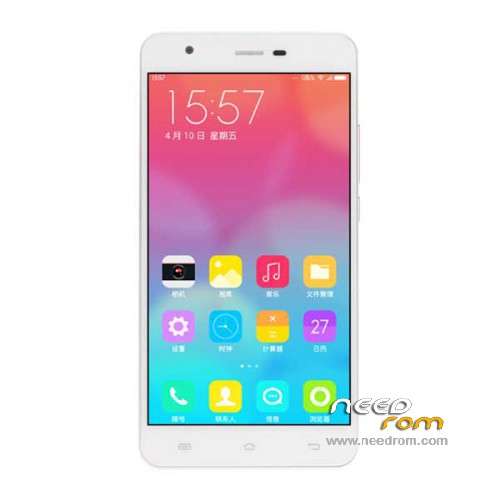
ROM Mobile JIAYU S3 Plus - ROM Android 5.1
ONLY MT6753 + 3G Ram + 16G rom
Update Official ROM JIAYU S3 Plus version: CKY_MOBILE_JIAYU_S3+_V3.0 – mt6753a_n560a_s3hw_jyt_cc_128gbitp24d3_lp1_lte_5m-cs_mul – full_n560a-user 5.1 LMY47D
install : Flash or FOTA
———————————————————————————————————————————————————————————————
Update Official ROM JIAYU S3 Plus version: S3+HW 20151217-181854 – mt6753a_n560a_s3hw_jyt_cc_128gbitp24d3_lp1_lte_5m-cs_mul – full_n560a-user 5.1 LMY47D
install : Flash or FOTA
———————————————————————————————————————————————————————————————
Official ROM JIAYU S3 Plus version: S3+HW 20151112-165505 – mt6753a_n560a_s3hw_jyt_cc_128gbitp24d3_lp1_lte_5m-cs_mul – full_n560a-user 5.1 LMY47D
Gapps include – No Rooted
Language support: Multilang
Install ROM :
Install with SP MDT:
1). Turn off the smartphone. Cable is not connected to the computer.
2). Remove the battery and insert it again
3). Connect your phone to a computer cable. The operating system detects a new device
4). Disconnect the cable from the computer.
5). Run SPMultiPortFlashDownloadProject.exe
6). Choose File> Open File Agent download and specify the file MTK_AllInOneDA.bin (it is in the folder SP_MDT).
7). Click Scatter File and select the MT6753_Android_scatter.txt file (it's in the folder with the rom).
8). Click "Start all".
9). Connect your phone to a computer cable. The program should see and blink. If the phone is not detected, then unplug it from the computer,
remove and insert the battery (if the battery is removable) and reconnect it to the computer.
10). After (OK) click Stop and disable any phone.
11). Completed.
OR OTA
※Please make a backup of your device before installing or updating ROM
Ok, now I managed to.
(main credit to http://www.maximumpc.com/how-r.....t-android-2013/), plus I've figured out a couple of things on my own
It is a bit of a circuitous way and there may be easier or more straightforward methods, but here I go:
1 – Download and install the Android SDK from Google and install the USB drivers package(if you have trouble with this, check note to point 5) and Android tools.
2 – On your phone or tablet, go into the settings and open the About Phone/Tablet menu. Tap the Build Number seven times. This will enable Developer Options in the main settings menu.
3 – Turn on USB Debugging in the Developer Options and also allow OEM unlocking in the Depeloper Options, and plug the device into your PC via the USB cable.
4 – Back on the PC open a cmd prompt and go to the folder where you have adb.exe and fastboot.exe (in my case in C:\Users\User\AppData\Local\Android\sdk\platform-tools )
5 – In the command prompt, type adb devices , then hit enter. The window should show a device ID. (Note: if it doesnt, check google for "disable drivers signature on Win 10", it will entail a reboot of your pc; or check this)
6 – Type adb reboot bootloader in the command prompt and hit enter. Your device will reboot into bootloader mode.
7 – Now type fastboot oem unlock and hit enter. The device will pop up a warning. Select yes, but be aware this is the step that wipes the phone or tablet.
8 – On your PC download the TWRP image and SuperSU root package. Put the recovery file (S3H-recovery_twrp.img) in the folder with ADB. Get your device back into Android and transfer the SuperSU zip to the internal storage.
9 – With your phone or tablet in bootloader mode again, type the following into the command prompt: fastboot flash recovery S3H-recovery_twrp.img , then hit enter.
10 – Finally, disconnect the device from your PC and use the volume rocker to navigate through the list of options in the bootloader (with phone off, press volume up + power button, then release power button but hold volume up. this will get you into fastboot mode. There choose "recovery"). Choose the Recovery option and select it using the power button. Once in the recovery, find the option to Install a zip from the SD card (this will be in chinese, so it is a bit trickier! (check this image to have an idea what you are clicking! or google "twrp chinese images") basically, you have to swipe once, then press the upper left button, then look for your file (SuperSU.zip), then go ahead.
11. In my case, I had to reflash the Recovery partition, as it kept getting stuck, maybe someone knows another way.
-To do that, download SP Flash Tool, and flash only the recovery part of this rom here.
12. After that, reboot, have a bit of patience, and you have your S3+ rooted!
Anyone having problem rooting this phone?(Jiayu S3 Plus) Message me at khevinrogacion@gmail.com
Is this ROM is for the S3(3GB RAM version)?
Please add VIDEO…
Do I need to download all files?
To root the phone, just flash my recovery with flashtool:
https://www.needrom.com/downlo.....iayu-s3-mt6753/
Then flash Supersu zip in there
Currently I am having Xtreme ROM L5.1
How? How did you port it? is it for jiayu s3 plus?
Xtreme Rom is for Jiayu S3 Basic/Advanced WHICH HAS THE MTK6752, this rom here is for the Jiayu S3 Plus which has the MTK6753!
I cannot find full encryption in this ROM. Is it not included?
Hello
S3 plus.official ROM Android 5.1
For a lot of apk , we have the same message :" device not compatible". Who knows what to do?. Excuse my bad english from France.Michel
There's an updated version in jiayu.de forum. It has fixed Playstore bug.
Also there's going to be ota update available via jiayu ota from Playstore
Could have mentioned that it costs €30