
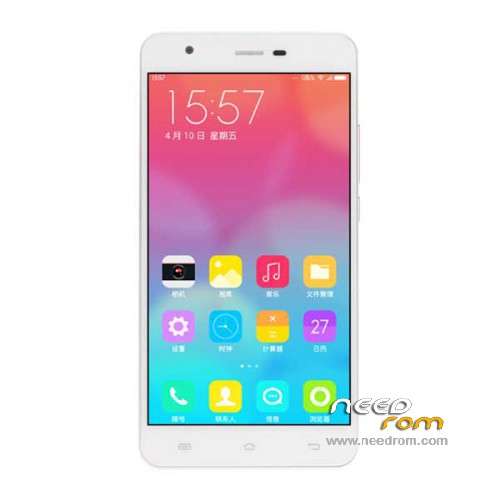
- Title: JIAYU S3 Plus
- Listed: November, 2015
- Last modified: 02/24/2016 12:56 am
- Version: ROM Android 5.1
You must be logged for ROM download.
42360 total views, 1 today
39 Total favorites
 Member Info
DESCRIPTION
ROM Mobile JIAYU S3 Plus - ROM Android 5.1
ONLY MT6753 + 3G Ram + 16G rom
Update Official ROM JIAYU S3 Plus version: CKY_MOBILE_JIAYU_S3+_V3.0 – mt6753a_n560a_s3hw_jyt_cc_128gbitp24d3_lp1_lte_5m-cs_mul – full_n560a-user 5.1 LMY47D
install : Flash or FOTA
———————————————————————————————————————————————————————————————
Update Official ROM JIAYU S3 Plus version: S3+HW 20151217-181854 – mt6753a_n560a_s3hw_jyt_cc_128gbitp24d3_lp1_lte_5m-cs_mul – full_n560a-user 5.1 LMY47D
install : Flash or FOTA
———————————————————————————————————————————————————————————————
Official ROM JIAYU S3 Plus version: S3+HW 20151112-165505 – mt6753a_n560a_s3hw_jyt_cc_128gbitp24d3_lp1_lte_5m-cs_mul – full_n560a-user 5.1 LMY47D
Gapps include – No Rooted
Language support: Multilang
Install ROM :
Install with SP MDT:
1). Turn off the smartphone. Cable is not connected to the computer.
2). Remove the battery and insert it again
3). Connect your phone to a computer cable. The operating system detects a new device
4). Disconnect the cable from the computer.
5). Run SPMultiPortFlashDownloadProject.exe
6). Choose File> Open File Agent download and specify the file MTK_AllInOneDA.bin (it is in the folder SP_MDT).
7). Click Scatter File and select the MT6753_Android_scatter.txt file (it's in the folder with the rom).
8). Click "Start all".
9). Connect your phone to a computer cable. The program should see and blink. If the phone is not detected, then unplug it from the computer,
remove and insert the battery (if the battery is removable) and reconnect it to the computer.
10). After (OK) click Stop and disable any phone.
11). Completed.
OR OTA
※Please make a backup of your device before installing or updating ROM
Anyone have any issues with the digitiser? I find it can get frustratingly unresponsive at times, to the point where swiping/scrolling can basically be completely undetected.
Single or dual sim??? tnx
http://lmgtfy.com/?q=jiayu+s3%.....2B+sim
Dual
Also, anyone got any problems with the proximity sensor? On my S3+ the screen will always be off during a call because the proximity sensor is stuck in NEAR mode.
Calibration through MTK Engineering Mode fails even though the sensor values get updated correctly in real time (which means the actual sensor hardware is working, so it seems to be a software issue).
Anyone have a similar experience?
When I turn on battery percentage it shows up inside the icon itself, and next to the icon. Is this normal (this is my first 5.1 phone), or a bug? I want to have it only inside the icon.
Settings –> Battery –> Battery Percentage toggle
I know it is there. Again: if I turn this on I see battery percentage both inside the icon, and next to the icon. I only want it inside the icon.
Ah, apologies. Yes I always had the same problem on Android. Only thing I know to fix that is GravityBox, an Xposed module: http://forum.xda-developers.co.....d.php?t=3034811
The magnetic sensor (smart cover case) doesn't unlock the phone to the home screen, I end up in the lock screen (just like if I had pressed power button). I have no pin, etc… just swipe unlock.
My previous 4.4 phone ended up in the home screen if I flipped the magnetic cover. Is this an 5.1 restriction?
Perhaps you could try setting the "Screen lock" to "None" under the "Security" settings. Of course that would remove the lock screen altogether but I don't think the stock rom has the functionality built in to know whether you are using a flip cover, which I assume is usually done through the proximity sensor.
Hello,
the scatter file is missing on the last version ! I don't find it, could you sent me it ?
Best regards
i can't load scatter file. what;s the problem?
Please help!!! After the latest update my phone reboot again again!!!
same here, haven't found a fix yet, but found a "band aid", use a music player playing at all time so it doesn't reset (you can turn the sound all the way down so it's not heard)…. personally i use phonograph, while the phone obviously spends more battery than if it wasn't running, seems not to add more than 1-2% usage per hour
Lamprinos, I have the same problem. I tried factory reset. Nothing helped.
May we have to downgrade…flashing the previous update.
Hi. I'm sorry but it is not so clear to me which file should I use on my device. It is Android 4.4.4.
I prefer to flash it by SP Flash tool if there is no problem.
Thank you for the post. I've been looking for 5.1 exhaustively.
You have an S3, and not an S3 Plus!