
- Title: Lite ROM 2.0
- Listed: June, 2015
- Last modified: 07/21/2015 2:53 pm
- Version: multilanguage
You must be logged for ROM download.
32818 total views, 1 today
9 Total favorites
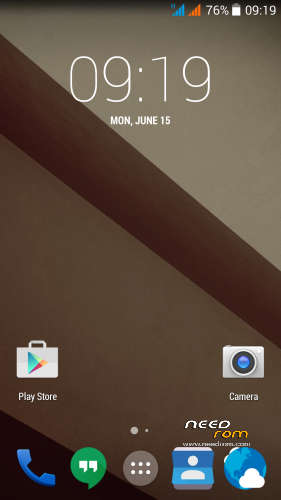
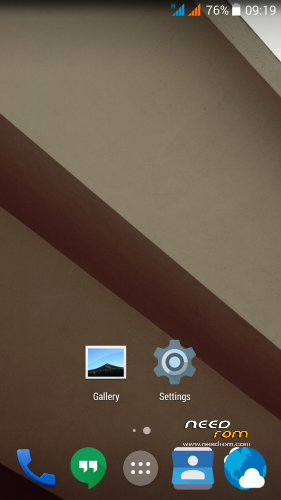
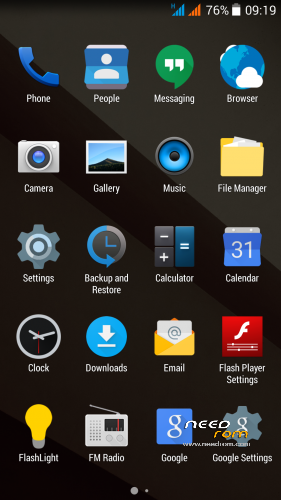
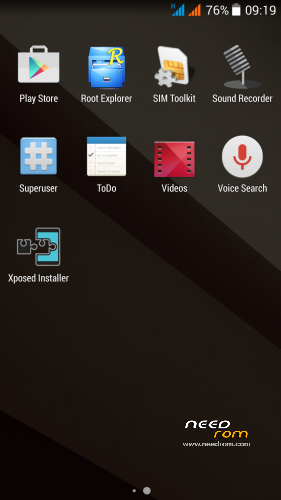
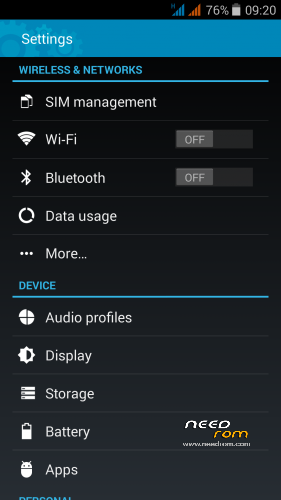
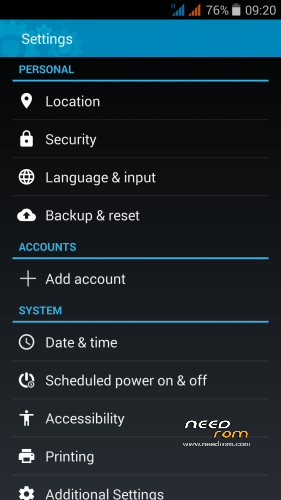
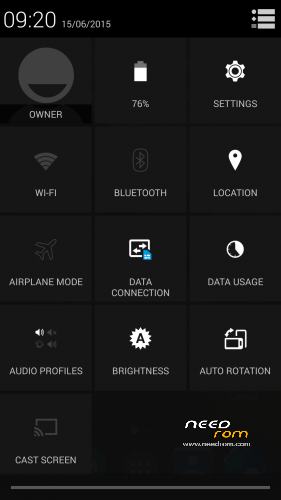
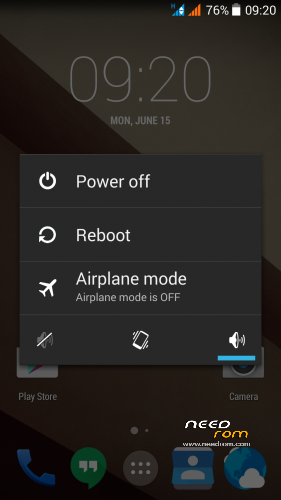
 Member Info
DESCRIPTION
THL 5000 Lite ROM 2.0 - all Lite ROMs are very fast and smooth, there is no lagg of any kind, works perfect, fast and smooth.
This is the next ROM from excellent ukrainian author Dimid/iv2012 (see below this post and please donate him on WebMoney, if you have an account there). It's a pity that Dimid hasn't Paypal. ROM advantages are: pure Android, small size, simplicity, speed and low battery consumption. ROM is ROOTed, GAPPS are included, OTG works. Dimid gave me permission to upload ROM here. I prepared a little bit modified version where removes residual cyrillic, added missing translates and made a few small changes. I'm excited from this ROM - I have installed Gravity Box through which I set what I need.
Languages: Multilanguage
Installation: (as usually from TWRP)
1 – save the ROM file Lite_v2_Odex_2.zip on the SD card
2 – jump to TWRP recovery, if you haven't it, install it (installation instructions are here, sorry in slovak language only,use Google translator): http://androidforum.cz/twrp-2-7-1-0-root-pre-thl-5000-t57731.html
3 – click Wipe and select items: Dalvik Cache, System, Cache, Data, Int.SDcard (optional) and Android Secure, then click Swipe to Wipe
4 – click on Install, choose ROM file Lite_v2_Odex_2.zip and install it – click Swipe to Install, then click Reboot System
5 – enable notification LED in Settings/Display/Led switch -> Enable
6 – finish
7 – if you don't like default wallpaper (like me), setup wallpaper from Classic V3 ROM
8 – If you will install Gravity Box, do not forget change default setting in Phone tweaks/Telephony/Fullscreen caller photo, set it to Partial and restart phone
Optional patches (Important: Install it in TWRP: click on Install, then click Wipe Cache/Dalvik, finally click Reset to system):
- Modem_st_850.zip – original THL modem 850/2100MHz. If you have problems with wifi/3G, try this. It will replace integrated 900/2100Mhz modem from Dimid (several people reported small problems, me not). This modem may be used in any Dimids ROM. If you do not have problems, do not install.
- Kernel110_old_disp_fixed.zip - core for old display type (install when your Gama is different from value 2.0)
- SoundRecorder.zip - corrects falling sound recorder
- Unlock_VolKey.zip - phone unlocking by the volume buttons
- Unlock_VolKey_back.zip - switch off unlocking by the volume buttons (revert back original state)
- PermControlNoIcon.zip - deactivate the Permission Controll apk icon in the upper left corner in any launcher
- FMRadio112.zip - FM Radio from stock ROM 1.1.2. (has RDS)
- DolbyAtmos_r6.5.zip - sound enhancer Dolby Atmos 6.5, after installation will get new icon Dolby Atmos, settings there. (before installation make full backup in TWRP (If you would like to go back)
Other files:
- default_wallpaper_Classic3.rar - default wallpaper from Classic V3 ROM – unpack archive, will get JPG file, set it as wallpaper in launcher.
Didmid page: http://4pda.ru/forum/index.php?s=&showtopic=592576&view=findpost&p=40807828
Dimid donation – WebMoney: WMU: U413791826969, WMR: R386284664505, WMZ: Z333649149339
Dolby Atmos home page: http://forum.xda-developers.com/android/apps-games/mod-dolby-atmos-t3109446
※Please make a backup of your device before installing or updating ROM
when you want to phone, one half of the screen is black.
It is not a ROM problem. I think you installed Gravity Box and use it with bad settings.
In Gravity Box go to Phone tweaks/Telephony/Fullscreen caller photo, set it to Partial or Disabled.
Change the settings to take effect after a restart. I recommend setting "Partial".
Just installed rom..
its perfect and small in size with all my apps 800mb instead of 1.3GB
runns perfect all works wifi/gps/camera
havent found any bug yet
wil test untill i get bored or this will become base rom.
great work thx
I like this ROM but OTG is not working. Can you please fix this? Thank you!
I tried it, OTG works well.
I have this USB key:

When I plug it to phone, can see files in integrated File manager and Total Commander also. Result -> OTG normally works.
It is Kingston DataTraveler MicroDuo
Well, I have seen Ultimate ROM v3 and this one have the same author. Is there a big difference between them? Which is better? Can anyone tell me the differences? Thank you.
ROMs are similar. The difference is what is written above. Advantages of this ROM are: small size, simplicity, speed and low battery consumption.This rom is the pure Android.
This ROM is fine, as Robert said, small, simple, but my prefference will always have the clasic v3mod.
No bug, pretty colors and everything works flawlessly.
Hi, why do you prefer Classic V3mod?
I like it, works for me 100%. For tweaking I use Xposed Framework, Gravitybox and Pimp my ROM and I'm happy
I am missing Dolby from Ultimate V3, how to install…, thanks rbarat…
The main benefit this ROM is simplicity. If you want Dolby, install Ultimate V3.
Simplicity with hollow sound…, no thanks… if you have maybe way to put Dolby on this ROM - thanks a lot.., for my taste Dolby is better than Viper4android…, please…!??
Anyway this is the fastest ROM (everything works) and has the most I need, just missing the Dolby….
Therefore, we have more different versions, so everybody can choose. E.g. I do not want to Dolby therefore currently used Lite ROM.
If you want Dolby, install Ultimate V3, If you want a simple ROM without additionals, install Lite ROM.
Will battery life take a hit if I flash Dolby and Sony Walkman?
Boys you do not understand! Targets the development of this ROM was to create maximum simple ROM, clean Android, without any additions.
Therefore, it is without Dolby or other accessories. The patch to install Dolby will never be. If you want Dolby install Ultimate V3.
ROM is fast, because it's just pure Android. I am excited of it – I have installed Gravity Box through which I set what I need.