
- Title: Phicomm C230w
- Listed: January, 2015
- Last modified: 01/30/2015 4:00 am
- Version: Android 4.3
You must be logged for ROM download.
22307 total views, 5 today
3 Total favorites
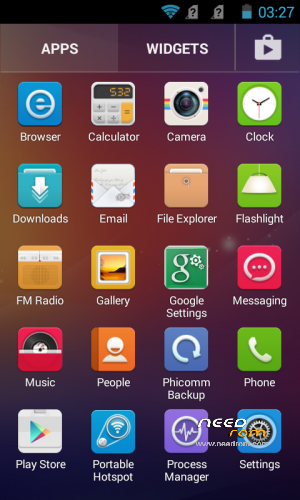

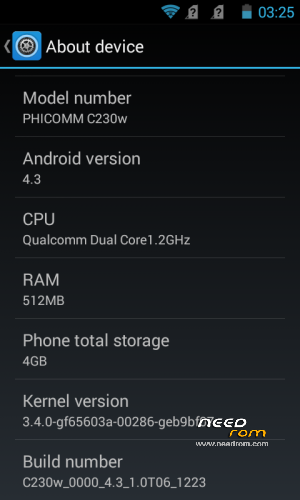
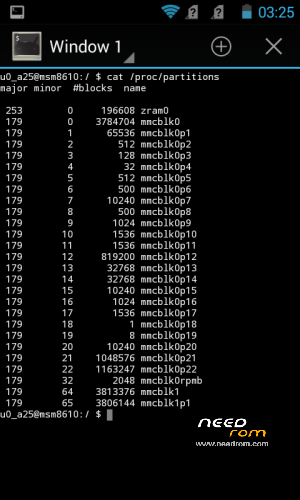
 Member Info
DESCRIPTION
Phicomm C230w Clean Official ROM with ZRAM Swap
Phicomm ROM version: C230w_0001_4.3_1.4T27_0317_SH
Removed Chinese apps and services from system and boot
Removed all Chinese Vendors
No bloats
No Gapps (only Play Store, TTS and Keyboard included)
Rooted
Multilanguage (Full Greek Language)
Installation:
1. Copy zip file to your SD Card.
2. Boot the phone in recovery mode. (Power off the phone. Press Vol- and Power buttons until you see the recovery menu.)
3. Select 'apply update from external sdcard1'.
4. Choose the zip file you copied to your SD Card.
When the update finish, the phone will auto reboot. First load will take some time, so just wait.
※Please make a backup of your device before installing or updating ROM
Cameras are fine. Battery is very good for me. I have 4 cores CPU. Thanks rowess.
Thank you Rowess,
this is by far the best ROM for this phone, especially for non-english / non-spanish people.
I think this ROM alone should have is own space here.
Hi XungHoso ..Can you explain me the passages to install this ROM… I do not understand the guide that rowess has posted . There are 2 parts ,
but I don't understand if the first part excludes the second part .
Please, explain me the passages !!
Thank you
Nice ROM, got rid of all chinese sh^t and now the phone is much faster than before. Also keeps the clibration settings for the proximity sensor, i.e. you only need to calibrate once and theb it keeps working even after reboot (which didn't happen before so the sensor was unusable). This is great, you made my life easier, many thanks
To breccio: Rom is multilanguage, all installed from PC, maintain accurate procedure as given and everything will be OK
Ok …But I do not understand the first passage !! Where and when I must to install the ROM 2,20 gb ?? ( 1. First install ROM, download here http://ulozto.sk/xk84UHX2/c230.....-23-1607-sh-zip )
Where this ROM must be put ?? in wich folder ??
How to :
I understand very well this part !!
Thank you rowess
Hi Rowess,
Can the Titanium S1 Plus rom install from recovery? If install from PC how to flash it? Did you encounter any function of the phone you can't use?
Rowess or anyone kind enough to upload the Titanium S1 Plus files to another site. I unable to download all the files.
Links are fully functional, but you must learn how to download … you should enter 4. number Captcha
It not the matter of learning how to download. It that I totally can't even see the catcha 4 number which you mention. What I see is on these statement:
Nemáte oprávnění k přístupu na tuto stránku. Obraťte se prosím na Vašeho poskytovatele internetového připojení, nechť nás kontaktuje na emailu technické podpory, situaci se budeme snažit řešit přímo s ním.
I think that you have some firewall or restrictions browser
To try to suspend the antivirus
After, if you cannot download the Titanium S1 Plus files we try to put it in an external site .
I know when Slovakian order from AliExpress, as well as the Singaporean you download a file from Ulož.to. Like you Asians have bbs, we Slovaks have Uložto …. Try another browser, another operator, another computer, disable antivirus, etc….
rowes I do not understand the first passage !! Where and when I must to install the ROM 2,20 gb ?? ( 1. First install ROM, download here http://ulozto.sk/xk84UHX2/c230.....-23-1607-sh-zip )
Where this ROM must be put ?? in wich folder ??
How to :
I understand very well this part !!
Thank you rowess
Sorry rowess, I don't succeed to understand the passages of the first part ….Can you explain me the various passages?
Download ROM, connect phone to PC via USB cable with USB Debug ON turn on phone, go to the folder Firmware, then click on batch file c230wJA_fastboot_flash_all.
Wait, ROM is flashed.
Thanks for your effort Rowess.. Only another problem !!! Where I must put the Karbonn-Titanium-S1-Plus-Philz file that I have renamed in xxx.img ?
This guide is ok for OS Windows 7 ?