
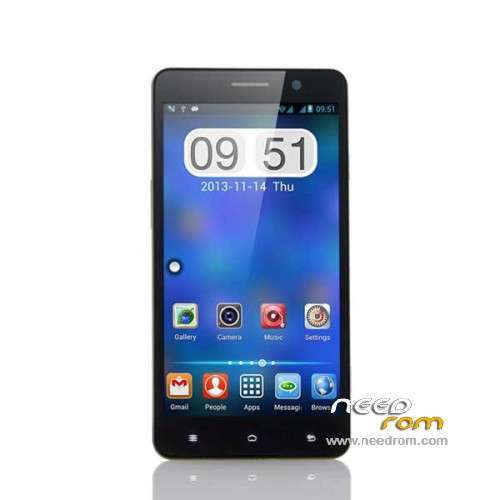
- Title: POMP C6
- Listed: February, 2014
- Last modified: 03/20/2014 8:57 pm
- Version: ROM Android 4.2.2
You must be logged for ROM download.
26767 total views, 1 today
1 Total favorites
 Member Info
DESCRIPTION
ROM Mobile POMP C6 – ROM Android 4.2.2
Update ROM Official POMP C6 Version : ALPS.JB2.MP.V1.51_Release.V2.05_03192014 ( Flash or OTA)
——————————————————————————————————————————————–
Update ROM Official POMP C6 Version : ALPS.JB2.MP.V1.51_Release.V2.04_02212014 ( Flash )
——————————————————————————————————————————————–
ROM Official POMP C6 Version : ALPS.JB2.MP.V1.51_Release.V2.03_02172014
Flash or OTA
Gapps include – No Rooted
Language support: Multi lang
Install ROM :
- Unpack FlashTools, and Click on Flash_tool.exe
- Select a the MT6589_Android_scatter_emmc.txt in ROM
- Wait file to be added into Flash Tool
- choose Option->USB Model,click USB Model
–> Choose Option->DA DownLoad All->Speed->High Speed, click High Speed
- Turn off your phone, remove the battery.
- "Press F9 (hit Download button)" OR " if upgrade ROM Firmware->Upgrade "
- and connect your phone into the computer via USB data cable.
- The process will start and a red progress bar will appear after color purple, yellow.
- And green circles display
- Finish !
- You can now safely disconnect your phone and turn it on.
OR OTA
※Please make a backup of your device before installing or updating ROM
How can i Download android 4.4.2?
We are waiting for the official ROM 4.4.2 :'(
But is coming?
helo
i have problem with camera -gps-compass-wifi
anyone can help me
The ROMs here, I have tested, comes with only Chinese and English, and defaulted to Chinese.
For those facing problem with poor 3G connectivity, I have a workaround. I faced the same issue as before.
1) Root the device. I used Framaroot
2) Install Mobileuncle Tools, grant it with root access rights.
3) Mobileuncle Tools : Engineer Mode > Modify IMEI & Test Tools & Parameter adjust tools > Band Mode > SIM 1 (or SIM 2, depends on your case)
Under UMTS Mode, uncheck all other modes that's not relevant to your network. For my case in Malaysia, only WCDMA-IMT-2000 is relevant. Most Europe countries are the same, only WCDMA-IMT-2000. Then, press the SET button, then restart the device.
My 3G connectivity becomes very responsive and very high data throughput rate after this. Hope this helps. Thanks.
What's mean OTA ? I want to upgrade the firmware of my POMP W88, can i use this one ?
i have ALPS.JB2.MP.V1.51_Release.V2.02 installed but keep getting error during install/update;
Code: assert failed: getprop("ro.product.
K, i got it not working!
i used;
1.smart phone flash tool v5.1548.00
http://spflashtool.com/
2. downloaded and installed PdaNet
http://pdanet.co/a/
3. Installed MT6589 VCOM drivers
https://docs.google.com/a/mass.....TRKcE5kRjQ/edit
4. downloaded rom version 2.05
5. followed this video, seems flash needs to be formated in some cases.
https://www.youtube.com/watch?.....v=XfIK-LHW6Zk
6. set language from chinese to english
https://www.youtube.com/watch?.....v=M_LR5mFGDsw
Thank You
i neeed v4.6 for this model