
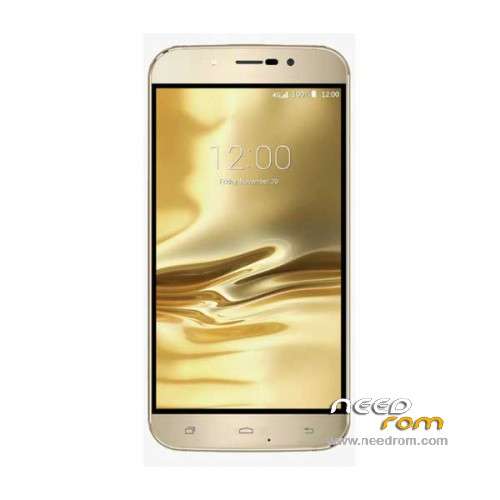
- Title: UMI Rome
- Listed: December, 2015
- Last modified: 12/13/2016 11:31 pm
- Version: ROM Android 5.1
You must be logged for ROM download.
60204 total views, 4 today
49 Total favorites
 Member Info
DESCRIPTION
ROM Mobile UMI Rome – ROM Android 5.1
ONLY MT6753
Update Official ROM UMI Rome Version: UMI Rome.V3.05 – full_n325bh-eng 5.1 LMY47D – 20161124
mt6753_n325bh_umi-rome_hxxd_cc_128gbitp24d3_lp1_lte_3m-fdd-cs_mul – full_n325bh-user 5.1 LMY47D
—————————————————————————————————————————————————————————————
Official ROM UMI Rome Version: UMI Rome.V3.05 – full_n325bh-eng 5.1 LMY47D – 20160331
mt6753_n325bh_umi-rome_hxxd_cc_128gbitp24d3_lp1_lte_3m-fdd-cs_mul – full_n325bh-user 5.1 LMY47D
Gapps include – No Rooted
Language support: Multilang
Install ROM:
Install with SP MDT:
1). Turn off the smartphone. Cable is not connected to the computer.
2). Remove the battery and insert it again
3). Connect your phone to a computer cable. The operating system detects a new device
4). Disconnect the cable from the computer.
5). Run SPMultiPortFlashDownloadProject.exe
6). Choose File> Open File Agent download and specify the file MTK_AllInOneDA.bin (it is in the folder SP_MDT).
7). Click Scatter File and select the MT6753_Android_scatter.txt file (it's in the folder with the rom).
8). Click "Start all".
9). Connect your phone to a computer cable. The program should see and blink. If the phone is not detected, then unplug it from the computer,
remove and insert the battery (if the battery is removable) and reconnect it to the computer.
10). After (OK) click Stop and disable any phone.
11). Completed.
※Please make a backup of your device before installing or updating ROM
hey may u try to help me how you did that
Asked UMI if was possible to use SP Flashtool for flashing rom and they replyed yes. Could you confirm ?
Yes, i used SP_Flash_Tool_Win_v5.1548 to flash latest official version 3.05, which incidentally, is not rooted.
I’m looking for a way to root it, if anyone can help.
I was able to root my device again using Kingroot, it was amazingly easy!
I used version 4.8.5 that i got from here:
http://forum.xda-developers.co.....ct/dl/?id=17662
The purify app that comes with it is a little bit too agressive for me, so i uninstalled it.
Hope this helps,
Cornelius.
no for me
Socr@te
You're wrong. I received the device. It's a MT6753 soc and with this soc Flashtool works perfectly.
I made a firmware upgrade with the last firmware you published ( already exists a CWM recovery made by Ghost45..) and it worked fine. The same using download only to change the recovery….
Maybe could be the case to change the informations regarding SP Flashtool and SPMDT
This rom is given with SPMDT not flashtools, but maybe working with flashtools if you've installed with flashtools good for you.
Only two questions :
In UMI site there isn't any firmware for this product . Where did you get them ?
The second one : are five releases in few days which are the changelogs ? or what has been implemented?
I restored the device and at the next boot root disappeared (and also superSU).
At the box-open first install the device was pre-rooted and superSU was on menu.
How to restore root (and superSU) on Rome ??
Thanks !!
You have to reinstall superSu through recovery.
Go here (it's in Italian) http://www.androidiani.com/for.....me-modding.html
my Unboxing:
Hi,
When I opened my phone box it came with the minimume apps!!!.
Why all buiers got their phones full of apps!!!?
Also I was wonderring if the phone has dual speakers or only one single speaker???