
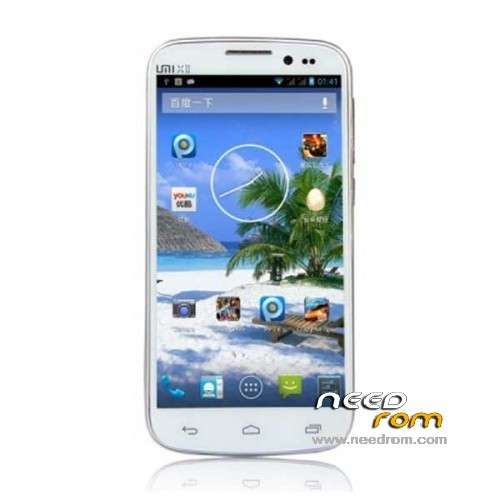
- Title: UMI X2
- Listed: August, 2013
- Last modified: 08/07/2013 5:10 pm
- Version: ROM Android 4.2.1
You must be logged for ROM download.
35917 total views, 1 today
152 Total favorites
 Member Info
DESCRIPTION
ROM UMI X2 – ROM Android 4.2.1
Official ROM UMI X2 version: MP_mt89_v6_x2vinus_vinus_jb2_sw_20130725-172948_wujianfang_PC
Gapps include – No Rooted
Language support: Multilang
Install ROM:
- Unpack FlashTools, and Click on Flash_tool.exe
- Select a the MT6589_Android_scatter_emmc.txt in ROM
- Wait file to be added into Flash Tool
- choose Option->USB Model,click USB Model
–> Choose Option->DA DownLoad All->Speed->High Speed, click High Speed
- Turn off your phone, remove the battery.
- "Press F9 (hit Download button)" OR " if upgrade ROM Firmware->Upgrade "
- and connect your phone into the computer via USB data cable.
- The process will start and a red progress bar will appear after color purple, yellow.
- And green circles display
- Finish !
- You can now safely disconnect your phone and turn it on.
※Please make a backup of your device before installing or updating ROM
valid for UMI X2 Turbo 1.5 ?
Thansk
Yes, it obviously works for UMI X2 Turbo, I own one of 2GB RAM and Antutu score of almost 15,000.
Finally you get it! Now it's easy to download this ROM from needrom servers, because I download this from UMI Official forum and it delayed almost 2 days! Baudu servers are so poor!!
Regarding this ROM, I just say that is the best official ROM until now. GPS Works, WI-FI too (80/100).
im not clear with the procedure so can anyone post video url
Hello to all. I tried to do the whole procedure, but when I press F9 and connect my phone with any USB port, unfortunately does not start the update process.
What do you think could be the problem?
I have the turbo model x2 2gb ram 32 gb rom, rooted and updated last week with this rom in recovery mode "UMI X2 - Update 07/19/2013"
So, it happened to me too, same model, I managed to get it installed this way: after setting up the flash tool (after pressing f9 it says searching… on the status bar) I connected my phone to the USB cable and it didn't start.
Leave the flash tool as is.
Right after you connect your phone, open windows device manager, there will be a yellow question mark next to a device called "MT6589 Preloader", right click on it and install the driver from this link:
http://www25.zippyshare.com/v/.....18334/file.html
After you install it, your phone should be charging. Disconnect the usb cable, remove the battery, connect it again and now plug in the battery. The flash tool should start upgrading now.
is it possible to convert the image to zip file? installing from zip file is easy other method is complicated for some users
The procedure stated above is messy, something is really missing out there.
It is not stated at what stage you need to plug the device to the PC. And how about the battery? We're asked to remove it but when are we supposed to insert it into the phone again? I appreciate the effort, but that guide is almost unusable
Agreed. It's a bit vague, to say the least…
Does this ROM have all the rubbish Chinese bloatware removed? And the (almost useless) GPS problem fixed?? Cheers.
I am just unable to get the process working using this tool. Can someone please detail the process properly and what all is needed.
Because though I followed the process completely, even after I press download / Upgrade… Nothing really happens
I tried following Rudeblunt post and it does work. Check his post, it will work
hi,
the best way to install a rom is by recovery.
so, i am waiting for this rom to be ported by our freind tommy340,
long life to Umi X2 and to all who bring their brick on the wall of its evolution…
good comment. F*ck the gsm operator who forced us to buy expensive phones which are less in performance than UMI X2 and another chinese phones.
Good said!! Chinese phones rulezz!! By the way a cwm flashable and rooted version of this rom would be perfect.
Trying to follow Rudeblunt's post, but not getting the "MT6589 Preloader" appearing in the Device Manager. Fail.
Any advice?
Installing a custom ROM via a recovery image on an SD card seems to be the most eloquent solution.