
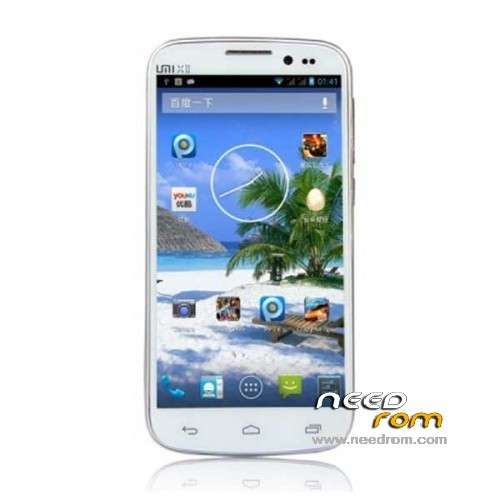
- Title: UMI X2
- Listed: August, 2013
- Last modified: 08/07/2013 5:10 pm
- Version: ROM Android 4.2.1
You must be logged for ROM download.
36672 total views, 2 today
152 Total favorites
 Member Info
DESCRIPTION
ROM UMI X2 – ROM Android 4.2.1
Official ROM UMI X2 version: MP_mt89_v6_x2vinus_vinus_jb2_sw_20130725-172948_wujianfang_PC
Gapps include – No Rooted
Language support: Multilang
Install ROM:
- Unpack FlashTools, and Click on Flash_tool.exe
- Select a the MT6589_Android_scatter_emmc.txt in ROM
- Wait file to be added into Flash Tool
- choose Option->USB Model,click USB Model
–> Choose Option->DA DownLoad All->Speed->High Speed, click High Speed
- Turn off your phone, remove the battery.
- "Press F9 (hit Download button)" OR " if upgrade ROM Firmware->Upgrade "
- and connect your phone into the computer via USB data cable.
- The process will start and a red progress bar will appear after color purple, yellow.
- And green circles display
- Finish !
- You can now safely disconnect your phone and turn it on.
※Please make a backup of your device before installing or updating ROM
Bonjour, j'ai installé cette rom et après 1h je l'ai désinstallé, mon UMI X2T 2go/32gb ne reconnaissais que 2go en stockage et le gps ne marche pas mieux, la seule rom qui marche vraiment est celle ci
https://www.needrom.com/mobile.....l-for-europeus/
pas de pub ni d'appli chinoises et le gps accroche en moins d'une minute.
with this rom if you Organise it memory problem?
format la internal stocrage
For everybody, you CAN NOT install this by recovering mode neither CWM nor uncle tools. ONLY you can install this by flashing, with the "SP Flash Tool" or another tool for flashing. Be aware, this can damage your phone if you do not know how to use it, and remember to save your files because it will ERASE all your data.
Has anybody experienced a reduction in the phone's reported internal storage from 32gb down to 2gb (or 1.29gb in my case) after installing a new ROM? How does one rectify this?
i had the same problem with my first rom change. i solved it formating internal sd.
so do you don't advise to install this rom??
Am I understand right? You've flashed some another ROM and had your internal sd card size reduced to some 2Gb?
Than you formated it and got it back? How you did it, please? Because CWM tells "cannot mount sdcard".
Excactly. I had that problem with de Touchwiz Rom. I solved formating from own rom, on adjustments, not from cwm.
Okay so I tried formatting from CWM, but that didn't work. In the end, on a whim, I plugged the phone in to my computer, turned on USB storage on the phone, and when the phone appeared in My Computer, I simply right-clicked and re-formatted it. The internal phone storage is now back to its full 32gb. Boom.
Now I'm gonna sell the phone and get a real Galaxy S4, coz I just can't get the damned GPS to work. This has been a bad experience of chinese clones for me.
Thanks a lot! I'll try this.Yet, it strange. My GPS on my UMI X2 works just perfect!
Yes! I did it! My ROM is back. Thanx again!
Correction: it displays 26.67gb, rather than the previous 1.29gb of phone storage available which it was previously reporting after flashing the ROM.
Tha'ts right. Really this chinese model is bad. I have a Xiaomi and i'm really happy with it. It's perfect.
if the flash_tools does not work for you
it is the driver …. either missing or loaded the wrong driver
You need a VCOM TEK driver!
I does not understand:
1. Use droidtool v428 to save your nvram (IMEI)
2.Use flashtool with the incluted scatter file
3. deselect PRE_LOADER
4.Start download
5.remove battery
6. Connect USB Cable to PC
7. Hope to the green circle
8. Remove USB Cable from from PC/phone
9.Plug in the Battery
10. Start Power on phone
11.Wait, wait, wait ….(only at first time)
12. Be happy and use phone:)