
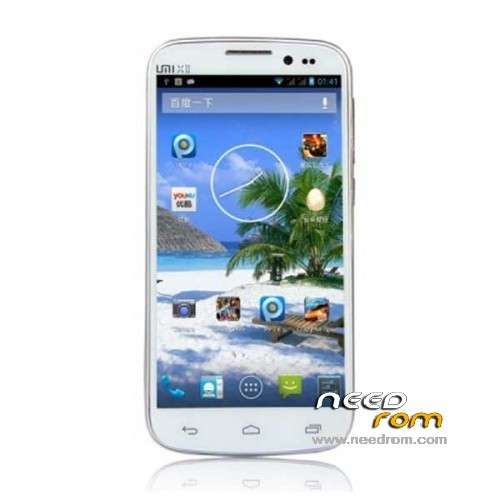
- Title: UMI X2
- Listed: August, 2013
- Last modified: 08/07/2013 5:10 pm
- Version: ROM Android 4.2.1
You must be logged for ROM download.
36672 total views, 2 today
152 Total favorites
 Member Info
DESCRIPTION
ROM UMI X2 – ROM Android 4.2.1
Official ROM UMI X2 version: MP_mt89_v6_x2vinus_vinus_jb2_sw_20130725-172948_wujianfang_PC
Gapps include – No Rooted
Language support: Multilang
Install ROM:
- Unpack FlashTools, and Click on Flash_tool.exe
- Select a the MT6589_Android_scatter_emmc.txt in ROM
- Wait file to be added into Flash Tool
- choose Option->USB Model,click USB Model
–> Choose Option->DA DownLoad All->Speed->High Speed, click High Speed
- Turn off your phone, remove the battery.
- "Press F9 (hit Download button)" OR " if upgrade ROM Firmware->Upgrade "
- and connect your phone into the computer via USB data cable.
- The process will start and a red progress bar will appear after color purple, yellow.
- And green circles display
- Finish !
- You can now safely disconnect your phone and turn it on.
※Please make a backup of your device before installing or updating ROM
How need a CWM-R v6.0.3.6 for UMI X2 with English language?
This all started to happen 2 days ago:
I had semi bricked my Umi X2 after I switched profile and it died. Finally managed to revive the phone using flash tools and the scatter field. I have used SP_Flash_Tool_v3.1320.0.174. And used MP_mt89_v6_x2vinus_vinus_jb2_sw_20130725-172948_wujianfang_PC_ML_G (wonder if I had used the wrong ROM).
But my power button is no longer working.
I can only power up using a hot USB charging cable and shutdown using app. I like to know is that is a mechanical issue?
Can this also be the battery problem? Only the UMI splash screen and it died with the Android logo. But leaving it alone with the USB cable attached charging, it revived again.
Now when I connect my phone to the PC it will switch off by itself (went dead with no function of calls as well). The only way to get it restarted would be remove the batt connect it to the hot usb and put in the batt and holding the +volume button. Only then it will show a dead android logo. It will boot after about 5 mins.