DESCRIPTION
NEW:
UMI X2_build_20131128-091649_2.5GB_internal.zip
Desrcription:
Same features as before, but internal phone memory was increased to 2.5 GB now!
Usable for all configurations (1/2 GB RAM and 16/32 GB ROM)
Please note:
| Specials |
SelectShow |
Install with SP Falshtool over the "Firmware Upgrade" Option, because the PMT was changed.
- But after flashing all data from phone memory are lost. Save the phone memory over the usb option to your PC before
- Format the phone memory after flashing over the usb option with your format menu form the PC
- save the internal phone memory over cmw-r before. Restore the usrdata with cwm-r "selective restore" menu after successfully flashing process
|
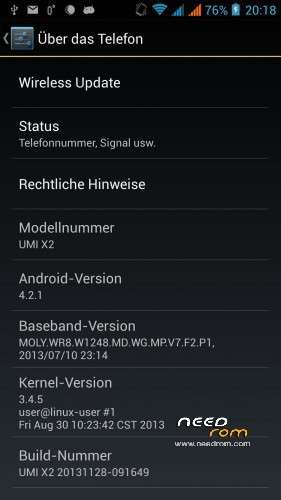
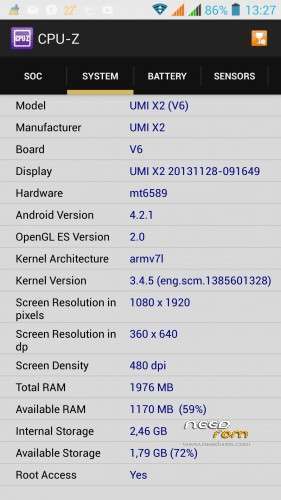
ROM UMI X2 – ROM Android 4.2.1
Based on ROM Official UMI X2 version : Build 20131128-091649
Changes:
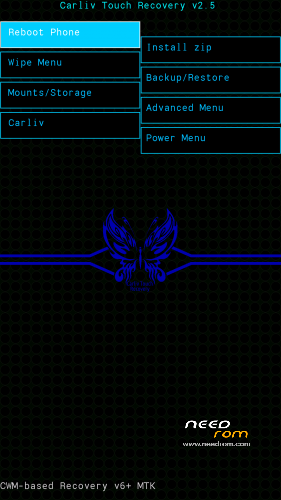
CWM-R recovery.img v6.0.4.4 based on carliv@xda (EN)
boot.img (root in shell)
system.img (root in system, gps fix via gps.conf optimized for Europe, GPS Runner Fix)
All Gapps included (also Paystore, Search bar)
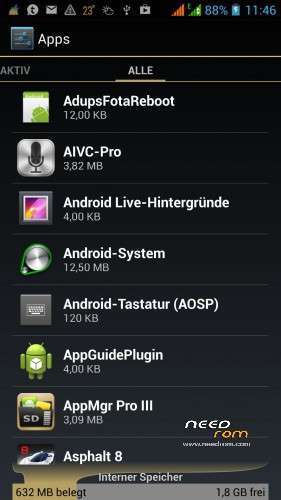
Purged all applications with Chinese language
Language support: Multilang
Install ROM :
-Save your userdata
-Save your IMEI's data
-Unpack the archive
Flashtool based:
| Flashtool based |
SelectShow |
Use flashtool.exe (please downloaded from other ROM's descriptions)
Select a the MT6589_Android_scatter_emmc.txt from Archive
Deselect the PRELOADER Section!
Turn off your phone, remove the battery.
Press F9 (or hit Download button) and connect your phone into the computer via USB data cable.
The process will start and a red progress bar will appear after color purple, yellow.
And green circles display
Finish !
Firmware Upgrade (required if you comes from other ROM!):
Use flashtool.exe (please downloaded from other ROM's descriptions)
Select a the MT6589_Android_scatter_emmc.txt from Archive
Select all Section!
Choice the SEC_RO, CACHE and USERDATA image file from archive
Turn off your phone, remove the battery.
Press F9 (or hit Download button) and connect your phone into the computer via USB data cable.
The process will start and a red progress bar will appear after color purple, yellow and green circles display. If download does not started, plug in the battery.
Finish !
You can now safely disconnect your phone and turn it on and restore your userdata
Check size of internal memory, if wrong, then formated new,please.
|
Update CWM-R based
| CMW-R based (en) |
SelectShow |
Install the CWM-R recovery image
Move unpacked zip file (UMI_X2_system_upgrade_su_20131128-091649.zip) to sd card onto phone
Boot to CWM-R
- "Install zip"
- "chosse the zip file"
- do it
- "reboot into system"
|
Please don't forget to donate!
Please don't forget an author rating!
※Please make a backup of your device before installing or updating ROM


 Member Info
download for try. Thanks
I would like to know, if possible, the features and improvements that this ROM improves. THANK YOU
Any change log?
doesnt work CWM-R for me… I tried like all roms and seems like everything goes fine but when I reboot nothing was changed…
No boot.img in .zip, maybe?
- Unpack recovery_UMIX2.zip –> revovery.img –> flash with FT or use mobileUncle to install it
- start: Connect phone via USB cable to PC –> Power on & Volume up or use reboot app with system
"UMIX2_system_upgrade.zip" not upgrading from version 20130719-154705. Is the old ROM is installed.
Do not understand. The upgrade build.prop of archive is correctly. Please upgrade at first the recover.img. See above.
Question:No boot.img in .zip, maybe?
Only the flashtool archive contains the boot.img!
"UMIX2_system_upgrade.zip" doesnt work CWM-R v6.0.3.6. I tried upgrade and flash without errors but when I reboot nothing was changed…
I will be fix it.
Now it is fixed, please download the zip again.
Is backuping my IMEI more important at this rom than at the others?
No, if you use only android, boot and recovery sections
OraNeedRom, Was waiting for it, hope it fixes wifi reach.
thanks for making this rom
I can't download the "upgrade" file, 404 error.
Hmm, I think I had to remove the (1) in the download link because I'm downloading something now
Yes I removed the (1) and it seems to now be downloading Getting bored of 4.2 based roms now would be nice to see a 4.3 rom for the Umi X2
404 not found for CWM version
It ist a bug by NEEDROM!
Now I have edit manual the link on my Dashboard. It seems to work. Sorry….
Reason: Missing Author rating by users:-)