DESCRIPTION
NEW:
UMI X2_build_20131128-091649_2.5GB_internal.zip
Desrcription:
Same features as before, but internal phone memory was increased to 2.5 GB now!
Usable for all configurations (1/2 GB RAM and 16/32 GB ROM)
Please note:
| Specials |
SelectShow |
Install with SP Falshtool over the "Firmware Upgrade" Option, because the PMT was changed.
- But after flashing all data from phone memory are lost. Save the phone memory over the usb option to your PC before
- Format the phone memory after flashing over the usb option with your format menu form the PC
- save the internal phone memory over cmw-r before. Restore the usrdata with cwm-r "selective restore" menu after successfully flashing process
|
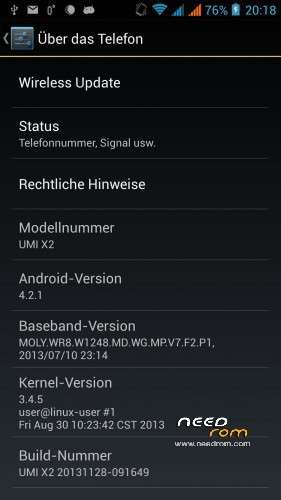
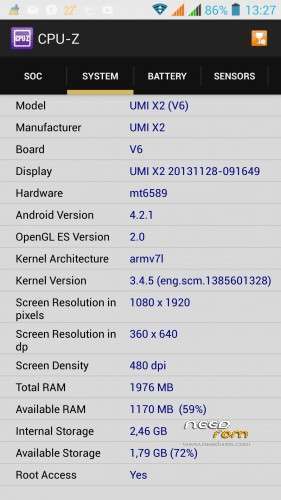
ROM UMI X2 – ROM Android 4.2.1
Based on ROM Official UMI X2 version : Build 20131128-091649
Changes:
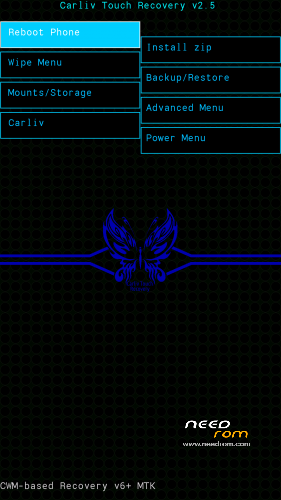
CWM-R recovery.img v6.0.4.4 based on carliv@xda (EN)
boot.img (root in shell)
system.img (root in system, gps fix via gps.conf optimized for Europe, GPS Runner Fix)
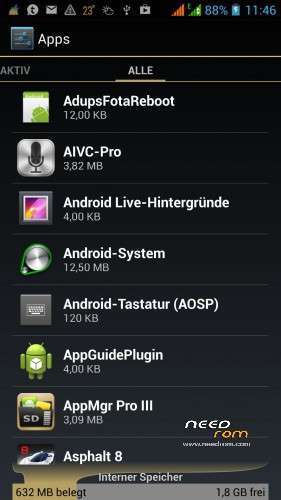
All Gapps included (also Paystore, Search bar)
Purged all applications with Chinese language
Language support: Multilang
Install ROM :
-Save your userdata
-Save your IMEI's data
-Unpack the archive
Flashtool based:
| Flashtool based |
SelectShow |
Use flashtool.exe (please downloaded from other ROM's descriptions)
Select a the MT6589_Android_scatter_emmc.txt from Archive
Deselect the PRELOADER Section!
Turn off your phone, remove the battery.
Press F9 (or hit Download button) and connect your phone into the computer via USB data cable.
The process will start and a red progress bar will appear after color purple, yellow.
And green circles display
Finish !
Firmware Upgrade (required if you comes from other ROM!):
Use flashtool.exe (please downloaded from other ROM's descriptions)
Select a the MT6589_Android_scatter_emmc.txt from Archive
Select all Section!
Choice the SEC_RO, CACHE and USERDATA image file from archive
Turn off your phone, remove the battery.
Press F9 (or hit Download button) and connect your phone into the computer via USB data cable.
The process will start and a red progress bar will appear after color purple, yellow and green circles display. If download does not started, plug in the battery.
Finish !
You can now safely disconnect your phone and turn it on and restore your userdata
Check size of internal memory, if wrong, then formated new,please.
|
Update CWM-R based
| CMW-R based (en) |
SelectShow |
Install the CWM-R recovery image
Move unpacked zip file (UMI_X2_system_upgrade_su_20131128-091649.zip) to sd card onto phone
Boot to CWM-R
- "Install zip"
- "chosse the zip file"
- do it
- "reboot into system"
|
Please don't forget to donate!
Please don't forget an author rating!
※Please make a backup of your device before installing or updating ROM


 Member Info
I'll see if bugs disappear from previous version :
- GPS always 50 meters away from actual position
- What'sapp video compression bug (vertical lines and nothing viewable)
- Screen lock won't unlock (backlight stays off , battery out/in necessary
… I'll check and stay you tuned.
Thank you for this rom, Ora!
Can I flash this rom with CWM-R from this rom: https://www.needrom.com/mobile.....ed-on-official/ without deleting user data?
If yes, should I wipe cache/dalvik cache?
where is FT rom?
dear i've a problem with my smartphone i don't know my build number and my and my LC driver IC….i have try more rom in flash tool version but nothing….!! can u help me??
Please somebody help!
Can I flash this rom with CWM-R from this rom: https://www.needrom.com/mobile...../…..-official/ without deleting user data/factory reset?
If yes, should I wipe cache/dalvik cache?
Sry in my first comment the link was bad.
Can I flash this rom with CWM-R from this rom: https://www.needrom.com/mobile.....ed-on-official/ without deleting user data/factory reset?
If yes, should I wipe cache/dalvik cache?
Answer: I does not known these ROM, but:
Flash without userdata and all user data are hold on your phone!
Thanks, I have flashed this rom.
There is a Chinese name sysem app after flashing your rom (size: 128 kb) which use large amount of internet data.
What is this app?
Bloatware?
What is the "LeSafe" (safe.apk) app?
Hello, could you pls recommend me which app. to use to back up my original ROM? I have used ROM manager a it seems not working…Thank you
Hello could enyone write the whole process of flashing new ROM? I mean including back up, creating CWRM etc…I have been reading info on internet and I am confuced what to do…THANX