DESCRIPTION
NEW:
UMI X2_build_20131128-091649_2.5GB_internal.zip
Desrcription:
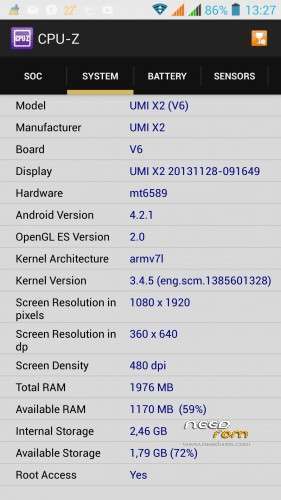
Same features as before, but internal phone memory was increased to 2.5 GB now!
Usable for all configurations (1/2 GB RAM and 16/32 GB ROM)
Please note:
| Specials |
SelectShow |
Install with SP Falshtool over the "Firmware Upgrade" Option, because the PMT was changed.
- But after flashing all data from phone memory are lost. Save the phone memory over the usb option to your PC before
- Format the phone memory after flashing over the usb option with your format menu form the PC
- save the internal phone memory over cmw-r before. Restore the usrdata with cwm-r "selective restore" menu after successfully flashing process
|
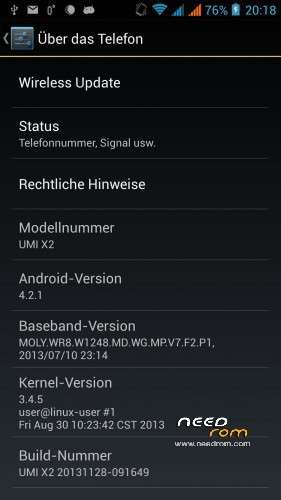
ROM UMI X2 – ROM Android 4.2.1
Based on ROM Official UMI X2 version : Build 20131128-091649
Changes:
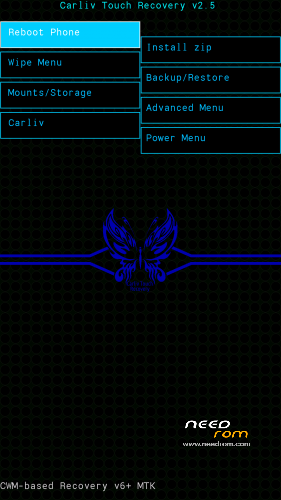
CWM-R recovery.img v6.0.4.4 based on carliv@xda (EN)
boot.img (root in shell)
system.img (root in system, gps fix via gps.conf optimized for Europe, GPS Runner Fix)
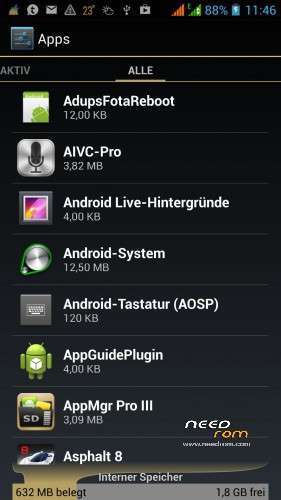
All Gapps included (also Paystore, Search bar)
Purged all applications with Chinese language
Language support: Multilang
Install ROM :
-Save your userdata
-Save your IMEI's data
-Unpack the archive
Flashtool based:
| Flashtool based |
SelectShow |
Use flashtool.exe (please downloaded from other ROM's descriptions)
Select a the MT6589_Android_scatter_emmc.txt from Archive
Deselect the PRELOADER Section!
Turn off your phone, remove the battery.
Press F9 (or hit Download button) and connect your phone into the computer via USB data cable.
The process will start and a red progress bar will appear after color purple, yellow.
And green circles display
Finish !
Firmware Upgrade (required if you comes from other ROM!):
Use flashtool.exe (please downloaded from other ROM's descriptions)
Select a the MT6589_Android_scatter_emmc.txt from Archive
Select all Section!
Choice the SEC_RO, CACHE and USERDATA image file from archive
Turn off your phone, remove the battery.
Press F9 (or hit Download button) and connect your phone into the computer via USB data cable.
The process will start and a red progress bar will appear after color purple, yellow and green circles display. If download does not started, plug in the battery.
Finish !
You can now safely disconnect your phone and turn it on and restore your userdata
Check size of internal memory, if wrong, then formated new,please.
|
Update CWM-R based
| CMW-R based (en) |
SelectShow |
Install the CWM-R recovery image
Move unpacked zip file (UMI_X2_system_upgrade_su_20131128-091649.zip) to sd card onto phone
Boot to CWM-R
- "Install zip"
- "chosse the zip file"
- do it
- "reboot into system"
|
Please don't forget to donate!
Please don't forget an author rating!
※Please make a backup of your device before installing or updating ROM


 Member Info
power and volume – bro
Thanks for the reply bro but that is the thing, volume - and power does nothing the umi logo just keeps on the screen without anything booting.
do i need some files on the sd card for recovery to open after the umi logo because i have tried over 1000 times with both volume + and – all still keeps the umi logo on the screen without loading the recovery.
Supports Romanian language?
Work on UMI X2 S 2GB RAM and 32 GB memory?
yes of course
@Geodeod :
I think you have a boot loop.
Use the 1 st method wit flash tool!
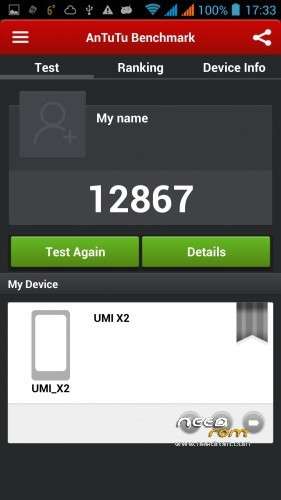
In antutu the score is about 11k. For others process all is ok.
hello, after flashing i was stuck in boot image and shut down the phone, after thaht i reflashed and it worked but could not switch on Wifi anymore, when i went to status i see i have no mac address on the wifi or bluetooth and the serial on the phone is now 1234567890ABCDE. i guess this id file is corrupt, when i tried to flash with sp flash i do not get further than red bar and it stops, any help would be appreciated…
On my UMI X2 2GB/32GB/1.5 GHz Antutu is slightly over 15k
I also have a problem: since I installed this ROM, Micro-SD unmounts and remounts randomly, like every hour or so. Sometimes the phone internal 32 GB does the same, but much less often.
Can I upgrade from 20130715-082415 to
this rom using UMI_X2_system_upgrade_su.zip on CWM?
Nice, Ukrainian lang support
Hi, I was trying to use Flash tool and Don't know what happend but My Phone is completely DEAD right now even power button is also not working no screen is there (just blank phone).
I am having UMI X2 2GB rom, 32 gb internal memory, 1.5 GHZ (MT6589T) Model.
I tried to use SP Flash tool to recover my phone. Firstly I tried to format the phone, After that I tried to run the Scatter file that is given with this ROM.
Drivers for the SP Flash tool is loaded correctly (into my Windows 8 Pc). I was previosly getting error as follow : SP FLASH TOOL ERROR: (8200)
[Platform Error] The load and target are inconsistent!
Now, after searching a lot I found that its something wrong with SP Flash tool version.
So I downloaded SP Flash Tool V3.1304.O.sn119 version. After that I am trying to "Download" the rom (with the Scatter file given with this ROM). but its only showing me RED Bar (with 100%) and after that it does nothing. Its neither showing me any error nor its continuing the process.
I am in serious problem here. Please help me out.
Thanks in advance!
- Umang
I thi k you have a problem with the MTK VCOM driver.
Please try the following steps:
Push the download button
Hold power & volume+ (or -) and put the battery in the phone
Hold the button until start the yellow bar…
Umang,
I advice you try this ROM: https://www.needrom.com/mobile.....ial-24-10-2013/
Hug,
Eduardo
This is a older version, but.For this advice, I have no sympathy.
My ROM has a newer base firmware as this!