DESCRIPTION
NEW:
UMI X2_build_20131128-091649_2.5GB_internal.zip
Desrcription:
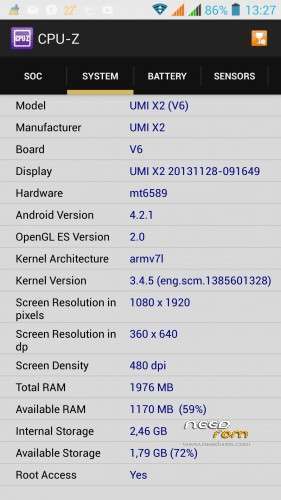
Same features as before, but internal phone memory was increased to 2.5 GB now!
Usable for all configurations (1/2 GB RAM and 16/32 GB ROM)
Please note:
| Specials |
SelectShow |
Install with SP Falshtool over the "Firmware Upgrade" Option, because the PMT was changed.
- But after flashing all data from phone memory are lost. Save the phone memory over the usb option to your PC before
- Format the phone memory after flashing over the usb option with your format menu form the PC
- save the internal phone memory over cmw-r before. Restore the usrdata with cwm-r "selective restore" menu after successfully flashing process
|
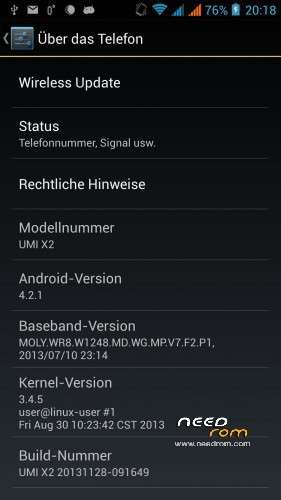
ROM UMI X2 – ROM Android 4.2.1
Based on ROM Official UMI X2 version : Build 20131128-091649
Changes:
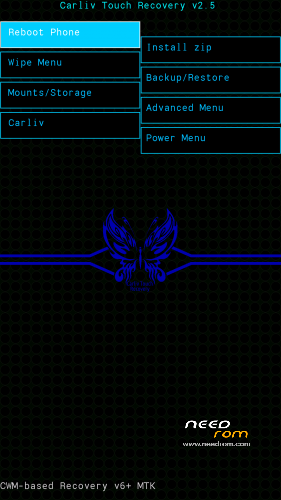
CWM-R recovery.img v6.0.4.4 based on carliv@xda (EN)
boot.img (root in shell)
system.img (root in system, gps fix via gps.conf optimized for Europe, GPS Runner Fix)
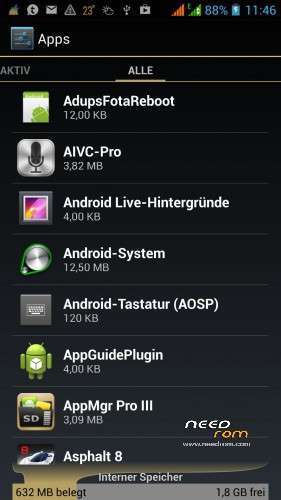
All Gapps included (also Paystore, Search bar)
Purged all applications with Chinese language
Language support: Multilang
Install ROM :
-Save your userdata
-Save your IMEI's data
-Unpack the archive
Flashtool based:
| Flashtool based |
SelectShow |
Use flashtool.exe (please downloaded from other ROM's descriptions)
Select a the MT6589_Android_scatter_emmc.txt from Archive
Deselect the PRELOADER Section!
Turn off your phone, remove the battery.
Press F9 (or hit Download button) and connect your phone into the computer via USB data cable.
The process will start and a red progress bar will appear after color purple, yellow.
And green circles display
Finish !
Firmware Upgrade (required if you comes from other ROM!):
Use flashtool.exe (please downloaded from other ROM's descriptions)
Select a the MT6589_Android_scatter_emmc.txt from Archive
Select all Section!
Choice the SEC_RO, CACHE and USERDATA image file from archive
Turn off your phone, remove the battery.
Press F9 (or hit Download button) and connect your phone into the computer via USB data cable.
The process will start and a red progress bar will appear after color purple, yellow and green circles display. If download does not started, plug in the battery.
Finish !
You can now safely disconnect your phone and turn it on and restore your userdata
Check size of internal memory, if wrong, then formated new,please.
|
Update CWM-R based
| CMW-R based (en) |
SelectShow |
Install the CWM-R recovery image
Move unpacked zip file (UMI_X2_system_upgrade_su_20131128-091649.zip) to sd card onto phone
Boot to CWM-R
- "Install zip"
- "chosse the zip file"
- do it
- "reboot into system"
|
Please don't forget to donate!
Please don't forget an author rating!
※Please make a backup of your device before installing or updating ROM


 Member Info
I have a rebranded UMI X2 not actual UMI x2 but with 1GB RAM and 16 GB ROM. Internal memory for app is only 1.45 GB so I want to flash a new rom for repartition of internal memory. Can I flash this rom? I can see all roms are for 2GB/32GB version. Please help me out. My buid no is 20131014-091725.
I have an Indian version.
Hi,
is this ROM optimized for my phone also? I rather ask before I flash it. I have this one:
- http://www.etotalk.com/voto-um.....-32g_p3539.html
- http://www.metalcoreshop.cz/up.....18_19-13-50.png
Thank you for answer
But of course… try it.
Do not forget a voting
The link mentioned in Green background is not working!!!
Sory, that isn't a link but a higlighted text only
Please use fro download https://www.needrom.com/wp-con.....GB_internal.zip
Nothing found. Error 404. Please can you paste the correct link?
Hi,
are you sure the last ROM is for UMI X2?
I always get a message "Installation aborted" in CWM-R
- same here, the last ROM called "UMI X2_build_20131128-091649_2.5GB_internal.zip" can not be installed. Maybe not for X2? The Download-Link/ Filename is:
https://www.needrom.com/wp-con.....ploads/2014/07/UMX3_build_20131128-091649_2.5GB_internal.zip
I m having some issues with the wifi, it s actually slower than my 3g network and it seems that it even disconnects from time to time, any fix on how to make it faster ?? (It doesnt come from my router since I have a Umi S1 next to it to compare.. 10x faster wifi :/)