# begin build properties
# autogenerated by buildinfo.sh
ro.build.id=JDQ39.I9500ZSUAMDF
ro.build.display.id=ALPS.JB2.MP.V1.26
ro.build.display.model=GT_I9500_DS_NV
ro.build.display.version=GT_I9500_V07
ro.build.version.incremental=eng.zhanghongqiang.1382414991
ro.custom.build.version=1382414991
ro.build.version.sdk=17
ro.build.version.codename=REL
ro.build.version.release=4.2.9
ro.build.date=2013年 10月 22日 星期二 12:11:05 CST
ro.build.date.utc=1382415065
ro.build.type=user
ro.build.user=zhanghongqiang
ro.build.host=yaocong-desktop
ro.build.tags=test-keys
ro.product.model=GT-I9500
ro.product.brand=samsung
ro.product.name=GT-I9500
ro.product.device=GT-I9500
ro.product.board=GT-I9500
ro.product.cpu.abi=armeabi-v7a
ro.product.cpu.abi2=armeabi
ro.product.manufacturer=samsung
ro.product.locale.language=zh
ro.product.locale.region=CN
ro.wifi.channels=
ro.board.platform=
# ro.build.product is obsolete; use ro.product.device
ro.build.product=GT-I9500
# Do not try to parse ro.build.description or .fingerprint
ro.build.description=zx89_wet_jb2-user 4.2.9 JDQ39 eng.zhanghongqiang.1382414991 test-keys
ro.build.fingerprint=alps/zx89_wet_jb2/zx89_wet_jb2:4.2.9/JDQ39/1382414991:user/test-keys
ro.build.flavor=
ro.build.characteristics=default
# end build properties
# begin mediatek build properties
ro.mediatek.version.release=ALPS.JB2.MP.V1.26
ro.mediatek.platform=MT6589
ro.mediatek.chip_ver=S01
ro.mediatek.version.branch=ALPS.JB2.MP
ro.mediatek.version.sdk=1
# end mediatek build properties
#
# system.prop for generic sdk
#
rild.libpath=/system/lib/mtk-ril.so
rild.libargs=-d /dev/ttyC0
# MTK, Infinity, 20090720 {
wifi.interface=wlan0
# MTK, Infinity, 20090720 }
# MTK, mtk03034, 20101210 {
ro.mediatek.wlan.wsc=1
# MTK, mtk03034 20101210}
# MTK, mtk03034, 20110318 {
ro.mediatek.wlan.p2p=1
# MTK, mtk03034 20110318}
# MTK, mtk03034, 20101213 {
mediatek.wlan.ctia=0
# MTK, mtk03034 20101213}
#
wifi.tethering.interface=ap0
#
ro.opengles.version=131072
wifi.direct.interface=p2p0
dalvik.vm.heapgrowthlimit=128m
dalvik.vm.heapsize=256m
# USB MTP WHQL
ro.sys.usb.mtp.whql.enable=0
# Power off opt in IPO
sys.ipo.pwrdncap=2
ro.sys.usb.storage.type=mtp,mass_storage
# USB BICR function
ro.sys.usb.bicr=yes
# USB Charge only function
ro.sys.usb.charging.only=yes
# audio
ro.camera.sound.forced=0
ro.audio.silent=0
ro.zygote.preload.enable=0
#
# ADDITIONAL_BUILD_PROPERTIES
#
ril.specific.sm_cause=0
gps.solution.combo.chip=1
ril.external.md=0
fmradio.driver.chip=3
ro.sf.hwrotation=0
ril.current.share_modem=1
launcherplus.allappsgrid=2d
launcher2.allappsgrid=3d_20
curlockscreen=1
ro.mediatek.gemini_support=false
ro.gemini.smart_3g_switch=0
persist.radio.fd.counter=15
persist.radio.fd.off.counter=5
persist.radio.fd.r8.counter=15
persist.radio.fd.off.r8.counter=5
persist.mtk.wcn.combo.chipid=-1
drm.service.enabled=true
fmradio.driver.enable=0
ril.first.md=1
ril.flightmode.poweroffMD=1
ril.telephony.mode=1
ril.radiooff.poweroffMD=0
dalvik.vm.mtk-stack-trace-file=/data/anr/mtk_traces.txt
mediatek.wlan.chip=MT6628
mediatek.wlan.module.postfix=_mt6628
ro.config.notification_sound=S_Whistle.ogg
ro.config.alarm_alert=Alarm_Morning_flower.ogg
ro.config.ringtone=Over_the_horizon.ogg
net.bt.name=Android
dalvik.vm.stack-trace-file=/data/anr/traces.txt
# begin adupsfota properties
ro.adups.fota.oem=zhixintek
ro.adups.fota.device=GT_I9500_DS_NV
ro.adups.fota.version=GT_I9500_V07
# begin adupsfota properties

 Member Info
cam fix use sp flash tool/scatter-loading use gt i9500 files to flash tool mt6589/ sec_ro use s4-014-smatr-pause-001/ cache use s8977a_fly_v4.02_20131025_1300/ usrdata i used from rooted backup from mtkdroid tools_v248 hope this helps
use fimware upgrade
Could you post your backup on Needrom or send it to me. Thanks.
Userdata img and cahce img no
how do I flash that is compatible with the build.prop of this rom? https://www.needrom.com/mobile.....ly-s4-gt-i9500/
cuando arranca sale los logos de samsung?
thanks, its the camera bug fixet in the upgrade?
I was able to unbrick my phone with this ROM. It boots up find but the problem now is the touch screen is way off. From the middle to the top of the screen it is inverted. Does anybody have the same issue?
di you you find a fix for your problem, mine did the same
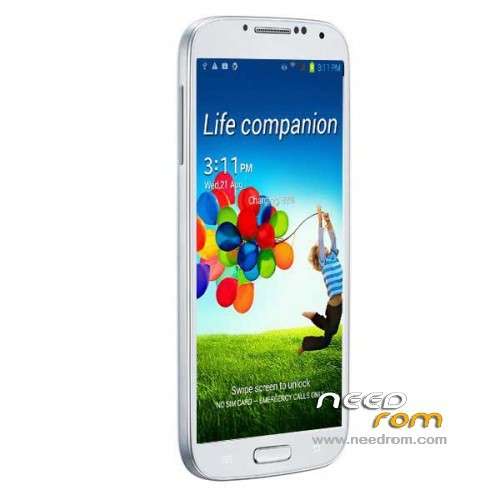
mine is MTK6589, 512MB RAM, 2G ROM, 540×960 screen 5 inch. the picture above looks similar to my phone, and the font used in "Life Companion". I cant find the true model of my phone. the label at the back is made in vietnam, samsung i9500. can some one identify this phone. Thank you.
the spec came from cpu identifier, Star s4 i9500 (fake brand samsung).
Hello SoCr@Te, I have s8977a fly and I work these https://www.needrom.com/mobile.....ly-s4-gt-i9500/ rom, but I like this rom, what can I do to get this?
I also have the cam not working. Any chance to get it fixed soon?
Hi all, unfortunately for a small problem that had my phone GT i9500 S4 1:1 Air Gesture one sim card and an annoying widget that is present on all the pages of the display even when I went to Settings, unable to delete it, I thought of rifleshare a new rom taken from another phone I thought was the twin with the program MtkDroidTools and then with SP Flash Tool, but unfortunately everything works except the camera that gives me the message "can not connect to the camera." I tried all the Roma more or less compatible Needrom on the site, but the result is always the same, then you wonder if there is anyone capable of risolvermi this problem, if you know a site where to download the Stock ROM for this phone or maybe it is otherwise resolved by downloading and just by installing the drivers for the camera. I thank you all in advance.