# begin build properties
# autogenerated by buildinfo.sh
ro.build.id=JDQ39.I9500ZSUAMDF
ro.build.display.id=ALPS.JB2.MP.V1.26
ro.build.display.model=GT_I9500_DS_NV
ro.build.display.version=GT_I9500_V07
ro.build.version.incremental=eng.zhanghongqiang.1382414991
ro.custom.build.version=1382414991
ro.build.version.sdk=17
ro.build.version.codename=REL
ro.build.version.release=4.2.9
ro.build.date=2013年 10月 22日 星期二 12:11:05 CST
ro.build.date.utc=1382415065
ro.build.type=user
ro.build.user=zhanghongqiang
ro.build.host=yaocong-desktop
ro.build.tags=test-keys
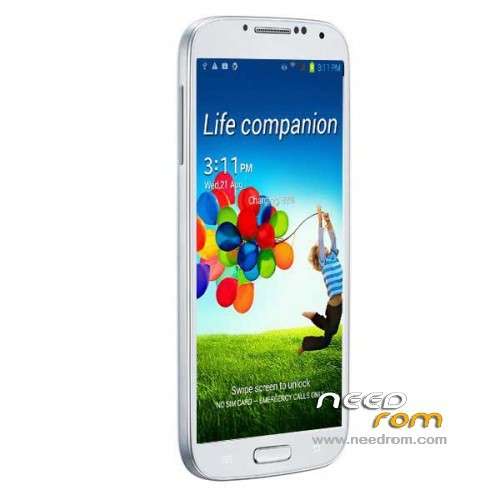
ro.product.model=GT-I9500
ro.product.brand=samsung
ro.product.name=GT-I9500
ro.product.device=GT-I9500
ro.product.board=GT-I9500
ro.product.cpu.abi=armeabi-v7a
ro.product.cpu.abi2=armeabi
ro.product.manufacturer=samsung
ro.product.locale.language=zh
ro.product.locale.region=CN
ro.wifi.channels=
ro.board.platform=
# ro.build.product is obsolete; use ro.product.device
ro.build.product=GT-I9500
# Do not try to parse ro.build.description or .fingerprint
ro.build.description=zx89_wet_jb2-user 4.2.9 JDQ39 eng.zhanghongqiang.1382414991 test-keys
ro.build.fingerprint=alps/zx89_wet_jb2/zx89_wet_jb2:4.2.9/JDQ39/1382414991:user/test-keys
ro.build.flavor=
ro.build.characteristics=default
# end build properties
# begin mediatek build properties
ro.mediatek.version.release=ALPS.JB2.MP.V1.26
ro.mediatek.platform=MT6589
ro.mediatek.chip_ver=S01
ro.mediatek.version.branch=ALPS.JB2.MP
ro.mediatek.version.sdk=1
# end mediatek build properties
#
# system.prop for generic sdk
#
rild.libpath=/system/lib/mtk-ril.so
rild.libargs=-d /dev/ttyC0
# MTK, Infinity, 20090720 {
wifi.interface=wlan0
# MTK, Infinity, 20090720 }
# MTK, mtk03034, 20101210 {
ro.mediatek.wlan.wsc=1
# MTK, mtk03034 20101210}
# MTK, mtk03034, 20110318 {
ro.mediatek.wlan.p2p=1
# MTK, mtk03034 20110318}
# MTK, mtk03034, 20101213 {
mediatek.wlan.ctia=0
# MTK, mtk03034 20101213}
#
wifi.tethering.interface=ap0
#
ro.opengles.version=131072
wifi.direct.interface=p2p0
dalvik.vm.heapgrowthlimit=128m
dalvik.vm.heapsize=256m
# USB MTP WHQL
ro.sys.usb.mtp.whql.enable=0
# Power off opt in IPO
sys.ipo.pwrdncap=2
ro.sys.usb.storage.type=mtp,mass_storage
# USB BICR function
ro.sys.usb.bicr=yes
# USB Charge only function
ro.sys.usb.charging.only=yes
# audio
ro.camera.sound.forced=0
ro.audio.silent=0
ro.zygote.preload.enable=0
#
# ADDITIONAL_BUILD_PROPERTIES
#
ril.specific.sm_cause=0
gps.solution.combo.chip=1
ril.external.md=0
fmradio.driver.chip=3
ro.sf.hwrotation=0
ril.current.share_modem=1
launcherplus.allappsgrid=2d
launcher2.allappsgrid=3d_20
curlockscreen=1
ro.mediatek.gemini_support=false
ro.gemini.smart_3g_switch=0
persist.radio.fd.counter=15
persist.radio.fd.off.counter=5
persist.radio.fd.r8.counter=15
persist.radio.fd.off.r8.counter=5
persist.mtk.wcn.combo.chipid=-1
drm.service.enabled=true
fmradio.driver.enable=0
ril.first.md=1
ril.flightmode.poweroffMD=1
ril.telephony.mode=1
ril.radiooff.poweroffMD=0
dalvik.vm.mtk-stack-trace-file=/data/anr/mtk_traces.txt
mediatek.wlan.chip=MT6628
mediatek.wlan.module.postfix=_mt6628
ro.config.notification_sound=S_Whistle.ogg
ro.config.alarm_alert=Alarm_Morning_flower.ogg
ro.config.ringtone=Over_the_horizon.ogg
net.bt.name=Android
dalvik.vm.stack-trace-file=/data/anr/traces.txt
# begin adupsfota properties
ro.adups.fota.oem=zhixintek
ro.adups.fota.device=GT_I9500_DS_NV
ro.adups.fota.version=GT_I9500_V07
# begin adupsfota properties

 Member Info
back button and menu button its not working , please help
Hello Fits the Rome for NO.1 for S6
Ok I have this phone, GT-i9500, and i cant get the touch screen to caibrate right. After flashing one of these roms this happen i will touch the soft touch buttons and nothothin but if i tap above them it works. I really need to know how to fix this.! thank you! and if someone else has this problem please let me know, how to fix this and the camera, and batt. drain ! thank you
I flashed this phone http://www.dhgate.com/product/...../175442525.html with 1:1 S4 GT-I9500 – Update 10/28/2013 – Rooted The samsung logo is not present and *#58*# not change.
I flashed with 1:1 S4 GT-I9500 – Update 10/28/2013 and works perfect – orginal logo
Camera on video recording works fine – with ROM provided by seller not work.
Magnetic field sensor and Compass NOT WORK.
The sensors (Magnetic field sensor and Compass) do not work with received phone ROM and not work with these ROM.
Did anyone fix camera not connecting problem.
Hola.Hello. I'll try this ROM on HDC Star GT-i9500. Will comment if it works well. I have tried several ROM and I do not work any.
Star S4 GT-I9500
hello i have this 1:1 gt i9500 and after upgrading via st flash tool i turned on the phone and only black screen is apearing…someone have this problem too?tnx!
2gb rom 1.6 ghz…
http://www.aliexpress.com/snap...../301826871.html
guys, i have a problem, i think i lost driver sensor proximity, how i can solve? driver name is mc36283, thanks for help, i cant use sensor now
Thanks for this ROM it works quite nice, but I have a problem with touchscreen which works upside down. When I press screen on top it actually shows that I pressed at bottom of screen. I was looking for solution several days and have learned a lot from many sites and different forum threads, but surprisingly non of the solution works for me. I am not able to reach proper file to change proper property to change this behaviour. Most probably i need to set somewhere: ctp_revert_y_flag = 1 as described here: https://sites.google.com/site/.....reen/how-to-fix , but I am not able to find nor edit script.bin on my phone, here I found some info: http://www.techknow.me/forum/i.....hp?topic=4877.0 and also here is very interesting info about partitions: https://github.com/ameer123456.....rtition-Layouts but I can't find this script.bin on my phone. any ideas?