
- Title: 8.1 OREO x32+x64
- Listed: February, 2018
- Last modified: 02/16/2018 2:05 pm
- Version: 8.1 BETA2
You must be logged for ROM download.
20154 total views, 3 today
1 Total favorites
CUSTOM





 Member Info
DESCRIPTION
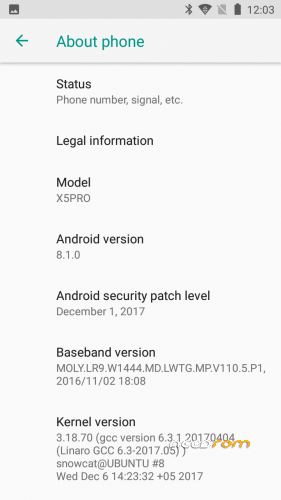
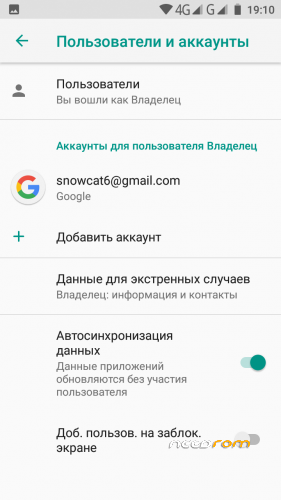
Android 8.1 for DOOGEE X5PROx32
- Make for Android ONE partitions with new VENDOR partition
- No SuperSU
- TWRP 3.2.3 (BETA 2)
- F2FS data partition (BETA 2)
- No frezes no lags (BETA 2)
To install need full factory reset and BACKUP NVRAM AND NVDATA partition to external SD card.
1. Run FlashTools and flash with Firmware Update mode.
2. Reboot phone and restore NVRAM and NVDATA from backup
Full instruction to install on Russian page http://getbest.ru/doogee_x5pro_oreo.htm
※Please make a backup of your device before installing or updating ROM
Τhank you for continuing and still supporting this device! The message: "There's an internal problem with your device. Contact your manufacturer for details." appears evert time i boot the phone. What is this message? Affects something or we just ignore it? One more question. Can you give us a link with the gapps you have try an works? I try some gapps for 8.1 i found at google but still get the message "checking info" whene i try to open playstore. I try to factory reset the rom and install the gapps again then i wipe cashe and boot the phone. Now a welcome screen appear but stuck again to checking for updates screen and after a lot of minutes i get the message "Google Play Services has stop." and still check for update and again the same message.
Thank you in advance!
I'm install 8.1 GAPPS from internet. No link now. But GAPPS not work without certification… GOOGLE not good company now.
I open the phone today again and the screen checking for update finished and after 2 minutes i get the message Device is not certified by Google. I have to say that the call/data/messages working after the restore of NVRAM and NVDATA. The wifi/gps/camera all working and the only problem is the gapps.
I solved "This Device is Uncertified" by editing build.prop . You may refer to this link, https://forum.xda-developers.c.....-store-t3673617 in order to bypass this problem. Also, from my quick research, the message "There's an internal problem with your device. Contact your manufacturer for details." might come from vendor.img ? Im not really sure and I can't solve that problem.
pls make a x5 rom for oreo ur the B O S SSsSSS
Device enter on fastboot mode only
Only for X5 Pro? Can you make for the X5 Max Pro? Thnaks and Good Luck!
Good morning, sorry for the inconvenience, I need help. I have tried version 8.1 and it is going very well, but it has a problem (for me) the battery lasts very little. Without the use of Wifi or others it is consumed as in 15 hours or less the battery. I have tried other versions and well, the 7.1 for example all have gone wrong, the camera does not work, other applications fail etc … this is the only one that went well, but the battery does not last anything u.u help please :/
Install Alpha 4 yesterday. Everything works well, wifi / data / bluetooth / calls / gps / camera and playstore! Also, still get the message every time i boot the phone "There is an internal problem with your device. Please contact your manufacturer for details." but it does not seem to create any problem somewhere. I have to notice two problems, the first is not so important to me and it is the camera resolution whether it is awful compared to stock rom or Android 6 and the 2nd is the battery that seems to be discharged faster but I see it the next days of use the phone with this rom. Hope to see more improves for this rom!
When it goes to sleep mode/standby, the phone turns off itself after 20/30 seconds.
Are you at Alpha 4 version or at Beta 1? Because i have just download the Beta 1 to install it whene i have free time.
@snowcatPDA It's ok to install from sp flash tool to update from alpha 4 to beta 1 only the boot.img and system.img? I dont wanna loose my data and set up the phone again from the beginning.
I installed Beta 1. It works ok when the phone is charging, but in the moment I unplug it from the wall it turn off itself when goes to sleep/standby
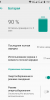
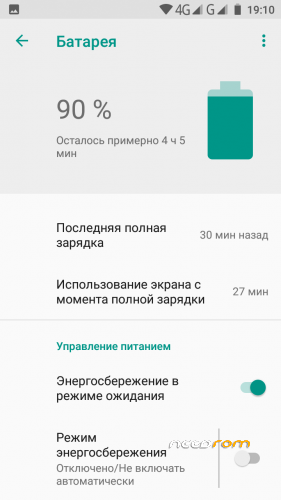
I installed Beta 1 everything is okay. Calls/Sms Vodafone (after restore Nvram and Nvdata), Data/Wifi, Bluetooth (Mi Band 2), GPS, Google Play. I need root so tried Magisk works perfectly with Adaway, Tasker, Titanium backup etc. TWRP works too. Battery seems much better than 7.1.1 and I think so battery percentage is real. I went to sleep yesterday 92% – morning 88% ( in the background wifi, bluetooth, insta, twitter, facebook, news). I don't have battery drain issues. luis.puig wrote: phone turns off, my phone doesn't turn off when goes to standby. I did't get any error.
This rom is your best rom. I want to support you with money (at the last in the summer) bc you're the only who keeps this phone "live" and I appreciate it. I know this phone is old but I don't want to buy another it's enough for me. Thank you for your hard work!