
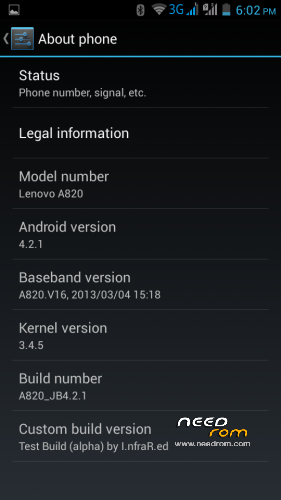
- Title: Lenovo A820
- Listed: September, 2013
- Last modified: 09/20/2013 5:40 pm
- Version: ROM Android 4.2.1
You must be logged for ROM download.
65025 total views, 5 today
167 Total favorites
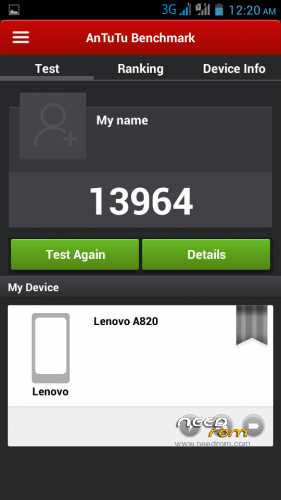
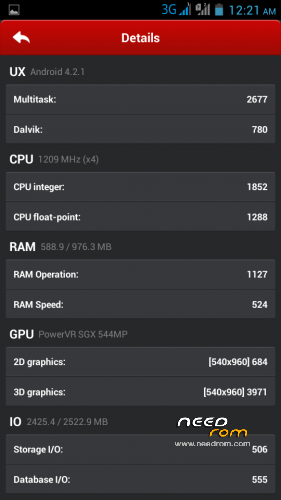
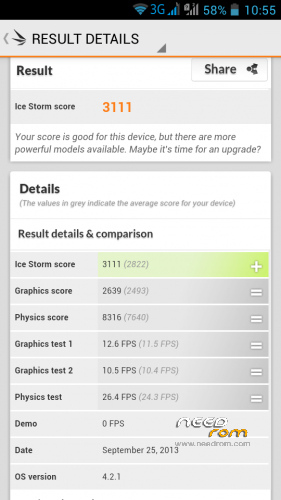
 Member Info
DESCRIPTION
Update 15.01.2014
Fixed color temperature bug (please see #2).
Alpha version
Port from ZTE V987. Thanks to bruno for the base. Also thank to cloudROM and MIUI teams, their roms helped me for the final fixes. Unfortunately, it is still based on S139 kernel. I couldn't find a way to overcome the issue with messed up touchscreen and orientation. It was working on my phone only.
Don't forget this is just a test version for those who like to experiment. It would be a big luck if everything works as intended, so if you're looking for a bug-free and stable rom, then it's adviseable not to install this version before bugs are fixed.
Install through CWM/TWRP.
Needless to say – make a backup of your current system first.
Spent a lot of nights working on this and finally managed to fix everything…or almost.
Most of the things seem to work, but needs testing. It is guaranteed that won't mess up the touchscreen (verified on another A820).
The ROM is permanently rooted and multilanguage, gapps not included, but you can install from this link: http://goo.im/devs/UniqueDroid/gapps/gapps-4.2.1/gapps-jb-4.2.1-20121129-signed.zip through CWM/TWRP.
If you get installation aborted, then you don't have a proper recovery installed. Download this one http://d-h.st/QxB rename it to recovery.img, copy to sdcard and install through MobileUncleTools (you can download it from Google Play).
Working: GPS, Wi-Fi, Sensors, GSM module, camera, audio, video with h/w decoding, mount points, charging
Untested: Bluetooth (turns on, but have no device to test it with), FM radio tested, but needs headphones as antenna
Not working / known bugs:
1. MP3, but plays FLAC – replace libstagefright.so from this link http://d-h.st/Zn6 in /system/lib/, set rw-r–r– permissions and restart the phone.
2. Color temperature changing in some cases - Replace /system/app/Gallery2.apk with attached Gallery2.apk rom the zip file and delete Gallery2.odex. Reboot the phone. Playing the recorded videos directly from the Camera leads to FC, but otherwise everything seems fine. This version is unaltered in any way, but fixes the nasty color temperature bug. FC problem will be fixed in the next full release.
3. USB Tethering – disable USB Debugging from Developer options and it will work
4. Contacts binding (don't have 2 SIM cards, so unable to test)
5. Search in contacts stops at 2nd symbol
※Please make a backup of your device before installing or updating ROM
How i can set rw-r–r– permissions?
Install ES File Explorer, then open it, tap on the left capacitive button (menu), select root explorer.
There will be a prompt from SuperSU, allow it and on next popup select Mount R/W, then change all radio buttons to r/w. You have now root access on the file system and can set permissions by holding on a file, then selecting More -> Properties -> Permissions -> Change. rw-r–r– means
v v v
v x x
v x x
where x is unchecked and v is checked.
Thank's for ROM. Video camera not working, but foto works fine.
I tested Video camera and it works for me. Where you get problem?
seems video causes force close…for me at least
The same here. Camera hangs if I try to record movie. Picture taking works, but after I try to record video, camera hangs and doesn't work at all any longer (phone restart needed).
Tested on my A820 and works just perfectly. Thank you infrared. It is just amazing
I have one suggestion: "long press to unlock" sucks. Solution from Lambda is better.
Good evening! Shooting video is not working. Off with an error in the gallery.
Done and i confirm that now music works
Impressive! Good work, thanks!
All work, libastagefright.so fixes not only mp3, video camera was fixed too
Found bug about calendar – it does not show up any of Google Account's calendars. Even in account settings / syncing option there is no option to sync calendar.
Found workaround: install Google Calendar from Google Play, here's link:
It's official Google Calendar. Install from the web, it will download to phone.
It does not replace system calendar. But it works.
https://play.google.com/store/.....ndar&hl=pl
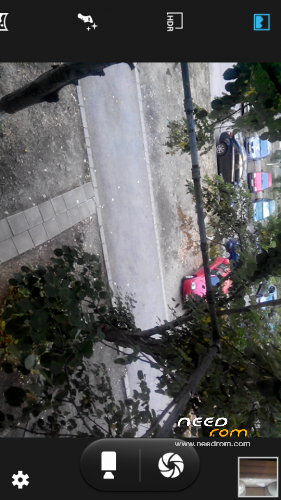
About the camera: It does record video, but when I want to switch back to photo mode, it hangs up and crashes. Launching again gives an error: (I'm translating from polish) "Cannot estabilish connection with a camera."
As far as I can tell, other things works, ROM is running very, very smooth and fast. Great work, Infrared. Tomorrow I'll test bluetooth with my headset.
Thanks again!
Shame there's no edit option… after restart camera seems to work normally. Recorded short video, then made some photos, recorded video again.. works.
I'd like to notice that I replaced libstagefright.so and restarted before 1st camera test.
1. Recording Video not work – unexpected stop Gallery After error the UI colour was changed – from blue to teal :/
2. Chinese word witch USIM card icon
3. New DevSettings not work ie. MSAAx4
4. The dialer is not aligned
5. Awful 3G/GSM icon on top and missed restart to Recovery options after logn press the power button. Battery indicator might be like in the previous ROM
Other things work quite good and fast. As the Alpha is great indeed. We look forward to fix these little things
BTW translation is not complete, but it's OK. It has some shortcomings (DualSIM and GPS), but is ready to use.
For the camera did you try the libstagefright.so fix?
About other things – it's direct port and ZTE V987 has FHD display…although it's standard android there might be some misplaced elements and so on. Nothing else is changed, I'm just trying to have all functions work, then I will start modding it.
For the camera did you try the libstagefright.so fix?
Now testing and indead MP3 and camera work normal. But there is still a problem with colour for me. Afer reboot its normal:

But after using the camera its looks like:

(effect obtained using a graphics program because the screenshot does not show abnormalities)
TruMedia also somehow did not want to work. Or am I deaf or actually there is no difference when it started
5. Awful 3G/GSM icon on top and missed restart to Recovery options after logn press the power button.
+1
libastagefright.so fixed camera crash