
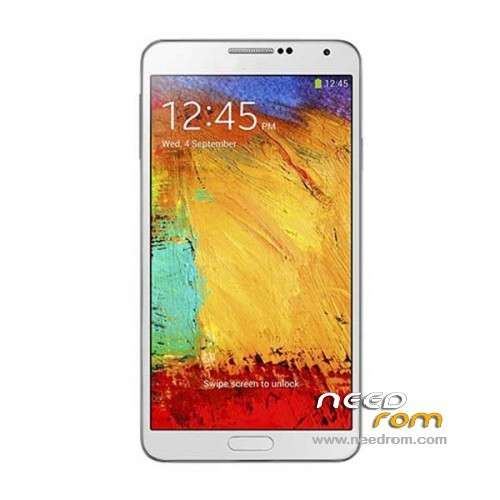
- Title: ALPS NOTE3 N9006 MT6582
- Listed: December, 2013
- Last modified: 03/14/2014 3:23 am
- Version: ROM Android 4.2.2
You must be logged for ROM download.
90667 total views, 2 today
12 Total favorites
 Member Info
DESCRIPTION
ROM ALPS NOTE3 SM N9006 MT6582 – ROM Android 4.2.2
Update Version English : N9006V206En20140305 ALPS.JB5.MP.V1.5_lcsh82_wet_jb5 ( I don't know the changelog )
——————————————————————————————————————————————-
Update Version English : N9006V119En20131227 ALPS.JB5.MP.V1.5_lcsh82_wet_jb5 ( I don't know the changelog )
——————————————————————————————————————————————-
Update Version English : N9006V108En20131114 ALPS.JB5.MP.V1.5_lcsh82_wet_jb5
1 underlying optimization, reducing memory on consumption;
2 Hall switch increases functional items;
3 cameras optimization
4 sound optimization
——————————————————————————————————————————————-
Official ROM NOTE3 SM N9006
Version chinese : N9006V106Cs20131031 ALPS.JB5.MP.V1.5_lcsh82_wet_jb5
Version English : N9006V103En20131030 ALPS.JB5.MP.V1.5_lcsh82_wet_jb5
NOTE3 SM N9006 Smart Phone 5.7" IPS FHD - MTK6582 1.3GHz 1GB RAM+4GB Single sim
Gapps include – No Rooted
Language support: Multilang
Install ROM :
- Unpack FlashTools, and Click on Flash_tool.exe
- Select a the MT6582_Android_scatter_emmc.txt in ROM
- Wait file to be added into Flash Tool
- choose Option->USB Model,click USB Model
–> Choose Option->DA DownLoad All->Speed->High Speed, click High Speed
- Turn off your phone, remove the battery.
- "Press F9 (hit Download button)" OR " if upgrade ROM Firmware->Upgrade "
- and connect your phone into the computer via USB data cable.
- The process will start and a red progress bar will appear after color purple, yellow.
- And green circles display
- Finish !
- You can now safely disconnect your phone and turn it on.
※Please make a backup of your device before installing or updating ROM
have tested the latest update,is no good ,screen unreadable,phone not usable but not brick .does not flash !
@cibi21, whith uptade 03.05.2014 ?your phone its ok ? , for me no ,screen unreadable, full of lines,I have flash the old firmware .Your phone is ?
Hi
in the flashtool What to choose?
firmware update or download only
@cibi21, whith uptade 03.05.2014 ?your phone its ok ? , for me no ,screen unreadable, full of lines,I have flash the old firmware .Your phone is ?
yes it's ok, it's update at the first time appair the android logo, i restart it and at the second restart, there is the samsung logo, and now, when i connect the phone at the MTK DROID the build date is 03/15/2014 and the phone is perfect under all the aspect, work at 100%
Hi at all, i have update the phone with the last rom (03/05/2014) on my phone is perfect.
@maur1z10 hello, your phone is ?
Hi my hone is this: S-pen with note3 n9000 buy on dhgate.com
when we see new GOOD working rom ??
maur1z10 ok, the last update is for n9000 ,no 9006 for me it s bug
My phone is the same and the original rom is the ALPS note3 n9006 build date 11/14/2013 ( i'm sure with MTK DROID)
for me is very important know the first rom on the phone, i don't see the model … much china clone are all the same, but change only the name.
P.S. excuse-me for my english
update 11.14.2013 work fine ; just update 03.05.2014 is no good and it was removed
Will this ROM work with this?
Hardware : MT6582
Model : Samsung GALAXY Note 3
Build number : ALPS.JB5.MP.V1.5
Build date UTC : 20131221-104413
Android v : 4.4
Baseband v: —–
Kernel v : 3.4.5 (rs@rs-ThinkStation-D30) (gcc version 4.6.x-google 20120106 (prerelease) (GCC) ) #1 SMP Sat Dec 21 18:42:07 CST 2013
Thanks in advance.
you'r phone is n9000 or 9006 ? this rom work whith n 9006