
- Title: ALPS NOTE3 N9006 MT6582
- Listed: December, 2013
- Last modified: 03/14/2014 3:23 am
- Version: ROM Android 4.2.2
You must be logged for ROM download.
90668 total views, 3 today
12 Total favorites
 Member Info
DESCRIPTION
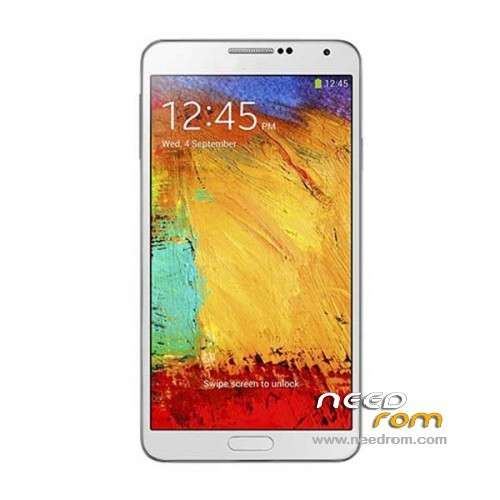
ROM ALPS NOTE3 SM N9006 MT6582 – ROM Android 4.2.2
Update Version English : N9006V206En20140305 ALPS.JB5.MP.V1.5_lcsh82_wet_jb5 ( I don't know the changelog )
——————————————————————————————————————————————-
Update Version English : N9006V119En20131227 ALPS.JB5.MP.V1.5_lcsh82_wet_jb5 ( I don't know the changelog )
——————————————————————————————————————————————-
Update Version English : N9006V108En20131114 ALPS.JB5.MP.V1.5_lcsh82_wet_jb5
1 underlying optimization, reducing memory on consumption;
2 Hall switch increases functional items;
3 cameras optimization
4 sound optimization
——————————————————————————————————————————————-
Official ROM NOTE3 SM N9006
Version chinese : N9006V106Cs20131031 ALPS.JB5.MP.V1.5_lcsh82_wet_jb5
Version English : N9006V103En20131030 ALPS.JB5.MP.V1.5_lcsh82_wet_jb5
NOTE3 SM N9006 Smart Phone 5.7" IPS FHD - MTK6582 1.3GHz 1GB RAM+4GB Single sim
Gapps include – No Rooted
Language support: Multilang
Install ROM :
- Unpack FlashTools, and Click on Flash_tool.exe
- Select a the MT6582_Android_scatter_emmc.txt in ROM
- Wait file to be added into Flash Tool
- choose Option->USB Model,click USB Model
–> Choose Option->DA DownLoad All->Speed->High Speed, click High Speed
- Turn off your phone, remove the battery.
- "Press F9 (hit Download button)" OR " if upgrade ROM Firmware->Upgrade "
- and connect your phone into the computer via USB data cable.
- The process will start and a red progress bar will appear after color purple, yellow.
- And green circles display
- Finish !
- You can now safely disconnect your phone and turn it on.
※Please make a backup of your device before installing or updating ROM
my note3 clone already flashed, but I have a problem with my display. Display unable rotate. Does anyone knows what was happen with my note 3 clone?
I have had the same thing ,must flash with good rom, try another rom adapted
allah tuttugunu altın etsin kardeşşşşşş 4 gundur bu cenabet telefonla ugrasıyordukkk
Will this ROM resolve my issue with App Mgr which is not showing SD Card Storage? I only got Downloaded, Phone Stora, Running and All tabs but not SD Card Storage.
I have a 16GB microSD card in it and can be accessed using any file manager apps but not showing in Apps Mgr that's why I cannot move Apps to SD.
thanks
6582 does not support FULLHD.Are you sure that 1080p.
If remove the battery, sp flash tool doesn't recognize my phone, to realize the procedure, i connect the phone with battery and pressing volume +, and i can flash the rom without problems.
hey guy,, help me, i want to flash this rom, but my samsu** not* 3 mtk 6582, was dead, after flash this rom, n when iam try to flash again , always say "enabel dram fail", or "no respon", n when i conect to PC not just conect , must hold down volume up n conenct to PC will be decetcted,,, please help me, sory for my bad english
Hi everyone. I have a problem with my n9006 mt 6582. Phone on before flashing ALPS NOTE3 N9006 – vEN, and flash goes ok. But now after flash, phone seems be dead. please someone help me. please. now i'm trying flashing another rom …but sp flash stuck on error 4032 dram failed.