
- Title: Android 7.1.1
- Listed: March, 2017
- Last modified: 03/09/2017 1:52 pm
- Version: BETA5 Android 7.1.1 x32+x64
You must be logged for ROM download.
30313 total views, 3 today
18 Total favorites
CUSTOM




 Member Info
DESCRIPTION
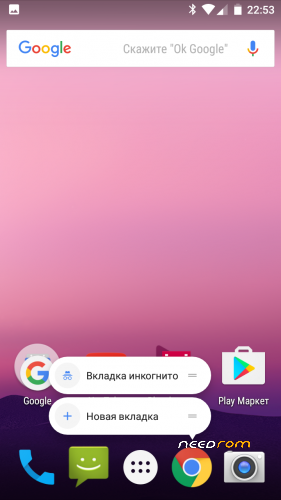
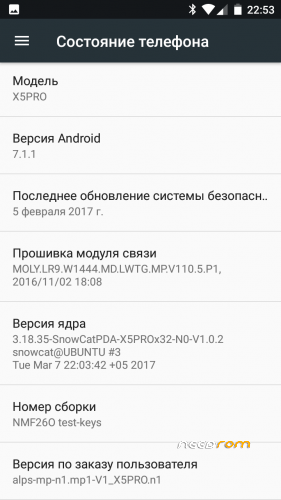
FlashTools version Android 7.1.1 for DOOGEE X5PRO and DOOGEE X5S, x32 and x64 versions
- Build-in GAPPS
- FIX screen driver hct_hx8394f_dsi_vdo_hd_cmi
Link to actual develoer page:
http://getbest.ru/doogee_x5pro_nougat_beta.htm
TWRP x32 and x64 for Android 7.1.1
※Please make a backup of your device before installing or updating ROM
Downloading FT Android 7.1.1×64 will update after installing for any bug… Thank you for the update…!!!
I have to check for update ??
Yeah, this is great. Thanks for the work you've done!
I still have problems rooting the rom. I’ve started from scratch installing original R16 Rom, then installed TWRP and rooted the R16 rom with SuperSU. Started the R16 rom and verified that it was correctly rooted.
Then I installed the Beta3 Rom removing the flag on recovery in SP Flash Tools. Just after the flash I tried to start TWRP by pressing “Power+VolUp” and selecting Recovery in the menu and again I view the Snowcat logo a black flash of 1 or 2 seconds and then the Snowcat logo and the “mediatek” logo and then the normal system…no recovery. Can you please tell me the correct sequence for installing TWRP with this Rom and then rooting it? I’m using the 32bit version.
For the rest the rom is great and everything works thank you.
I had the same problem when using the linked SU V2.79 on page one with my 32bit version of Beta3, I had one working SU still here downloaded named SuperSU_Pro_v2.78-SR1.zip (not sure where I got it from) working perfect. Just flash in TWRP and reboot, nothing special about it.
@cs_using but which version of TWRP I've tried many but none worked. I'm not able to reach the TWRP screen to flash SuperSU, what sequence do you use to launch TWRP?
then you have to install TWRP with Flashtool again, seems your recovery is lost.
Most works very well and quickly, but LTE is not working. (X5 Pro)
X64 ROM is working fine except for one bug. The proximity sensor is not working. Screen turns black immediately when making a call. The only way to end a call is to set power button to end call in accessibility options. I installed androsensors and this reads zero, occasionally flicking to 3.9inch. Anyone else experiencing this? Thanks.
It works well for me. The sensor can be calibrated, but not important. Change threshold high: 400, low: 250. It's off screen ~4 cm, it's works well for me.
Calibration and Change Threshold: EngineerMode (dialer: *#*#3646633#*#*) – Hardware Testing – Sensor – Light/Proximity Sensor – PS Calibration
Thank you for the reply, at least I know it's not the ROM, it's my phone! I have tried all that in engineering mode although not with your values. Everthing fails, including your values. If I try to calibrate I can get high and low readings of around 350 / 5900 but when I press "Do calibration" I get calibration failed. Same with your values, same with clear calibration and same with set threshold. So I am at a loss??
The custom boot.img (linux kernel) does not include all of the hardware, which Doogee changed the production cycle. (camera, touchscreen, sensors, etc.) The default kernel source is not available, the Doogee violates the linux license. Probably with the factory ROM, your sensor working.
Beta3 X32 works very fine for me (Clean install). Good job.
Just a will : Buttons settings, not in setup menu (for example, cannot grab screen with on/off button, or reboot in recovery).
Thanks again.
problem with adb = adb cant find phone
adb devices is empty
fastboot working , drivers installed , phone visible in device manager and windows
adb interface visible in device manager
phone usb debuging on
can any1 check it ???
Hi,
I installed this ROM and the SIM ports does not seem to work properly. In both SIM1 & SIM2 I receive "Emergency calls only – No service". Flashing to R12 or R16 or even R05 did not help. Is there any way of restoring the SIM card ports by restetting to default? At the moment the X5Pro is useless.
Your help will be appreciated. Thank you.
Rgds.
If I can only add that the IMEI numbers are not equal and properly set. For both SIM card ports the IMEI SV = 78. thanks
use this app to restore your imei https://play.google.com/store/.....tel.chamelephon or google how to restore imei in mtk phones and you`ll find solution
Thanks Chris but I just said that IMEI numbers are correct. It seems to be something different. I will try chamelephon anyway, just in case. thanks
Sorry, your advise did not help