
- Title: Android 7.1.1
- Listed: March, 2017
- Last modified: 03/09/2017 1:52 pm
- Version: BETA5 Android 7.1.1 x32+x64
You must be logged for ROM download.
30313 total views, 3 today
18 Total favorites
CUSTOM




 Member Info
DESCRIPTION
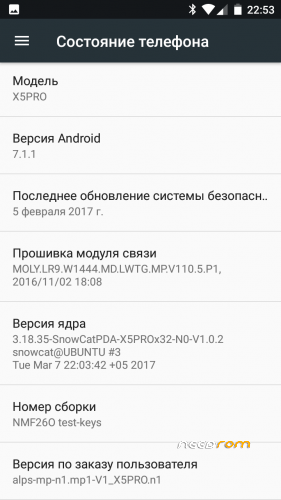
FlashTools version Android 7.1.1 for DOOGEE X5PRO and DOOGEE X5S, x32 and x64 versions
- Build-in GAPPS
- FIX screen driver hct_hx8394f_dsi_vdo_hd_cmi
Link to actual develoer page:
http://getbest.ru/doogee_x5pro_nougat_beta.htm
TWRP x32 and x64 for Android 7.1.1
※Please make a backup of your device before installing or updating ROM
No luck with this ROM — maybe I need help?
Tried installing x32, then x64 version using FlashTool v5.1636. Gets stuck in boot loop, showing the SnowCat logo only.
Installed TWRP later from getbest.ru as linked, that did not work either — boot loop.
Any ideas, please let me know – I would like to get rid of the stock Android 6.0 ROM as it has cooked-in ads in the factory ROM.
Cheers,
István
rom is stable, everything (gps, camera, video playback…) working perfectly. the rom works fast and responsive and battery-life is great. thank you so much. since you included your own custom kernel, could overclocking and more cpu governors be a possibility in the future?
Getting a boot loop on install with this rom. There's 2 scatter files in the rom, one – wipe clean install – and another just normal. Normal one is corrupt and the – wipe clean install – just leaves a loop d loop.
v7.1.1 BETA 4 (from the author's webpage) bootloops. I'm not even able to enter the recovery, and people reported the same on previous posts, so DON'T INSTALL!!
Tested with BETA 3 and it bootloops as well, so this ROM is a no-go for me.
Yeah I had that. Had to revert to stock.
Finally hotspot and wifi working with BETA3 Android 7.1.1 ?
Hotspot it's important to me!
What to install ? x32 or x64?
Thank you!
The X32 Version Runs perfekt! Thank You very much! My Battery Stats on X64 V5/6 dosnt work after delete my NVRAM by problems with Update V6, now its Working! Is X32 standard in X5Pro?
Nice Future in Admin-Menu is the DPI Option, I Change it from 360 to 460 so that i become 5 Icons in a row. Very Nice!
Greets!
and i am back to android 6
will be update? my back camera says cant no connect helpp