
- Title: AOSP-V3
- Listed: December, 2015
- Last modified: 01/14/2016 3:30 pm
- Version: V3.1.1
You must be logged for ROM download.
42095 total views, 5 today
34 Total favorites
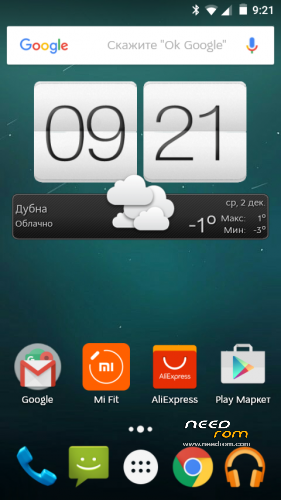
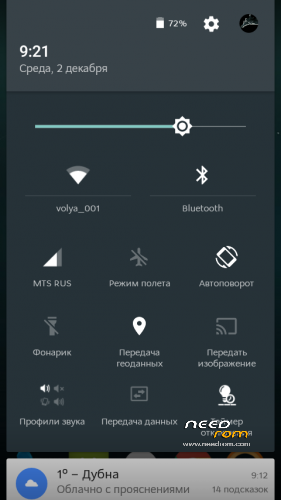
 Member Info
DESCRIPTION
IM SEARCHING FREE SAMPLES OF DOOGEE PHONES !!!
ITS LOLLIPOP
AOSP-V3 based on Stock lollipop from DOOGEE
Changes
1. Unlock bootloader
2. Disable data encription (now possible to create backups) thx n1osbb2 to help
3. Custom recovery cwm based.
4. Delete fake launcher, and install by default google start
5. DPI fix to 220
6. Netywork icons without G and 3G words
7. ROOT inculde, latest supersu
8. Warning in this version wake gesture deleted, back in next updates.
This initial release install over flash tool !!!! ALL DATA WILL BE LOST.
check updates from me on this page
Update from 3.x to 3.1.0
1. Update system to V35, official fixes from doogee
2. Change supersu to kingoroot (last supersu update kill v35 system)
3. Security locker working good in v35
4. Gestures work normal in v35
update to 3.1.1 – full update
1. Fix dialer bug
2. Change system fonts
Install over recovery WITHOUT WIPES !!!! – for update
Or wiper before install for clean installation.
※Please make a backup of your device before installing or updating ROM
Works Great, use SPFlashTools for the rom and the included Recovery for the update file. No battery drain and rooted with SuperSu. I didn't have any problems with the IMEI's. The DPI change is just perfect.
Hi, thanks to brutal 4028; hope battery drain dissapears!!!
Cheers
How to install this reboot fix?
Reboot fix install over FLASH TOOL
GPS NOT WORK on android 5.0 (AOSP-V3 and V17-OFF) waiting doogee update with fixes.
Thank you @brutal4028 that no one has written any anywhere complained at least I have not seen.
in side home gps
in side home gps signal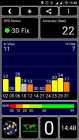
What is the rebootfix for????
if you try to reboot(reiniciar) the phone it is not reboot but only shutdown, with this file (flashing) your phone now can reboot
Thanks for the answer!!!
Just to be sure… we install AOSP-V3.0 FT BASE with SP Flash tool, and the Update from 3.x to 3.0.1 from Recovery, is that right?
Can someone tell us what to do with the "rebootfix" file, and how to install it?
I have the same questions! You solved it?
Check out the XDA forum post #904 for a tutorial
on settings the developer options stops, how fix this?
ok I fix it