
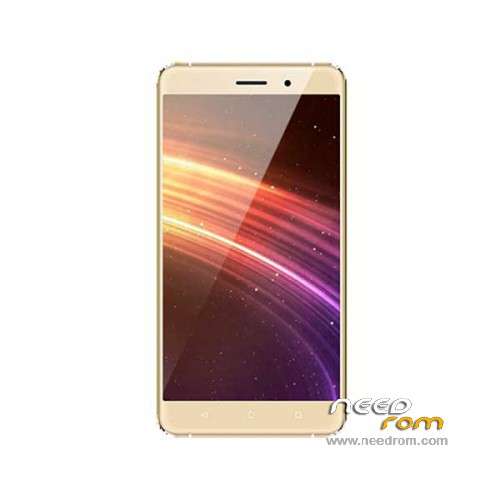
- Title: BLUBOO Maya
- Listed: July, 2016
- Last modified: 11/14/2017 10:38 pm
- Version: ROM Android 6.0
You must be logged for ROM download.
33729 total views, N/A today
25 Total favorites
 Member Info

DESCRIPTION
ROM Mobile BLUBOO Maya – ROM Android 6.0
ONLY MT6580
ATTENTION Many problems with rom "Bluboo Maya" and some mobile versions, so be careful
Update Official ROM BLUBOO Maya version : V178C_HD_M_V1.0_20171109_1613_V1.4.0_LTX_E33A – full_magc6580_we_m-user 6.0 MRA58K
——————————————————————————————————————————————————————————————————–
Official ROM BLUBOO Maya version : V178C_HD_M_V1.0_16_20170612_1121_V1.0.2_LTX_E33A_C1 – full_magc6580_we_m-user 6.0 MRA58K
Not compatible with the first version
——————————————————————————————————————————————————————————————————–
Update Official ROM BLUBOO Maya version : V178C_HD_M_V1.0_20170607_1049_V1.3.6_LTX_E33A – full_magc6580_we_m-user 6.0 MRA58K
——————————————————————————————————————————————————————————————————–
Update Official ROM BLUBOO Maya version : V178C_HD_M_V1.0_20170517_1043_V1.3.4_LTX_E33A – full_magc6580_we_m-user 6.0 MRA58K
——————————————————————————————————————————————————————————————————–
Update Official ROM BLUBOO Maya version : V178C_HD_M_V1.0_20170511_1859_V1.3.3_LTX_E33A – full_magc6580_we_m-user 6.0 MRA58K
——————————————————————————————————————————————————————————————————–
Update Official ROM BLUBOO Maya version : V178C_HD_M_V1.0_20161215_1438_V1.3.1_LTX_E33A – full_magc6580_we_m-user 6.0 MRA58K
——————————————————————————————————————————————————————————————————–
Update Official ROM BLUBOO Maya version : V178C_HD_M_V1.0_20161018_1711_V1.2.4_LTX_E33A – full_magc6580_we_m-user 6.0 MRA58K
——————————————————————————————————————————————————————————————————–
Update Official ROM BLUBOO Maya version : V178C_HD_M_V1.0_20160701_2333_V1.0.8_LTX_E33A – full_magc6580_we_m-user 6.0 MRA58K
——————————————————————————————————————————————————————————————————–
Official ROM BLUBOO Maya version : V178C_HD_M_V1.0_20160623_0923_V1.0.2_LTX_E33A – full_magc6580_we_m-user 6.0 MRA58K
Gapps include – No Rooted
Language support: Multilang
ROM Install :
- Unpack FlashTools, and Click on Flash_tool.exe
- Select "scatter-Loading" and search MT6580_Android_scatter.txt in ROM
- Wait file to be added into Flash Tool
- Select "Download Only" or if upgrade "Firmware upgrade"
- Turn off your phone, remove the battery (if the battery is removable) and replace it after some seconds (and don't turn on the phone).
- Press “Download” button to start
- and connect your phone into the computer via USB data cable.
- The process will start and a red progress bar will appear after color purple, yellow.
- And green circles display
- Finish !
- You can now safely disconnect your phone and turn it on.
※Please make a backup of your device before installing or updating ROM
ok.
i've send by email link for version 1.1.4 at megthebest and you
Ok I have heard that it does not solve the problem. I think we need touch panel img from 1.08 or earlier to flash it back in fastboot and stay on earlier ROM. Can you help?
Good day, you solved the problem? I have exactly the same problem. Firmware successful, but the touch screen does not respond to pressing. Bottom buttons do not work.
Strange, I do not have any problems with touch after update. Maybe this ROM is corrupted? You do not need to download new update from here, because OTA update is already available directly from phone system settings-> wireless update.
Touch panel problem unsolved.
При загрузке только звук на экране черная портретная рамка ?
hello how fix the imei its dont work
thanks
I have v.1.2.4 downloaded from here, and installed by flash tool, the updates by OTA will no longer come out? Do I have to update with these roms obligatorily? thank you
Tengo la v.1.2.4 descargada de aqui, e instalada por flash tool, las actualizaciones por OTA ya no me saldran? tengo que actualizar con estas rom obligatoriamente? gracias.
Another doubt, if I download the rom in zip from here, can install from the section of automatic updates, where I put updates in local? There let me choose zip files. But I’m afraid to try and lose all the data.
otra duda, si me descargo la rom en zip desde aqui, se puede instalar desde el apartado de actualizaciones automaticas, donde me pone actualizaciones en local? ahi me deja elegir archivos zip. pero me da miedo probar y perder todos los datos
help my???please!
Which is the rom for root my phone?