
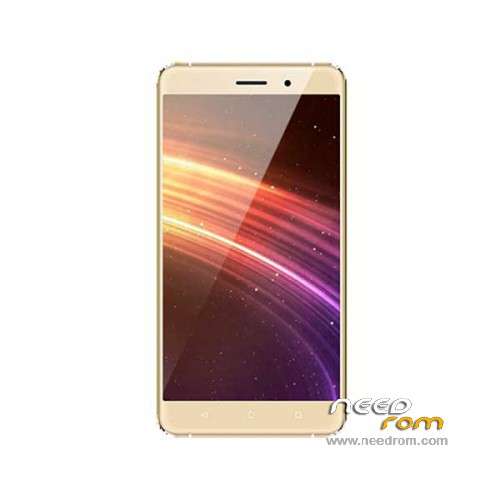
- Title: BLUBOO Maya
- Listed: July, 2016
- Last modified: 11/14/2017 10:38 pm
- Version: ROM Android 6.0
You must be logged for ROM download.
33729 total views, N/A today
25 Total favorites
 Member Info

DESCRIPTION
ROM Mobile BLUBOO Maya – ROM Android 6.0
ONLY MT6580
ATTENTION Many problems with rom "Bluboo Maya" and some mobile versions, so be careful
Update Official ROM BLUBOO Maya version : V178C_HD_M_V1.0_20171109_1613_V1.4.0_LTX_E33A – full_magc6580_we_m-user 6.0 MRA58K
——————————————————————————————————————————————————————————————————–
Official ROM BLUBOO Maya version : V178C_HD_M_V1.0_16_20170612_1121_V1.0.2_LTX_E33A_C1 – full_magc6580_we_m-user 6.0 MRA58K
Not compatible with the first version
——————————————————————————————————————————————————————————————————–
Update Official ROM BLUBOO Maya version : V178C_HD_M_V1.0_20170607_1049_V1.3.6_LTX_E33A – full_magc6580_we_m-user 6.0 MRA58K
——————————————————————————————————————————————————————————————————–
Update Official ROM BLUBOO Maya version : V178C_HD_M_V1.0_20170517_1043_V1.3.4_LTX_E33A – full_magc6580_we_m-user 6.0 MRA58K
——————————————————————————————————————————————————————————————————–
Update Official ROM BLUBOO Maya version : V178C_HD_M_V1.0_20170511_1859_V1.3.3_LTX_E33A – full_magc6580_we_m-user 6.0 MRA58K
——————————————————————————————————————————————————————————————————–
Update Official ROM BLUBOO Maya version : V178C_HD_M_V1.0_20161215_1438_V1.3.1_LTX_E33A – full_magc6580_we_m-user 6.0 MRA58K
——————————————————————————————————————————————————————————————————–
Update Official ROM BLUBOO Maya version : V178C_HD_M_V1.0_20161018_1711_V1.2.4_LTX_E33A – full_magc6580_we_m-user 6.0 MRA58K
——————————————————————————————————————————————————————————————————–
Update Official ROM BLUBOO Maya version : V178C_HD_M_V1.0_20160701_2333_V1.0.8_LTX_E33A – full_magc6580_we_m-user 6.0 MRA58K
——————————————————————————————————————————————————————————————————–
Official ROM BLUBOO Maya version : V178C_HD_M_V1.0_20160623_0923_V1.0.2_LTX_E33A – full_magc6580_we_m-user 6.0 MRA58K
Gapps include – No Rooted
Language support: Multilang
ROM Install :
- Unpack FlashTools, and Click on Flash_tool.exe
- Select "scatter-Loading" and search MT6580_Android_scatter.txt in ROM
- Wait file to be added into Flash Tool
- Select "Download Only" or if upgrade "Firmware upgrade"
- Turn off your phone, remove the battery (if the battery is removable) and replace it after some seconds (and don't turn on the phone).
- Press “Download” button to start
- and connect your phone into the computer via USB data cable.
- The process will start and a red progress bar will appear after color purple, yellow.
- And green circles display
- Finish !
- You can now safely disconnect your phone and turn it on.
※Please make a backup of your device before installing or updating ROM
The last official OTA ROM is: V178C_HD_M_V1.0_20161213_1642_V1.3.0_LTX_E33A. Unfortunately I can not make a backup of this ROM, because my Bluboo Maya is not rooted. Or I do not know how.
Note: this is version 1.3.0, not 1.3.1. It works very stable. I experience no problems. I think there are different versions of Bluboo Maya. The OTA software you get is depending from version You have.
Hi Friends.
Please Help me.
Buy this Bluboo Maya and at 8 days the touch screen stopped working on the bottom and some part of middle.
Send me another touch screen and I'll see the problem.
Anyone know how to fix it? Do i have to flash some rom?
The first stap is to try full reset the phone to factory settings.
Hi. My smartphone has problems, every moment the applications stopped. Install version 1.3.2 but the problem persists.
not phone not working not started phone. not working power on bottom.
I flashed BLUBOO Maya – Update V1.3.1, seems ok. still under testing.
after flashing this rom to my bluboo maya screen damaged screen does not work.always show a black screen help me please
Flash latest firmware will correct this issue. I've experieced that after flashing v1.2.4. Then, I flash v1.3.6, problem solved
20170517_1043_V1.3.4….20170511_1859_V1.3.3…. Two updates in a week?
Three updates??
tengo un bluboo maya como cual room uso para rpararlo
I made the installation of the ROM formatting + download and the virus back, I opened an application installation popup. And does not connect to the telephone network here in Brazil. Can someone help me?
Cara, eu tive o mesmo problema. Não consegui de jeito nenhum eliminar o tal virus que fica abrindo pop-up e tentando instalar aplicativos. Mesmo formatando e instalando outras ROM's. O que eu fiz: Instalei essa última ROM que eles disponibilizaram aqui, aí descobri que o que fica abrindo pop-up e tentando instalar é um tal de um aplicativo "Captura de Beleza" que veio com o aparelho. Depois de muito fuçar cheguei à conclusão que esse é o problema. O Malwerebytes detecta dois vírus sempre. Mas não consegue eliminar. Aí fui no config do aparelho, apps e desativei esse aplicativo. Aí pararam as janelas e as solicitações de instalação. Ou seja, é um paliativo, pelo menos para as mensagens e solicitações de instalação não desejadas. Mas o vírus continua no sistema (parece que ele veio no Android do Bluboo, nativo). Quanto ao IMEI, eu também tive o problema, ele perdeu os dois IMEIS. Então pesquisei na internet e encontrei um tutorial e um programa. Assim consegui inserir novamente os dois números IMEI's. Mas você tem que saber quais são os IMEIS originais (ficam na carcaça atrás da bateria). Veja no link: (em inglês): https://soragerom.blogspot.com.....220502104963894
Agora, eu queria mesmo é resolver o problema do GPS. Não funciona de jeito nenhum nesse aparelho. Com Google Maps, Waze, etc. Você já utilizou no seu? No meu não navega, fica doido e não sai do lugar… A minha intenção quando instalei o ROM era para resolver esse problema…