
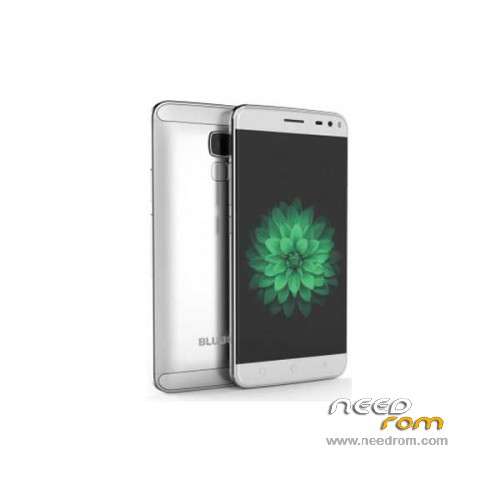
- Title: BLUBOO Xfire 2
- Listed: February, 2016
- Last modified: 04/14/2017 10:09 pm
- Version: ROM Android 5.1
You must be logged for ROM download.
21766 total views, 2 today
24 Total favorites
 Member Info
DESCRIPTION
ROM Phone BLUBOO Xfire 2 – ROM Android 5.1
ONLY MT6580
ROM 1 – Update Official ROM BLUBOO Xfire 2 version : V195_HD_V2.0_20170413_2208_V1.1.4_XX_O3_BLUBOO_XFIRE2 – full_magc6580_we_l-user 5.1 LMY47I
————————————————————————————————————————————————————————-
ROM 3 – Update Official ROM BLUBOO Xfire 2 version : V195_HD_V2.0_20170103_2123_V1.0.6_MRW_BAT2_XX_O3_BLUBOO_XFIRE2 – full_magc6580_we_l-user 5.1 LMY47I
————————————————————————————————————————————————————————-
ROM 3 – Update Official ROM BLUBOO Xfire 2 version : V195_HD_V2.0_20161215_1856_V1.0.5_MRW_BAT2_XX_O3_BLUBOO_XFIRE2 – full_magc6580_we_l-user 5.1 LMY47I
————————————————————————————————————————————————————————-
ROM 3 – Update Official ROM BLUBOO Xfire 2 version : V195_HD_V2.0_20161212_1308_V1.0.4_MRW_BAT2_XX_O3_BLUBOO_XFIRE2 – full_magc6580_we_l-user 5.1 LMY47I
————————————————————————————————————————————————————————-
ROM 3 – Official ROM BLUBOO Xfire 2 version : V195_HD_V2.0_20161129_2038_V1.0.3_MRW_BAT2_XX_O3_BLUBOO_XFIRE2 – full_magc6580_we_l-user 5.1 LMY47I
————————————————————————————————————————————————————————-
ROM 2 – Update Official ROM BLUBOO Xfire 2 version : V195_HD_V2.0_20160809_1427_V1.0.8_MRW_XX_O3_BLUBOO_XFIRE2 – full_magc6580_we_l-user 5.1 LMY47I
————————————————————————————————————————————————————————-
ROM 1 – Update Official ROM BLUBOO Xfire 2 version : V195_HD_V2.0_20160715_2300_V1.1.3_XX_O3_BLUBOO_XFIRE2 – full_magc6580_we_l-user 5.1 LMY47I
————————————————————————————————————————————————————————-
ROM 2 – Update Official ROM BLUBOO Xfire 2 version : V195_HD_V2.0_20160705_1019_V1.0.6_MRW_XX_O3_BLUBOO_XFIRE2 – full_magc6580_we_l-user 5.1 LMY47I
————————————————————————————————————————————————————————-
ROM 1 – Update Official ROM BLUBOO Xfire 2 version : V195_HD_V2.0_20160705_0313_V1.1.2_XX_O3_BLUBOO_XFIRE2 – full_magc6580_we_l-user 5.1 LMY47I
————————————————————————————————————————————————————————-
ROM 2 – Update Official ROM BLUBOO Xfire 2 version : V195_HD_V2.0_20160606_1515_V1.0.5_MRW_XX_O3_BLUBOO_XFIRE2 – full_magc6580_we_l-user 5.1 LMY47I
————————————————————————————————————————————————————————-
ROM 2 – Update Official ROM BLUBOO Xfire 2 version : V195_HD_V2.0_20160415_1835_V1.0.4_MRW_XX_O3_BLUBOO_XFIRE2 – full_magc6580_we_l-user 5.1 LMY47I
————————————————————————————————————————————————————————-
ROM 1 – Update Official ROM BLUBOO Xfire 2 version : V195_HD_V2.0_20160416_1740_V1.1.1_XX_O3_BLUBOO_XFIRE2 – full_magc6580_we_l-user 5.1 LMY47I
————————————————————————————————————————————————————————-
ROM 2 – Official ROM BLUBOO Xfire 2 version : V195_HD_V2.0_20160314_0236_V1.0.1_XX_O3_BLUBOO_XFIRE2_MRW – full_magc6580_we_l-user 5.1 LMY47I
I don't know if this ROM is compatible with ROM 1
————————————————————————————————————————————————————————-
ROM 1 – Update Official ROM BLUBOO Xfire 2 version : V195_HD_V2.0_20160131_1836_V1.1.0_XX_O3_BLUBOO_XFIRE2 – full_magc6580_we_l-user 5.1 LMY47I
————————————————————————————————————————————————————————-
ROM 1 – Official ROM BLUBOO Xfire 2 version : V195_HD_V2.0_20160122_2154_V1.0.4_XX_O3_BLUBOO_XFIRE2 – full_magc6580_we_l-user 5.1 LMY47I
Gapps include – No Rooted
Language support: Multilang
ROM Install :
Install with SP MDT:
1). Turn off the smartphone. Cable is not connected to the computer.
2). Remove the battery and insert it again
3). Connect your phone to a computer cable. The operating system detects a new device
4). Disconnect the cable from the computer.
5). Run SPMultiPortFlashDownloadProject.exe
6). Choose File> Open File Agent download and specify the file MTK_AllInOneDA.bin (it is in the folder SP_MDT).
7). Click Scatter File and select the MT6580_Android_scatter.txt file (it's in the folder with the rom).
8). Click "Start all".
9). Connect your phone to a computer cable. The program should see and blink. If the phone is not detected, then unplug it from the computer,
remove and insert the battery (if the battery is removable) and reconnect it to the computer.
10). After (OK) click Stop and disable any phone.
11). Completed.
※Please make a backup of your device before installing or updating ROM
After Step 8 I get this error:
Warning: Maybe errors as follows:
(1)Com ports number repetetive or invalid
(2)Brom and preloader have the same comport number!
Please modify them in INI file or scan again.
What to do?
Guardar el paquete .zip en la memoria SD. En la pagina de Wireless update (arriba derecha) selecciona Local updates y encuentra el paquete zip.
Con la ultima ROM R2 no funciona el lector de huellas
I have the original ROM 1 with 20,160,131 if I can upload the ROM 2?
the method from this site work?
Good day how did you install the update? because my phone is not regonised.
the ROM 2 is faster than the ROM 1?
Good day, how do we root this divice?
I used Kingroot to root. Google for it, download apk, install and root.
Bluboo Xfire 2 is non-removable battery phone,How to remove its battery?
Thanks for posting the ROMS and tools
I got also same error when trying to update with Flashtool:
(1)Com ports number repetetive or invalid
(2)Brom and preloader have the same comport number!
Please modify them in INI file or scan again.
Then I tried local update. Zip-file copied to internal SD, local update and device reboots to recovery, starts installing system update and phone reboots. After reboot the device still have the old build version: 20160131
Any hints?
This update came from OTA not need to do that
My rom was released in april and still not update,what's ur advise?