
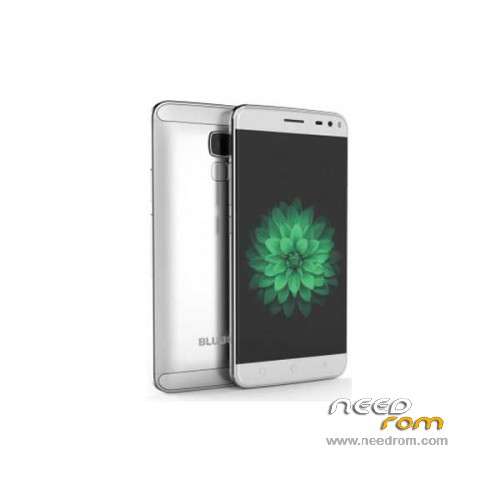
- Title: BLUBOO Xfire 2
- Listed: February, 2016
- Last modified: 04/14/2017 10:09 pm
- Version: ROM Android 5.1
You must be logged for ROM download.
21767 total views, 3 today
24 Total favorites
 Member Info
DESCRIPTION
ROM Phone BLUBOO Xfire 2 – ROM Android 5.1
ONLY MT6580
ROM 1 – Update Official ROM BLUBOO Xfire 2 version : V195_HD_V2.0_20170413_2208_V1.1.4_XX_O3_BLUBOO_XFIRE2 – full_magc6580_we_l-user 5.1 LMY47I
————————————————————————————————————————————————————————-
ROM 3 – Update Official ROM BLUBOO Xfire 2 version : V195_HD_V2.0_20170103_2123_V1.0.6_MRW_BAT2_XX_O3_BLUBOO_XFIRE2 – full_magc6580_we_l-user 5.1 LMY47I
————————————————————————————————————————————————————————-
ROM 3 – Update Official ROM BLUBOO Xfire 2 version : V195_HD_V2.0_20161215_1856_V1.0.5_MRW_BAT2_XX_O3_BLUBOO_XFIRE2 – full_magc6580_we_l-user 5.1 LMY47I
————————————————————————————————————————————————————————-
ROM 3 – Update Official ROM BLUBOO Xfire 2 version : V195_HD_V2.0_20161212_1308_V1.0.4_MRW_BAT2_XX_O3_BLUBOO_XFIRE2 – full_magc6580_we_l-user 5.1 LMY47I
————————————————————————————————————————————————————————-
ROM 3 – Official ROM BLUBOO Xfire 2 version : V195_HD_V2.0_20161129_2038_V1.0.3_MRW_BAT2_XX_O3_BLUBOO_XFIRE2 – full_magc6580_we_l-user 5.1 LMY47I
————————————————————————————————————————————————————————-
ROM 2 – Update Official ROM BLUBOO Xfire 2 version : V195_HD_V2.0_20160809_1427_V1.0.8_MRW_XX_O3_BLUBOO_XFIRE2 – full_magc6580_we_l-user 5.1 LMY47I
————————————————————————————————————————————————————————-
ROM 1 – Update Official ROM BLUBOO Xfire 2 version : V195_HD_V2.0_20160715_2300_V1.1.3_XX_O3_BLUBOO_XFIRE2 – full_magc6580_we_l-user 5.1 LMY47I
————————————————————————————————————————————————————————-
ROM 2 – Update Official ROM BLUBOO Xfire 2 version : V195_HD_V2.0_20160705_1019_V1.0.6_MRW_XX_O3_BLUBOO_XFIRE2 – full_magc6580_we_l-user 5.1 LMY47I
————————————————————————————————————————————————————————-
ROM 1 – Update Official ROM BLUBOO Xfire 2 version : V195_HD_V2.0_20160705_0313_V1.1.2_XX_O3_BLUBOO_XFIRE2 – full_magc6580_we_l-user 5.1 LMY47I
————————————————————————————————————————————————————————-
ROM 2 – Update Official ROM BLUBOO Xfire 2 version : V195_HD_V2.0_20160606_1515_V1.0.5_MRW_XX_O3_BLUBOO_XFIRE2 – full_magc6580_we_l-user 5.1 LMY47I
————————————————————————————————————————————————————————-
ROM 2 – Update Official ROM BLUBOO Xfire 2 version : V195_HD_V2.0_20160415_1835_V1.0.4_MRW_XX_O3_BLUBOO_XFIRE2 – full_magc6580_we_l-user 5.1 LMY47I
————————————————————————————————————————————————————————-
ROM 1 – Update Official ROM BLUBOO Xfire 2 version : V195_HD_V2.0_20160416_1740_V1.1.1_XX_O3_BLUBOO_XFIRE2 – full_magc6580_we_l-user 5.1 LMY47I
————————————————————————————————————————————————————————-
ROM 2 – Official ROM BLUBOO Xfire 2 version : V195_HD_V2.0_20160314_0236_V1.0.1_XX_O3_BLUBOO_XFIRE2_MRW – full_magc6580_we_l-user 5.1 LMY47I
I don't know if this ROM is compatible with ROM 1
————————————————————————————————————————————————————————-
ROM 1 – Update Official ROM BLUBOO Xfire 2 version : V195_HD_V2.0_20160131_1836_V1.1.0_XX_O3_BLUBOO_XFIRE2 – full_magc6580_we_l-user 5.1 LMY47I
————————————————————————————————————————————————————————-
ROM 1 – Official ROM BLUBOO Xfire 2 version : V195_HD_V2.0_20160122_2154_V1.0.4_XX_O3_BLUBOO_XFIRE2 – full_magc6580_we_l-user 5.1 LMY47I
Gapps include – No Rooted
Language support: Multilang
ROM Install :
Install with SP MDT:
1). Turn off the smartphone. Cable is not connected to the computer.
2). Remove the battery and insert it again
3). Connect your phone to a computer cable. The operating system detects a new device
4). Disconnect the cable from the computer.
5). Run SPMultiPortFlashDownloadProject.exe
6). Choose File> Open File Agent download and specify the file MTK_AllInOneDA.bin (it is in the folder SP_MDT).
7). Click Scatter File and select the MT6580_Android_scatter.txt file (it's in the folder with the rom).
8). Click "Start all".
9). Connect your phone to a computer cable. The program should see and blink. If the phone is not detected, then unplug it from the computer,
remove and insert the battery (if the battery is removable) and reconnect it to the computer.
10). After (OK) click Stop and disable any phone.
11). Completed.
※Please make a backup of your device before installing or updating ROM
install Rom 2 with SP flash tools, No SP MDT. The fingerprint sensor no work.
But the phone is very fast.
Some guys made a comparison video for Bluboo xfire 2, Bluboo Picasso, UMI Rome X and HOMTOM HT7, I watched it and I thought the xfire 2 is better. Watch it here: https://goo.gl/pauTV2
Dear Friends,
what is new in the ROM 2 updates?
I have the one from March.
Not sure what's new but fingerprint sensor is still not working. My phone used to reset to SIM-language (Swedish) on reboot but this problem is gone now. One major issue with the last two ROM versions I've tried is that launchers such as Apex, Nova and many others are not functioning correctly.
Hi! What is the difference the ROM1 and Rom2?
how to get out from no command in recovery?
ma non va e' una presa per il culo
is there a version of R2 that works with fingerprint scanner? after flashing fingerprint scanner kept force closing
which recovery can i install?
ROM 2 Xfire 2 instalada con smart phone flash tools, funciona correctamente, importante, revisar que los dirvers estesn bien instalados antes de poner en marcha el procedimiento, y recomendacion… hacer backup de los imei… me los borro :/
Hi …. Any one tell me how to install the update …..detailed video procedure..,
Hi there,
It shouldn't be too hard to install the updates. I personally managed to connect to the XFire 2 using this tool: https://www.needrom.com/wp-con.....1604.00.000.rar
Switch OFF the phone and connect it to the PC via USB. It is imperative that the PC "sees" the phone and installs the drivers for it. On Windows 10 there was not much of a problem. The battery of the phone is non-removable, so we just switch it off.