
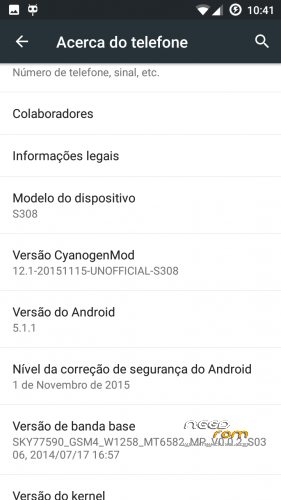
- Title: CM12.1 Final
- Listed: November, 2015
- Last modified: 01/20/2016 2:10 pm
- Version: 5.1.1
You must be logged for ROM download.
27708 total views, 2 today
6 Total favorites
CUSTOM



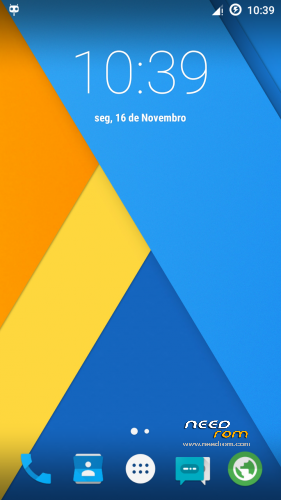
 Member Info
DESCRIPTION
Backup IMEI
Install rom with TWRP 2.8.7.0
Install gapps 5.1.1
reboot
Restore IMEI
Enjoy
New version…
fixed:
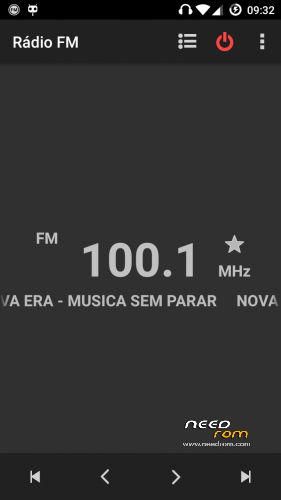
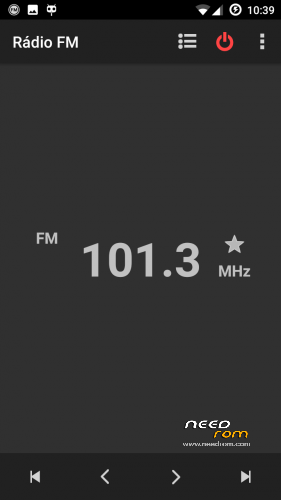
Volume control in Rádio
headset icon in status bar
video player
youtube (don't update youtube app)
…
※Please make a backup of your device before installing or updating ROM
It did not work. The same apps still crash. For example piano tiles 2 or other games
i cant listen music via headphones.
the sounds from the speakers are fine, but when i connect my headphones all i can hear is a repetitive loud buzzing noise
Try this one…
https://mega.nz/#!gkUykT6A!05r.....QnftK3GrwmSuD50
After repartitioning the memory, for some reason it keeps saying 'unable to mount emmc', now any rom I install won't boot. Any ideas how to fix this?
With TWRP 2.8.7.0 wipe/advanced wipe select all except sdcard and execute, now do a wipe factory reset and reboot. Do not forget that after repartition of memory you must make a backup with MTKDroidTools to get a scatter file updated to new adresses, this scatter must be used every time you use SPflashtools.
Okay thanks, would it possible for you to post the rom with 10g partition already so it saves us time instead of having to use hkphoneeditor?
Here it is…
Unpack to your backup folder and restore with TWRP 2.8.7.0…
10 g (internal memory)
https://mega.nz/#!pw1TkICQ!XWF.....b6LJoTY0ZPz7jxc
Hello, the camera isn't working. It always says "Cannot connect to camera".
Camera is working.If you choose SDcard for storage of camera, make sure that you have permission to write, if not, use SDfix from playstore.
Both the camera and the torch are not working. Is this a software or a hardware error?
Just to be sure that cameras are working i've downloaded the backup, restored it and tested…
I don't know what's wrong with your phone…
Hi ftscp. I ported this rom successfully to my device InnJoo Fire by following the porting method told by you, but I am facing few problems.
- Right now, internal storage is at sdcard0 and external at sdcard1. How to set external sd-card at "sdcard0"?
- I am unable to use contacts from sim card. I have to import them to phone memory in order to see/use them. Is there any way I can use/see contacts in sim card (dont want to import them to phone memory). In addition to that, When I tap on "Contacts to Display" it doesn't show option of sim card, only phone contacts are being shown.
- Somehow I lost some files in from external card while I copied them from external to internal memory such as whatsapp backup "database" files which we use to restore backup when we install whatsapp (images and videos are fine). Is there any way I can get them back?
One more question. Right now I am using TWRP 2.8.1.0. Can I upgrade it to 2.8.7.0 by "porting" only?
To use SIM contatacts you need (Toolkit SIM app)
To revert Storage use this (replace kernel in boot.img)https://mega.nz/#!RoNRERja!Gip.....ZjzH7FSYmzWmy_A
To use other recovery (2.8.7.0 or 3.0) you need to unpack recovery.img and replace (kernel, rmdisk/init.rc, rmdisk/ueventd.rc) and look at rmdisk/etc/recovery.fstab mount points and modify them according with your phone's memory blocks if needed.
My cubot s308 has factory settings and it doesn't have any partitions. It has 13Gb I can use for whatever I want: I rooted it only to fix the gps but now I'm looking at ROM upgrades, can I use this ROM despite of having no partitions or would there be any conflicts?