
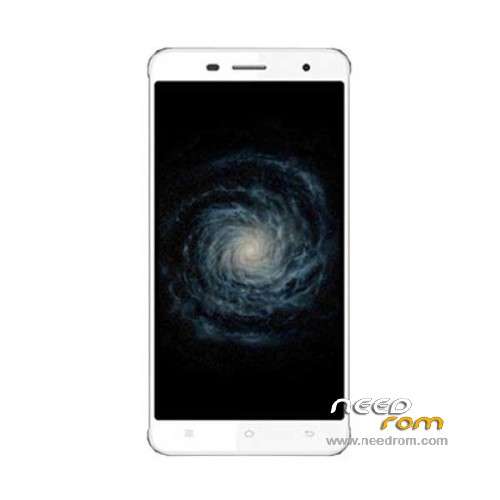
- Title: Cubot X17
- Listed: October, 2015
- Last modified: 03/11/2016 1:40 am
- Version: ROM Android 5.1
You must be logged for ROM download.
24858 total views, 3 today
17 Total favorites
 Member Info
DESCRIPTION
ROM Phone Cubot X17 – ROM Android 5.1
ONLY MT6735
Update Official ROM Cubot X17 Version: CUBOT_X17_5091C_V06_20160203 – full_sf6735_65c_l1-user 5.1 LMY47D
———————————————————————————————————————————————————————
Update Official ROM Cubot X17 Version: CUBOT_X17_5091C_V04_20151219 – full_sf6735_65c_l1-user 5.1 LMY47D
———————————————————————————————————————————————————————
Official ROM Cubot X17 Version: CUBOT_X17_5091C_V03_20151022 – full_sf6735_65c_l1-user 5.1 LMY47D
Gapps include – No Rooted
Language support: Multilang
Install ROM:
Install with SP MDT:
1). Turn off the smartphone. Cable is not connected to the computer.
2). Remove the battery and insert it again
3). Connect your phone to a computer cable. The operating system detects a new device
4). Disconnect the cable from the computer.
5). Run SPMultiPortFlashDownloadProject.exe
6). Choose File> Open File Agent download and specify the file MTK_AllInOneDA.bin (it is in the folder SP_MDT).
7). Click Scatter File and select the MT6735_Android_scatter.txt file (it's in the folder with the rom).
8). Click "Start all".
9). Connect your phone to a computer cable. The program should see and blink. If the phone is not detected, then unplug it from the computer,
remove and insert the battery (if the battery is removable) and reconnect it to the computer.
10). After (OK) click Stop and disable any phone.
11). Completed.
※Please make a backup of your device before installing or updating ROM
Do anybody have zhe last OTA Updatw to V4 as zip to update by using recovery?
U can download it via the OTA…and then you can install it via TWRP…..
Nice. Where can I find it?
I,ve download it via OTA and send it to my Google Drive….if u post me your Email Adress you can download it from there
To all the guys with comport problems: Use "sp flash tool" (search google) and install correct drivers (included). Eventually you have to disable driver install security…
Unfortunately i have one problem with the lastest rom (v6) -> rom i working fine and i can also install twrp, but installing supersu is making my cubot stuck at boot.
got problems whith rooting the device
first installed ota update via trwp recover -> x17 bootloop
installed image v06 -> all ok
installed trwp recover -> all ok
installes SuperUser via trwp recover -> x17 bootloop
Btw: Anybody else experiencing a constant wakelock, after the cubot reaches a limit of 15% battery? The cpu is set to 1Ghz and not entering deep sleep anymore, until restart (and a loaded battery). Did a factory reset, but didn't change anything. That's actually the reason why i upgraded to the new rom (v6). Would like to check, if the problem is removed. Unfortunately i cant install bettery battery stats without root. Any advice welcome!
the wakelock is called: leds wakelock.
hello i only want a flashable zip for this phone with cyanogenmod 12 or 13. is there a cyanogenmod rom for this phone
@yunsen61: since mediatek is not gonne release any kernel code chances for a custom rom are ~0%…
The leds wakelock is still present even after update to v6. Can't believe i am the only one having this problem since a factoryreset/complete wipe with new rom doesn't fix the problem…
I got root today via trwp v4 / supersu, and afterwards installed bbs. But the battery is full now, so presumably I can report what happens below 15% in two days..
rooted on v04 or v06?
I can confirm that in v06 can't be rooted.What ever I try is stack always in logo.Also I hade some problems with wifi when was unrooted. So I deside to flash again v04 and root with TWRP.
I rooted v4 and have not tryed v6 since then.
The leds wakelock is active while the phone is in "energy saving mode". I havent found a way to disable this. But as a workaround you can change when the mode is activated. Default is 15% battery capacity, other values are 5% or you can even set "never" to disable it.
Settings > Battery > Power Saving > Automatic > Never
Zhis is defaukt
hi,Update v6 works perfectly. Please download revise SP_Flash_Tool_v5. 1604 currently
greetings