
- Title: Cyanogenmod 12.1
- Listed: March, 2016
- Last modified: 03/19/2016 1:40 pm
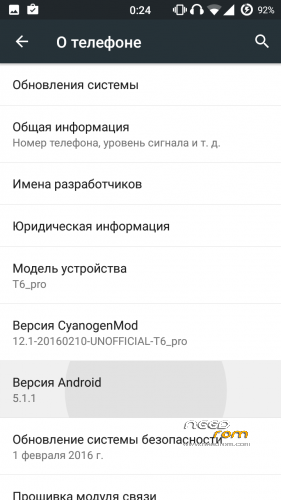
- Version: Android 5.1.1
You must be logged for ROM download.
29696 total views, 3 today
5 Total favorites
CUSTOM
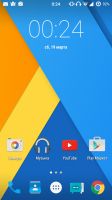
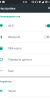
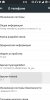
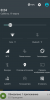


 Member Info
DESCRIPTION
Install only using TWRP 3.0!!!
- Download the ROM
- Download GApps package
- Put the zip files on your SDCard
- Reboot in Recovery
- Wipe Data/Factory Reset
- Install CM12 zip file(our firmware)
- Install GApps zip file(google apps)
- install tp_wake_switch zip file(for normal operation of the touchscreen)
- Reboot system
- Enjoy CyanogenMod 12
For 166H install libaudio.primary.default.so(/system/lib)
to increase the volume install libcustom_nvram.so(/system/lib)
Does not work:
FM-radio (?),
hw codecs,
Unstable bluetooth headset,
screen recording,
streaming services (twitch.tv, etc.),
Correction of bad quality on youtube(360p):
- using any file manager, go on the road data/data/com.google.android.youtube/shared_prefs
- open the file "youtube.xml" with a text editor
-
Find the row "
" -
change it here on this line: boolean name="h264_main_profile_supported5.1.1" value="true" />
- Save this file
Sorry for my bad English!
※Please make a backup of your device before installing or updating ROM
After some time, Settings starts to crash and the home button stops working. Please fix this.
Hello Bygepp. Are you restoring apps from backup? With Titanium for example? The problem is with any app restored from backup. I had the same problem as you.I had the same problem as you. I think the problem was to restore an application called autostar. In any case, try to install all applications that can directly from the store plays.
gpablo1, thanks for your answer. Yes, I'm restoring apps with Titanium, now I try to do a fresh install without using Titanium.
Anyway, I don't have Autostar, so the incriminated app should be another one, or maybe, there isn't an incriminated app. Maybe the problem is an uncompatibility with Titanium itself.
Unfortunately, the problem wasn't Titanium. I did a fresh install without installing Titanium, and without restoring apps from backup.
However, after some reboot, the problem returns.
I tried to replace Settings.apk in system/priv-app folder, with the original one, but the problem persists.
Are you using the same version of TWRP indicated in the first post?
Yes, I downloaded it from the link in the main post.
From logcat, this is the error that occurs:
appName=com.android.settings, acAppName=/system/bin/surfaceflinger
FATAL EXCEPTION: main
Process: com.android.settings, PID: 25517
java.lang.SecurityException: Not allowed to start activity Intent { act=android.intent.action.MAIN cmp=com.android.settings/.SubSettings (has extras) }
at android.app.Instrumentation.checkStartActivityResult(Instrumentation.java:1784)
at android.app.Instrumentation.execStartActivity(Instrumentation.java:1501)
at android.app.Activity.startActivityForResult(Activity.java:3745)
at android.app.Activity.startActivityForResult(Activity.java:3706)
at android.app.Activity.startActivity(Activity.java:4016)
at android.app.Activity.startActivity(Activity.java:3984)
at com.android.settings.Utils.startWithFragment(Utils.java:851)
at com.android.settings.Utils.startWithFragment(Utils.java:806)
at com.android.settings.dashboard.DashboardTileView.onClick(DashboardTileView.java:133)
at android.view.View.performClick(View.java:4789)
at android.view.View$PerformClick.run(View.java:19881)
at android.os.Handler.handleCallback(Handler.java:739)
at android.os.Handler.dispatchMessage(Handler.java:95)
at android.os.Looper.loop(Looper.java:135)
at android.app.ActivityThread.main(ActivityThread.java:5294)
at java.lang.reflect.Method.invoke(Native Method)
at java.lang.reflect.Method.invoke(Method.java:372)
at com.android.internal.os.ZygoteInit$MethodAndArgsCaller.run(ZygoteInit.java:904)
at com.android.internal.os.ZygoteInit.main(ZygoteInit.java:699)
appName=system_server, acAppName=/system/bin/surfaceflinger
Got the same problem as Bygepp which is the only problem that prevents me from permanently using this rom
The microsd is accessible from the file manager , but in options – storage , there are 2 internal memory , sd is blank, why? model h
MTK droid cant change IMEI, transparent button CHANGE IMEI, cant restore nvram.
No puedo restaurar la NVRAM, el MTK Droid no me deja hacer clic en cambiar IMEI, que hago?
no hay otra forma de hacer lo del imei? en mtk droid no me salen los imei y esta desactivado el boton de cambiarlo
era una version antigua del mtk droid, ahora si puedo. pero he seguido los pasos y aun asi no consigo que funcione el 3g. modelo H
ahora si, parece ser que tarda un rato en coger el 3g desde que enciendo el telefono, primero se pone en edge y luego pasa a H+
Very good rom. Thanks!!! I hope it will be upgrades.
Hi,
Would you tell me more in detail about making he 3G working?
Thanks.