
- Title: Dark L Theme V2
- Listed: October, 2014
- Last modified: 11/23/2014 2:25 am
- Version: 4.2.2
You must be logged for ROM download.
26348 total views, 3 today
 Member Info
DESCRIPTION
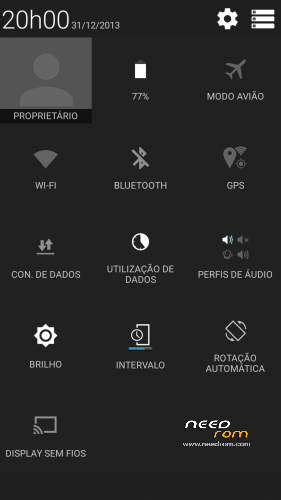
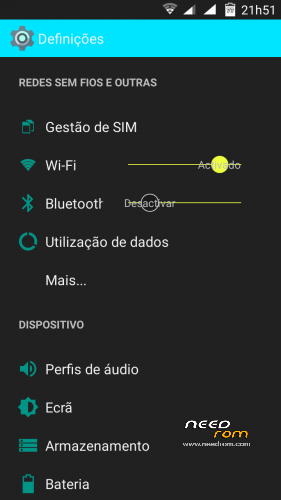
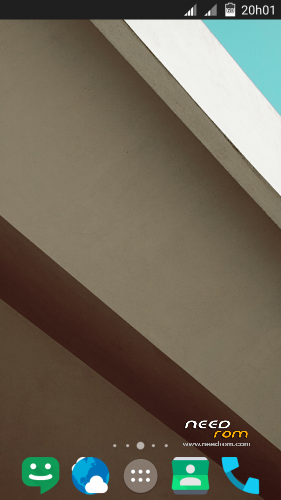
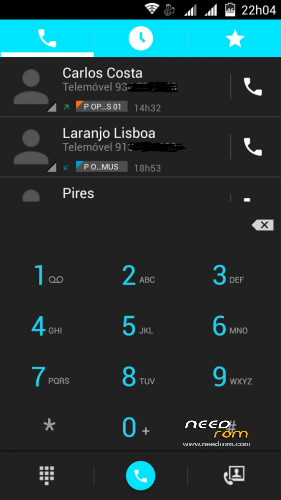
Rom completely modded to look like Dark L material
Used one of the T100 CM11 version from JCampano (thanks)
Boot logo black from Dragonizer (thanks)
100% Deoxed
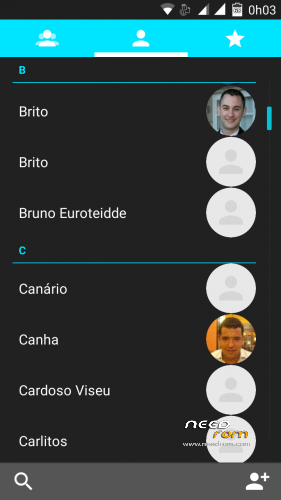
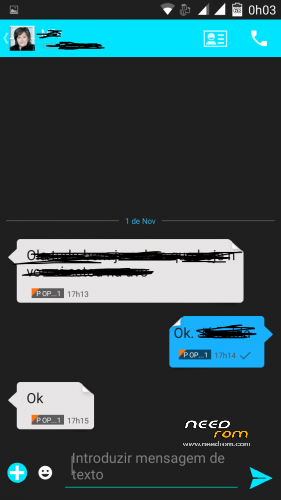
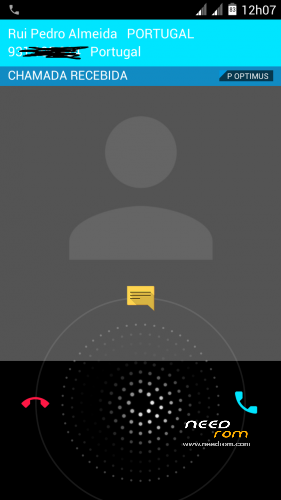
Framework, SystemUi, Settings, Phone, Contacts and Mms extremely modded to look like Dark Material
Autostarts and Engineer mode include in settings
Material keyboard included (go to settings, language,google keyboard,advanced settings and choose material in color)
To get Android L icons (go to Nova settings, icons theme and choose Moonshine (included in rom),then go to color theme and put 00e5ff in hex color before # )
New Playstore 5.0.31,Apollo, Nova,rootexplorer,and more added
Included alarms, notifications, ringtones and ui sonds from Android L
Smart wake works
Xposed and gravity box working
Changes in V2:
Updated all apk (nova, calendar, moonshine, gmail with exchange, google play service)
Removed Titanium Backup, mobile uncle tools, xposed, email apk (now you can include other mail in gmail)
Much more changes in framework and systemUi (much more icons and other things changed to look much nice)
Ring icons in photos instead of square image in Phone, contacts and mms (mms with new bubbles)
Deskclok now looks like the rest of the rom
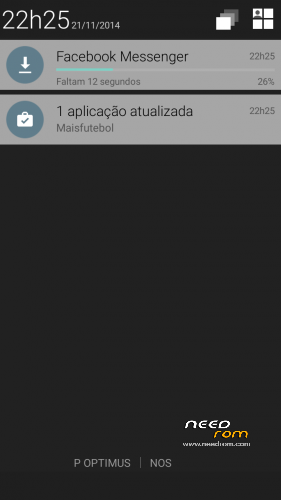
New style in notificatios and extended status bar
Android L boot animation
Install ROM:
CWM
Step 1: Download the custom ROM copied to an external SD card root directory
Step 2: the shutdown state. While holding down:
– Power button + volume button up, to enter the recovery mode.
– Wipe Data / Factory Reset -> delete all user data
– Wipe Cache Partition -> Wipe cache
– Advanced -> Wipe Dalvik Cache
Step 3: Return to recovery main interface Install zip from sdcard -> choose zip from sdcard -> Select your ROM
Step 4: Brush complete, restart the phone Patience required – first boot takes a while.
I take lots of hours to made this rom and hope you enjoy.
※Please make a backup of your device before installing or updating ROM
There is nothing wrong with this rom
Everything works 100%
I have non off this problems i read above
Hi…this ROM si great…the battery work fine and also the rest it's OK. I've only one problem whit Xposed module…Gravity box don't work. Any idea?
Gravity box is working well. See if you add install the correct version for JB, if the module is activated and update framework in xposed.
Now run all rigth, OK!. It’s the best rom today for t11. Congratulations!. It’s beautifull, rapid.
Thanks!
Fantastic!!! Thanks
when the new update friend? you’re a champion. the best rom for t11
Hi, thanks for your feedback.
Very soon i´ll give V2.
i do agree,this is the best rom
i tried manny roms but this is the best
i still come back to this one
Again the best rom for t11
Thank you
v2 rom is verry verry nice and good looking
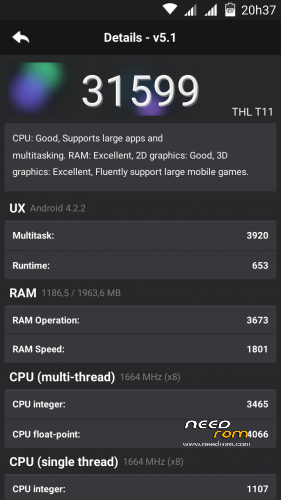
everything works super fast just like v1
thank you again for this faboulus rom
seems the gmail app is not working
after I enterd my accound it returns to the main screen
I tried factory reset still gmail wont work
any ideas on how to fix this
Gmail is working well. Try to uninstall with root uninstaller and install from playstore.