
- Title: Dark L Theme V2
- Listed: October, 2014
- Last modified: 11/23/2014 2:25 am
- Version: 4.2.2
You must be logged for ROM download.
26348 total views, 3 today
 Member Info
DESCRIPTION
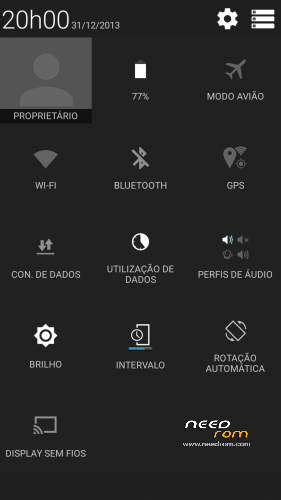
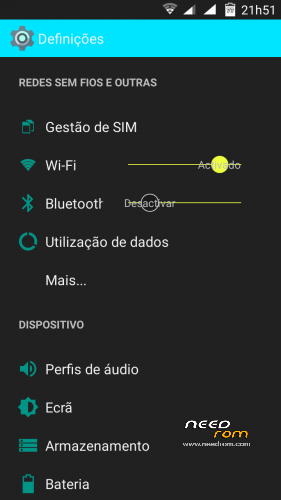
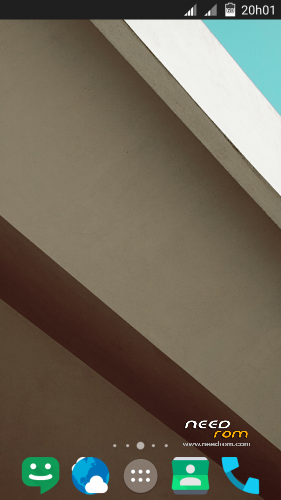
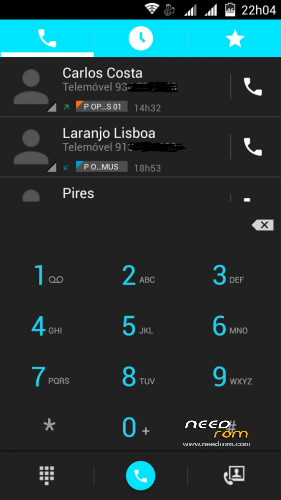
Rom completely modded to look like Dark L material
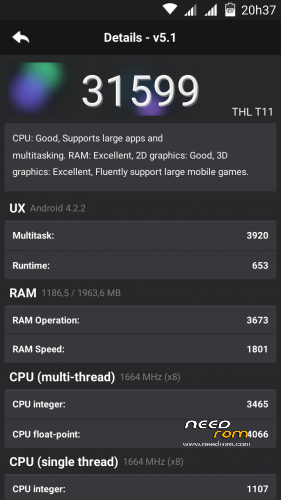
Used one of the T100 CM11 version from JCampano (thanks)
Boot logo black from Dragonizer (thanks)
100% Deoxed
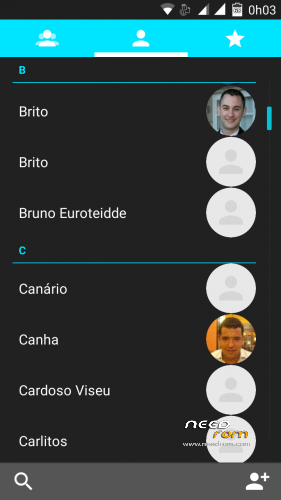
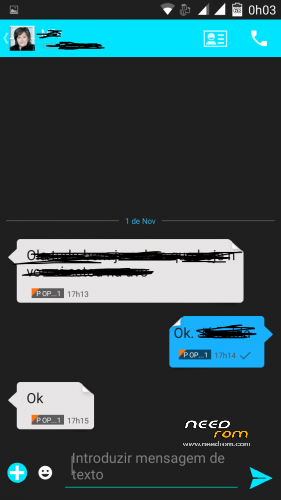
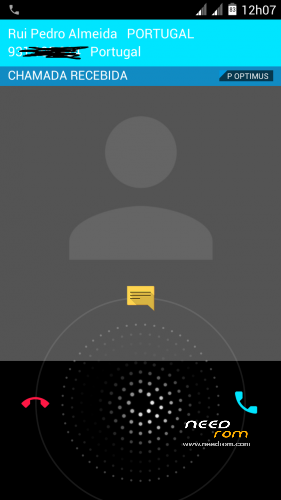
Framework, SystemUi, Settings, Phone, Contacts and Mms extremely modded to look like Dark Material
Autostarts and Engineer mode include in settings
Material keyboard included (go to settings, language,google keyboard,advanced settings and choose material in color)
To get Android L icons (go to Nova settings, icons theme and choose Moonshine (included in rom),then go to color theme and put 00e5ff in hex color before # )
New Playstore 5.0.31,Apollo, Nova,rootexplorer,and more added
Included alarms, notifications, ringtones and ui sonds from Android L
Smart wake works
Xposed and gravity box working
Changes in V2:
Updated all apk (nova, calendar, moonshine, gmail with exchange, google play service)
Removed Titanium Backup, mobile uncle tools, xposed, email apk (now you can include other mail in gmail)
Much more changes in framework and systemUi (much more icons and other things changed to look much nice)
Ring icons in photos instead of square image in Phone, contacts and mms (mms with new bubbles)
Deskclok now looks like the rest of the rom
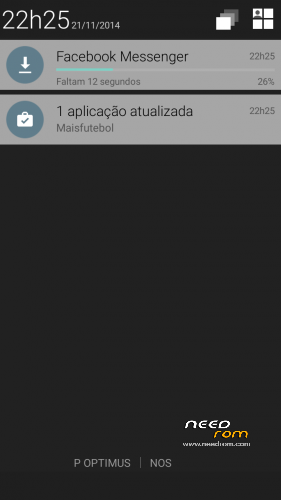
New style in notificatios and extended status bar
Android L boot animation
Install ROM:
CWM
Step 1: Download the custom ROM copied to an external SD card root directory
Step 2: the shutdown state. While holding down:
– Power button + volume button up, to enter the recovery mode.
– Wipe Data / Factory Reset -> delete all user data
– Wipe Cache Partition -> Wipe cache
– Advanced -> Wipe Dalvik Cache
Step 3: Return to recovery main interface Install zip from sdcard -> choose zip from sdcard -> Select your ROM
Step 4: Brush complete, restart the phone Patience required – first boot takes a while.
I take lots of hours to made this rom and hope you enjoy.
※Please make a backup of your device before installing or updating ROM
noticed another thing
when you go to text and type in a person name it does not show up only the number is seen making it hard to know who you are texting to
Can you have a look at this please
BTW how do you uninstall with root uninstaller
Did you make all the the wipes?
I don’t have any of this bugs. Try falsh again.
It's very strange
I have redone full wipe and all the others needed and reflashed
again I have the same problem
All my contact are stored in gmail so they sync automatally when I enter my email address
this is all fine but when I go to type a text and click on search and start pressing letters for the persons name all that comes up is the mobile number and not the persons name.
Thanks
Youtube app freezes my phone
somebody else this problem?
For those who have problems go to recovery and wipe only Dalvik and cache.
I forget to update youtube and update google play services, maybe the problem is that
I'll give it a go later and do you think it may fix the texting problem also
I love this rom. However I must confirm the problem with gmail. Wiping cache and Dalvik does not solve it. It makes the rom a bit unusable for me, but I will gladly return to it when this issue is resolved. Keep up the good work!
About the texting problem – the names are there, only in colour very similar to the background, so hard to read. Maybe some theme setting could improve that?
Cool if the names could be changed to white ?
To get around the gmail problem im using mymail app which works fine
but if the colour of the contacts in the texting area was changed I would be happy with this
Thanks
for all who have problems with gmail,download K9 mail
it works without any problem