
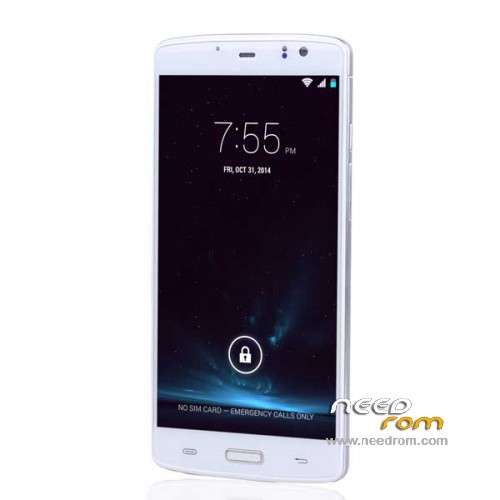
- Title: ECOO E04 3G Ram
- Listed: March, 2015
- Last modified: 04/10/2015 6:43 pm
- Version: ROM Android 4.4.4
You must be logged for ROM download.
38796 total views, 6 today
11 Total favorites
 Member Info
DESCRIPTION
ROM Phone ECOO E04 - ROM Android 4.4.4
ONLY MT6752 + 3G Ram
Update Official ROM ECOO E04 version : 1478ZF.C63G_ECOO.A2.150410.LWT_KK.FHD.WB128_FB13720.EN.MV1624 – KTU84P - V1_CSFB
—————————————————————————————————————————————————————————————————-
Official ROM ECOO E04 version : 1478ZF.C63G_ECOO.A2.150407.LWT_KK.FHD.WB128_FB13720.EN.MV1624 – KTU84P - V1_CSFB
Gapps include – No Rooted
Language support : en_US,zh_CN,zh_TW,es_ES,pt_BR,ru_RU,fr_FR,de_DE,tr_TR,vi_VN,ms_MY,in_ID,th_TH,it_IT,ar_EG,hi_IN,bn_IN,ur_PK,fa_IR,
pt_PT,nl_NL,el_GR,hu_HU,tl_PH,ro_RO,cs_CZ,ko_KR,km_KH,iw_IL,my_MM,pl_PL,es_US,bg_BG,hr_HR,lv_LV,lt_LT,sk_SK,
uk_UA,de_AT,da_DK,fi_FI,nb_NO,sv_SE,en_GB,hy_AM,zh_HK,et_EE,ja_JP,kk_KZ,sr_RS,sl_SI,ca_ES
Install ROM:
- Unpack FlashTools, and Click on Flash_tool.exe
- Select a the MT6752_Android_scatter.txt in ROM
- Wait file to be added into Flash Tool
- choose Option->USB Model,click USB Model
–> Choose Option->DA DownLoad All->Speed->High Speed, click High Speed
- Turn off your phone, remove the battery.
- "Press F9 (hit Download button)" OR " if upgrade ROM Firmware->Upgrade "
- and connect your phone into the computer via USB data cable.
- The process will start and a red progress bar will appear after color purple, yellow.
- And green circles display
- Finish !
- You can now safely disconnect your phone and turn it on.
※Please make a backup of your device before installing or updating ROM
When i select scatter file, i got SPLASH TOOL ERROR(8417)
the load scatter file is invalid
any idea? thanks
@thihaz —open the scatter file with notepad ++ and manualy remove first row in scatter file with string "BIRDTOOLMINVER[3.8]"…save the file and load it again…it should be ok
@adrian1v2000 ,
voila, it is loaded, thanks a lot. You are awesome! Let me try to install it when my phone is fully charged.
thank you!!!!!
@adrian1v2000
Thanks!!! It is loaded and no error. I wll report after I update my phone. Thanks.
error while downloading.
BROM ERROR: S_FT_DOWNLOAD_FAIL(4008)
battery must be inserted before plug into USB
first press download, then connect the phone (without battery) to pc.
and most important…do not check the preloader.….when installing the 3gb version on the 2 gb phone…if you check the preloader you will brick your phone!
Without battery gave me an error. With battery, the download went through but it didn't update it to Android 5.0, still remain at 4.4.4
Hi @ all
where can I find the Lollipop Firmware?
Ich had many trouble with the Upgrade. The solution was to NOT take the Battery out!
Thanks
Hello friends, probably any of you could help me?
Recently I bought for my wife ECOO E04 3gb ram and it seems that came misconfigured, because after 2 o3 days of use, it began with constant reboots until finally left with the totally black screen, the LED battery charge no shown and therefore can not reload and restart the phone.
I have tried using this rom to reflash the phone, but in both cases (SpFlashtool or Sp-Mdt) error message appears indicating that the Sdcatter is misconfigured.
Additionally, the PC does not detect the phone and can not install the correct drivers.
I beg your help finding tools flashing (SpFlashtool or SpMdt) that allow me to revive the gift I made for my wife.
Thanks in advance for your answers
@jocamaney…did you tried this:open the scatter file with notepad ++ and manualy remove first row in scatter file with string "BIRDTOOLMINVER[3.8]"…save the file and load it again
Hi adrian1v2000, thanks for your answer.
Yes, I've tried, process start and when "yellow color bar", message coming about BROM.
Any help.? I'll appreciate.
Thank you, friend.