
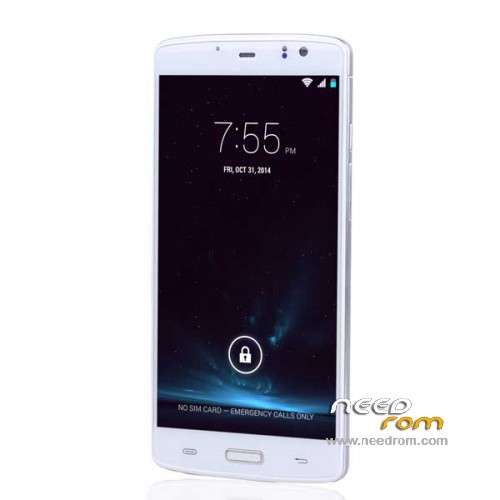
- Title: ECOO E04 3G Ram
- Listed: March, 2015
- Last modified: 04/10/2015 6:43 pm
- Version: ROM Android 4.4.4
You must be logged for ROM download.
38794 total views, 4 today
11 Total favorites
 Member Info
DESCRIPTION
ROM Phone ECOO E04 - ROM Android 4.4.4
ONLY MT6752 + 3G Ram
Update Official ROM ECOO E04 version : 1478ZF.C63G_ECOO.A2.150410.LWT_KK.FHD.WB128_FB13720.EN.MV1624 – KTU84P - V1_CSFB
—————————————————————————————————————————————————————————————————-
Official ROM ECOO E04 version : 1478ZF.C63G_ECOO.A2.150407.LWT_KK.FHD.WB128_FB13720.EN.MV1624 – KTU84P - V1_CSFB
Gapps include – No Rooted
Language support : en_US,zh_CN,zh_TW,es_ES,pt_BR,ru_RU,fr_FR,de_DE,tr_TR,vi_VN,ms_MY,in_ID,th_TH,it_IT,ar_EG,hi_IN,bn_IN,ur_PK,fa_IR,
pt_PT,nl_NL,el_GR,hu_HU,tl_PH,ro_RO,cs_CZ,ko_KR,km_KH,iw_IL,my_MM,pl_PL,es_US,bg_BG,hr_HR,lv_LV,lt_LT,sk_SK,
uk_UA,de_AT,da_DK,fi_FI,nb_NO,sv_SE,en_GB,hy_AM,zh_HK,et_EE,ja_JP,kk_KZ,sr_RS,sl_SI,ca_ES
Install ROM:
- Unpack FlashTools, and Click on Flash_tool.exe
- Select a the MT6752_Android_scatter.txt in ROM
- Wait file to be added into Flash Tool
- choose Option->USB Model,click USB Model
–> Choose Option->DA DownLoad All->Speed->High Speed, click High Speed
- Turn off your phone, remove the battery.
- "Press F9 (hit Download button)" OR " if upgrade ROM Firmware->Upgrade "
- and connect your phone into the computer via USB data cable.
- The process will start and a red progress bar will appear after color purple, yellow.
- And green circles display
- Finish !
- You can now safely disconnect your phone and turn it on.
※Please make a backup of your device before installing or updating ROM
I think something wrong inside SpFlashtool. Also I've tried with SP-Mdt and the samed report (scatter misconfigured=
friend adrian1v2000,, I've made again the process after edit scater inside this rom.
please check the screenshot:
I appreciate any help to fix the problem. Do not forget phone is dead and there is no way to setp drivers for it.
Thanks
@jocamaney…have you tried these …as below?
Error 4008
Message: BROM ERROR : S_FT_DOWNLOAD_FAIL (4008)
Meaning: SP Flash tool encountered an error while attempting to flash files
Solution:
* Ensure the battery is in the phone and the phone is switched off before connecting for flashing
* Try using a higher version of SP flash tool
* Change the USB cord and port or PC
* Use the format option then download in SP flash tool
Thanks friend adrian1v2000, coincidentally my neighbor and friend @suricatoy, has returned from his trip and helped me to check and execute the process again.
He could detect that it was damaged USB cable. He replaced it with a new one and execute the procedure again.
We only use the opcióin "Download only" previously unchecking the "preloader".
The proceedings began and ended in a few minutes and again the phone of my wife is running without probllemas.
I really appreciate your help and the time you spent with my problem. Really I appreciate.
Greetings.
i am glad that you have solved the problem.
sure friend, thank you again.
BTW, do you have a ported CWM recovery for this phone.? If yes,please let me to know the link.
I want thank also to our friend Socr@ate because this rom working very nice.
Everiything works, no bugs just I think the Cameras can be better. Thank you again, dear Socr@te.
Friend, you have to reflash the rom you want, just select "Firmware Updrade", and check all the boxes, include "preloader".
Connect the phone to PC, with battery and…..process will start; color red, dark, green and yellow.
When you get the finnal box in green, you can disconnect the phone.
Wait 2 minuts to start your phone.
Be lucky,
Please try to replace imei"s using Mtk Droid Tool. Get it here:
http://forum.xda-developers.co.....d.php?t=2160490
Check what are you doing, becaae I've made reflash to many phones and never had problems with imei's.
You need to reflash 4.4.4 first and check imei"s.
If you need, use mtk droid tool.
Do You've tried MTK Droid Tools in version 4.4.4 of the firmware.?
Please do it surely allow you to modify the IMEI's.
I suggest that in version 5.0 keep data IMEI's in a text file, so that when you're in version 4.4.4, you can add that information to your phone.
It is all the help I can give you. Probably someone else in the forum can help with more certainty.
regards