
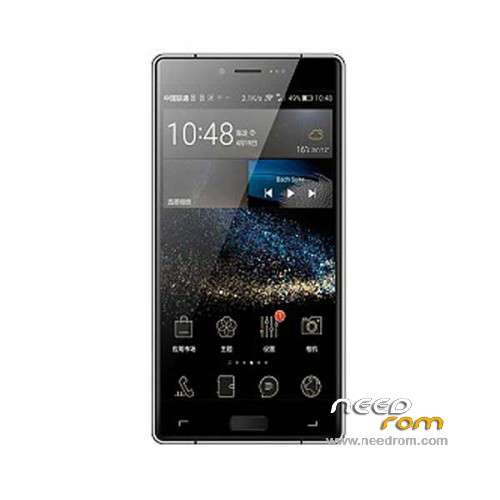
- Title: Elephone M2
- Listed: October, 2015
- Last modified: 02/24/2016 12:58 am
- Version: ROM Android 5.1
You must be logged for ROM download.
38932 total views, 3 today
27 Total favorites
 Member Info
DESCRIPTION
ROM Mobile Elephone M2 – ROM Android 5.1
ONLY MT6753
Update Official ROM Elephone M2 Version: Elephone_M2_20160223 – full_bd6753_65u_a_l1-user 5.1 LMY47D
5097YF.M8HE1.Elephone.A1.160223.L1_MP3.FHD.G4B_W158_FDDB1B3B7B8B20.EN.MV3224.P9
——————————————————————————————————————————————————————————-
Official ROM Elephone M2 Version: Elephone_M2_20151231 – full_bd6753_65u_a_l1-user 5.1 LMY47D
5097YF.M8HE1.Elephone.A1.151231.L1_MP3.FHD.G4B_W158_FDDB1B3B7B8B20.EN.MV3224.P9
Gapps include - No Rooted
Language support : Multilang
Install ROM :
Install with SP MDT:
1). Turn off the smartphone. Cable is not connected to the computer.
2). Remove the battery and insert it again
3). Connect your phone to a computer cable. The operating system detects a new device
4). Disconnect the cable from the computer.
5). Run SPMultiPortFlashDownloadProject.exe
6). Choose File> Open File Agent download and specify the file MTK_AllInOneDA.bin (it is in the folder SP_MDT).
7). Click Scatter File and select the MT6753_Android_scatter.txt file (it's in the folder with the rom).
8). Click "Start all".
9). Connect your phone to a computer cable. The program should see and blink. If the phone is not detected, then unplug it from the computer,
remove and insert the battery (if the battery is removable) and reconnect it to the computer.
10). After (OK) click Stop and disable any phone.
11). Completed.
※Please make a backup of your device before installing or updating ROM
delete first row of the scatter . all row where is Birdtoolminver[4].
Save and try… it will work!
une installation vidéo est de comprendre la disposition merci
Has anybody tried to flas with only selected files (system etc?) to keep settings and apps while upgrading?
Yes, uncheck only userdata.
Is it posible to have OTG working in this phone ?
or is it hardware missing?
Working only with powered hub
cant get google play servies to work, therefore the google playstore doesnt work either. rom 02-24
Hello,
I have a version 20151104 – I need update my phone. I've instaled Recover TWRP 2.8.7 – To have the last update, do I need to install all updates or I can install only the last? Can I update and TWRP with cahnging the recovery img with this one (TWRP 3.0.0)? Do I need to install again SuperSU?
I read that I can keep my user data to uncheck the user data img for instalation. Is it true?
Thank you for answering.
-only last
-yes
-yes
-yes
I have one more questions:
Can I use SP Flash Tool? I have version 5.1524 ?
Can I use the scatter file that I used when installed TWRP? What option I must use in SP Flash tool – Download only or Firmware update?
Something wrong about SU or Busybox come with Elephone M2 – Update 02/23/2016.
ViPER4Android FX Audio Effects v2.4.0.1 wan't install audio driver.
SambaDroid did not share internal data partition.
Tested also as full clean flash but not helped.
Reverted to Elephone M2 – Update 12/31/2015.
SOLVED – it was by SuperSU v2.65!
When I used SuperSU v2.46 then ViPER4Android driver was installed right.
Hello SoCr@Te
Do you have any news about Lollipop updates, or 0223 is the last, and there will be no more? THX
i try and it says file incorret…