
- Title: F1 MIUI V7 MULTI
- Listed: August, 2015
- Last modified: 03/08/2016 9:02 pm
- Version: 6.3.3 - 4.4.2
You must be logged for ROM download.
47010 total views, 6 today
19 Total favorites
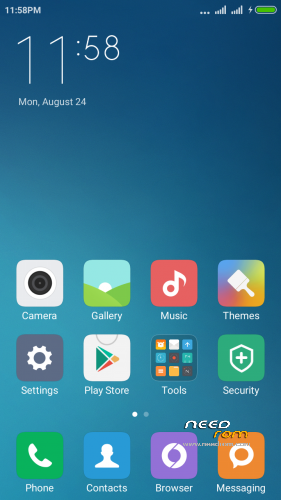
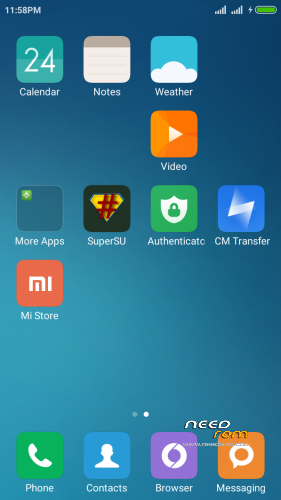


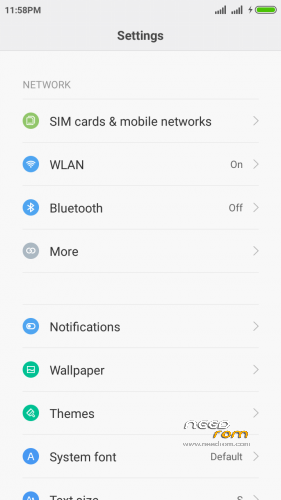
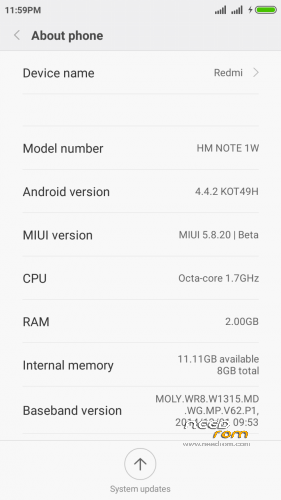
 Member Info
DESCRIPTION
IN THIS ROM DON'T INSTALL OTA UPDATE
If you liked this project, you can donate
Updated – every Friday
Hello
This is port based on Redmi Note wcdma multilanguage
instruction of installation:
-Install recovery whit MobileUncle tool
-wipe data ….cache….dalvik
-Install "rom.zip" and rebot phone
first start may take a long time
OK you have miui V7 5.9.10
———————–
if you have low sound
install patch "Audio Patch.zip" in recovery
should be better
————————–UPDATE—————————-
new port 5.9.17
if you have my old miui rom install new version and only wipe cache (after install) -all should work ok
if you first install miui rom
first wipe data ….cache….dalvik and then install rom
this port is multilanguage
Changelog: http://xiaomi.eu/community/threads/5-9-17-18.28347/
————————–UPDATE—————————-
new port 5.9.24
if you have my old miui rom install new version and only wipe cache (after install) -all should work ok
if you first install miui rom
first wipe data ….cache….dalvik and then install rom
this port is multilanguage
Changelog: http://xiaomi.eu/community/threads/5-9-24.28459/
-add German Language!
————————–UPDATE—————————-
new port 5.9.26
if you have my old miui rom install new version and only wipe cache (after install) -all should work ok
if you first install miui rom
first wipe data ….cache….dalvik and then install rom
this port is multilanguage
Changelog: fix FC PIN Code
————————–UPDATE—————————-
new port 5.10.8
if you have my old miui rom install new version and only wipe cache (after install) -all should work ok
if you first install miui rom
first wipe data ….cache….dalvik and then install rom
this port is multilanguage
Changelog: http://xiaomi.eu/community/threads/5-10-8.28692/
————————–UPDATE—————————-
new port 5.10.15
if you have my old miui rom install new version and only wipe cache (after install) -all should work ok
if you first install miui rom
first wipe data ….cache….dalvik and then install rom
this port is multilanguage
Changelog: http://xiaomi.eu/community/threads/5-10-15-16.28809/
————————–UPDATE—————————-
new port 5.10.22
if you have my old miui rom install new version and only wipe cache (after install) -all should work ok
if you first install miui rom
first wipe data ….cache….dalvik and then install rom
this port is multilanguage
Changelog: http://xiaomi.eu/community/threads/5-10-22.28856/
————————–UPDATE—————————-
new port 5.10.29
if you have my old miui rom install new version and only wipe cache (after install) -all should work ok
if you first install miui rom
first wipe data ….cache….dalvik and then install rom
this port is multilanguage
Changelog: http://xiaomi.eu/community/threads/5-10-29-30.28909/
————————–UPDATE—————————-
new port 5.11.1
if you have my old miui rom install new version and only wipe cache (after install) -all should work ok
if you first install miui rom
first wipe data ….cache….dalvik and then install rom
this port is multilanguage
Changelog: http://xiaomi.eu/community/threads/5-11-1.28929/
————————–UPDATE—————————-
new port 5.11.5
if you have my old miui rom install new version and only wipe cache (after install) -all should work ok
if you first install miui rom
first wipe data ….cache….dalvik and then install rom
this port is multilanguage
Changelog: http://xiaomi.eu/community/threads/5-11-5.28947/
————————–UPDATE—————————-
new port 5.11.12
if you have my old miui rom install new version and only wipe cache (after install) -all should work ok
if you first install miui rom
first wipe data ….cache….dalvik and then install rom
this port is multilanguage
Changelog: http://xiaomi.eu/community/threads/5-11-12-13.28972/
————————–UPDATE—————————-
New Recovery
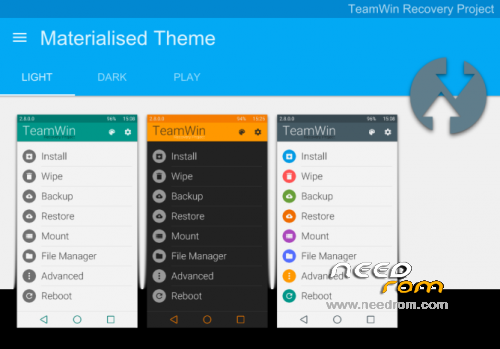
TWRP 2.8.7.0 – install whit mobile uncle tool
————————–UPDATE—————————-
new port 5.11.19
if you have my old miui rom install new version and only wipe cache (after install) -all should work ok
if you first install miui rom
first wipe data ….cache….dalvik and then install rom
this port is multilanguage
Changelog: http://xiaomi.eu/community/threads/5-11-19-20.28998/
————————–UPDATE—————————-
new port 5.12.17
if you have my old miui rom install new version and only wipe cache (after install) -all should work ok
if you first install miui rom
first wipe data ….cache….dalvik and then install rom
this port is multilanguage
Changelog: http://xiaomi.eu/community/threads/5-12-17.29180/
- If you have MiCloud FC during initial setup, set your lang to EN. after setup you can switch back to your lang..
this is error in all miui port and original rom! – i think xiaomi fix it in new version!
on this rom and any subsequent I add new xperia keyboard
————————–UPDATE—————————-
new port 5.12.24
if you have my old miui rom install new version and only wipe cache (after install) -all should work ok
if you first install miui rom
first wipe data ….cache….dalvik and then install rom
this port is multilanguage
Changelog: http://xiaomi.eu/community/threads/5-12-24.29212/
Known issues:
- If you have MiCloud FC during initial setup, set your lang to EN. after setup you can switch back to your lang..
————————–UPDATE—————————-
new port 5.12.31
if you have my old miui rom install new version and only wipe cache (after install) -all should work ok
if you first install miui rom
first wipe data ….cache….dalvik and then install rom
this port is multilanguage
Changelog: http://xiaomi.eu/community/threads/5-12-31.29247/
————————–UPDATE—————————-
new port 6.1.7
if you have my old miui rom install new version and only wipe cache (after install) -all should work ok
if you first install miui rom
first wipe data ….cache….dalvik and then install rom
this port is multilanguage
Changelog: http://xiaomi.eu/community/threads/6-1-7.29342/
————————–UPDATE—————————-
new port 6.1.14
if you have my old miui rom install new version and only wipe cache (after install) -all should work ok
if you first install miui rom
first wipe data ….cache….dalvik and then install rom
this port is multilanguage
Changelog: http://xiaomi.eu/community/threads/6-1-14.29462/
————————–UPDATE—————————-
new port 6.1.21
if you have my old miui rom install new version and only wipe cache (after install) -all should work ok
if you first install miui rom
first wipe data ….cache….dalvik and then install rom
this port is multilanguage
Changelog: http://xiaomi.eu/community/threads/6-1-21.29600/
————————–UPDATE—————————-
new port 6.1.28
if you have my old miui rom install new version and only wipe cache (after install) -all should work ok
if you first install miui rom
first wipe data ….cache….dalvik and then install rom
this port is multilanguage
Changelog: http://xiaomi.eu/community/threads/6-1-28-29.29731/
————————–UPDATE—————————-
new port 6.2.18
if you have my old miui rom install new version and only wipe cache (after install) -all should work ok
if you first install miui rom
first wipe data ….cache….dalvik and then install rom
this port is multilanguage
Changelog: http://xiaomi.eu/community/threads/6-2-18.30143/
————————–UPDATE—————————-
new port 6.2.25
if you have my old miui rom install new version and only wipe cache (after install) -all should work ok
if you first install miui rom
first wipe data ….cache….dalvik and then install rom
this port is multilanguage
Changelog: http://xiaomi.eu/community/threads/6-2-25.30340/
————————–UPDATE—————————-
new port 6.3.3
if you have my old miui rom install new version and only wipe cache (after install) -all should work ok
if you first install miui rom
first wipe data ….cache….dalvik and then install rom
this port is multilanguage
Changelog: http://xiaomi.eu/community/threads/6-3-3.30464/
——————————————————————–
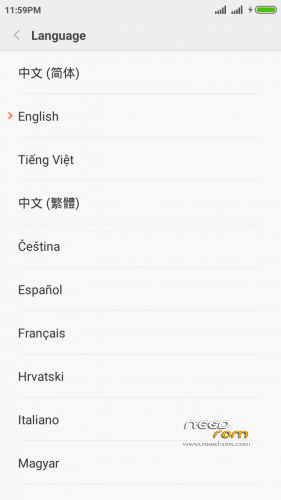
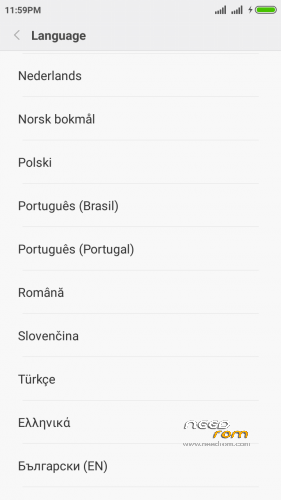
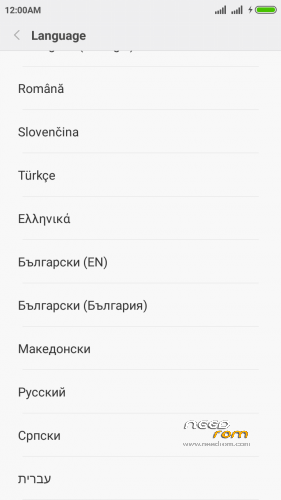
Language included in MIUIv7:
- English (miui.com, xiaomi.eu)
- Chinese (Xiaomi, miui.com)
- Polish (Acid, miuipolska.pl)
- Slovak (ingbrzy, miuios.cz)
- Czech (kynio, miuios.cz)
- Bulgarian (MIUI.BG)
- Hungarian (vagyula, miui.hu)
- French (cpasmoi, MiFrance)
- Russian (miui.su)
- Croatian (Masva, MIUI Adria)
- Vietnamese (Belmont-Gabriel)
- Italian (miui.it)
- Greek (Xiaomi-Miui Hellas TEAM)
- Norwegian (datagutt, miuios.no)
- Dutch (jacketti, cueie, redmaner)
- Spanish (rpperezr and spanish users)
- Turkish (Celaleddin, ekilciler)
- Brazilian-Portuguese (MIUIBrasil, miuirom.com.br)
- Portuguese (Efex, x1704e, KcNirvana)
- Macedonian (FYROM)(thenewmaker)
- Serbian (BalcanGSM, dudjaa, petar, perga, Daconi, MASVA)
- Hebrew (Kkffiirr, Eliran0216)
- Romanian (ygorigor)
- German (muhamed89, cp82, dahool2016, and more)
- Catalan (deivids84)
If you liked this project, you can donate
※Please make a backup of your device before installing or updating ROM
I dont see any problem with rotating camera – for me all work great
Even I was facing the same problem so as a friend suggested I replaced the boot.img from stock and rotation started working but now camera is green.
I am using micromax canvas a310
Anyone faces notifications delay or not coming at all problem??
Please re-upload latest version. I got flashing error, both, when try to update or when do fresh install. Previous version has not got this problem. Anyway, great rom.
pleas give me log whit this error – I dont have any problem whit this version 5.10.15
Sorry for "flashing error" report. My dovnload manager didn't download .zip correctly and file was damaged. Now everything works well. Thank you very much for best MIUI 7.
Hi, the rom is good further more, but in the last version Music app doesnt work: has been stopped in every case.
ktisljar
Hrabci
I cook last version 1more time and reupdate.
pleas try install this and raport
don't forget wipe cache after update!
Thx, but I experince the same problem. I think that is a common thing, I experience the same in other Coolpad ported miui7 from this version.
ok we must whait for new version 15.10.22
maby in this version fix that problem
For me woks well. Thank you.
Notifications dont work, Gmail has delay notifications or no notifications at all (the most times), try Push Notifications Tester to see, no notification is coming.
Give apps Auto Start permission in Security app,this worked for me.
Also keeping apps in memory helps.
I get status 7 error when I try update this rom,first installation fo 5.10.8 underwent fine but when I try update with 5.10.15 or 22 I get status 7 error.
Any solutions ?