
- Title: F1 MIUI V7 MULTI
- Listed: August, 2015
- Last modified: 03/08/2016 9:02 pm
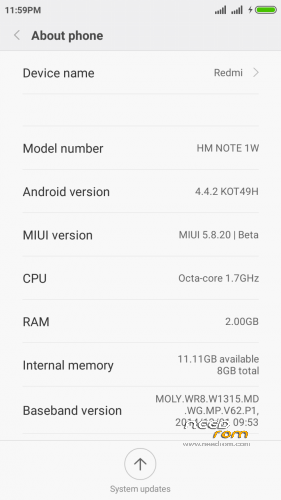
- Version: 6.3.3 - 4.4.2
You must be logged for ROM download.
47012 total views, 8 today
19 Total favorites
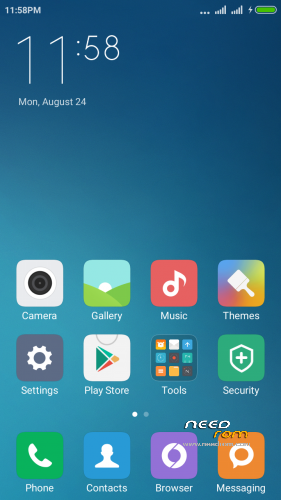
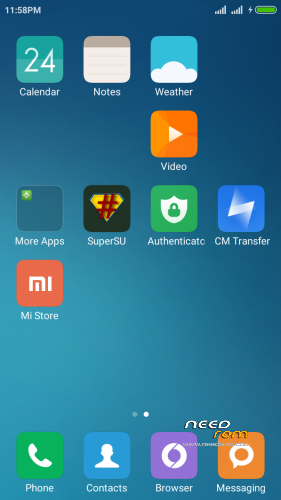

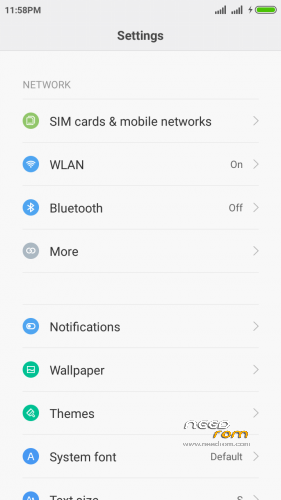
 Member Info
DESCRIPTION
IN THIS ROM DON'T INSTALL OTA UPDATE
If you liked this project, you can donate
Updated – every Friday
Hello
This is port based on Redmi Note wcdma multilanguage
instruction of installation:
-Install recovery whit MobileUncle tool
-wipe data ….cache….dalvik
-Install "rom.zip" and rebot phone
first start may take a long time
OK you have miui V7 5.9.10
———————–
if you have low sound
install patch "Audio Patch.zip" in recovery
should be better
————————–UPDATE—————————-
new port 5.9.17
if you have my old miui rom install new version and only wipe cache (after install) -all should work ok
if you first install miui rom
first wipe data ….cache….dalvik and then install rom
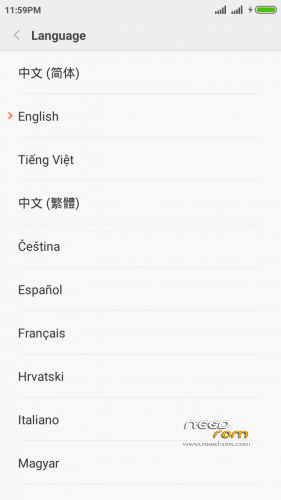
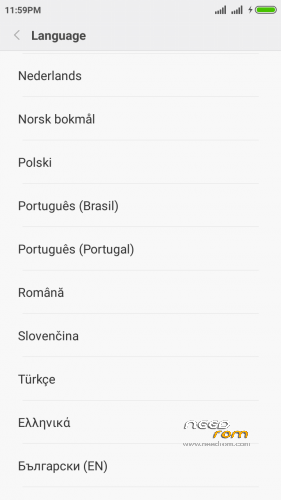
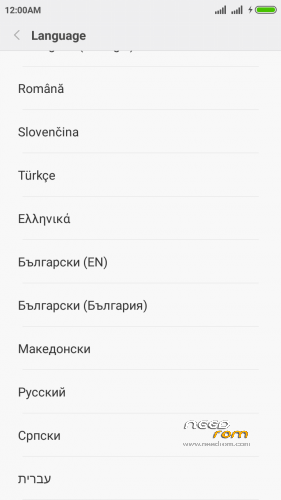
this port is multilanguage
Changelog: http://xiaomi.eu/community/threads/5-9-17-18.28347/
————————–UPDATE—————————-
new port 5.9.24
if you have my old miui rom install new version and only wipe cache (after install) -all should work ok
if you first install miui rom
first wipe data ….cache….dalvik and then install rom
this port is multilanguage
Changelog: http://xiaomi.eu/community/threads/5-9-24.28459/
-add German Language!
————————–UPDATE—————————-
new port 5.9.26
if you have my old miui rom install new version and only wipe cache (after install) -all should work ok
if you first install miui rom
first wipe data ….cache….dalvik and then install rom
this port is multilanguage
Changelog: fix FC PIN Code
————————–UPDATE—————————-
new port 5.10.8
if you have my old miui rom install new version and only wipe cache (after install) -all should work ok
if you first install miui rom
first wipe data ….cache….dalvik and then install rom
this port is multilanguage
Changelog: http://xiaomi.eu/community/threads/5-10-8.28692/
————————–UPDATE—————————-
new port 5.10.15
if you have my old miui rom install new version and only wipe cache (after install) -all should work ok
if you first install miui rom
first wipe data ….cache….dalvik and then install rom
this port is multilanguage
Changelog: http://xiaomi.eu/community/threads/5-10-15-16.28809/
————————–UPDATE—————————-
new port 5.10.22
if you have my old miui rom install new version and only wipe cache (after install) -all should work ok
if you first install miui rom
first wipe data ….cache….dalvik and then install rom
this port is multilanguage
Changelog: http://xiaomi.eu/community/threads/5-10-22.28856/
————————–UPDATE—————————-
new port 5.10.29
if you have my old miui rom install new version and only wipe cache (after install) -all should work ok
if you first install miui rom
first wipe data ….cache….dalvik and then install rom
this port is multilanguage
Changelog: http://xiaomi.eu/community/threads/5-10-29-30.28909/
————————–UPDATE—————————-
new port 5.11.1
if you have my old miui rom install new version and only wipe cache (after install) -all should work ok
if you first install miui rom
first wipe data ….cache….dalvik and then install rom
this port is multilanguage
Changelog: http://xiaomi.eu/community/threads/5-11-1.28929/
————————–UPDATE—————————-
new port 5.11.5
if you have my old miui rom install new version and only wipe cache (after install) -all should work ok
if you first install miui rom
first wipe data ….cache….dalvik and then install rom
this port is multilanguage
Changelog: http://xiaomi.eu/community/threads/5-11-5.28947/
————————–UPDATE—————————-
new port 5.11.12
if you have my old miui rom install new version and only wipe cache (after install) -all should work ok
if you first install miui rom
first wipe data ….cache….dalvik and then install rom
this port is multilanguage
Changelog: http://xiaomi.eu/community/threads/5-11-12-13.28972/
————————–UPDATE—————————-
New Recovery
TWRP 2.8.7.0 – install whit mobile uncle tool
————————–UPDATE—————————-
new port 5.11.19
if you have my old miui rom install new version and only wipe cache (after install) -all should work ok
if you first install miui rom
first wipe data ….cache….dalvik and then install rom
this port is multilanguage
Changelog: http://xiaomi.eu/community/threads/5-11-19-20.28998/
————————–UPDATE—————————-
new port 5.12.17
if you have my old miui rom install new version and only wipe cache (after install) -all should work ok
if you first install miui rom
first wipe data ….cache….dalvik and then install rom
this port is multilanguage
Changelog: http://xiaomi.eu/community/threads/5-12-17.29180/
- If you have MiCloud FC during initial setup, set your lang to EN. after setup you can switch back to your lang..
this is error in all miui port and original rom! – i think xiaomi fix it in new version!
on this rom and any subsequent I add new xperia keyboard
————————–UPDATE—————————-
new port 5.12.24
if you have my old miui rom install new version and only wipe cache (after install) -all should work ok
if you first install miui rom
first wipe data ….cache….dalvik and then install rom
this port is multilanguage
Changelog: http://xiaomi.eu/community/threads/5-12-24.29212/
Known issues:
- If you have MiCloud FC during initial setup, set your lang to EN. after setup you can switch back to your lang..
————————–UPDATE—————————-
new port 5.12.31
if you have my old miui rom install new version and only wipe cache (after install) -all should work ok
if you first install miui rom
first wipe data ….cache….dalvik and then install rom
this port is multilanguage
Changelog: http://xiaomi.eu/community/threads/5-12-31.29247/
————————–UPDATE—————————-
new port 6.1.7
if you have my old miui rom install new version and only wipe cache (after install) -all should work ok
if you first install miui rom
first wipe data ….cache….dalvik and then install rom
this port is multilanguage
Changelog: http://xiaomi.eu/community/threads/6-1-7.29342/
————————–UPDATE—————————-
new port 6.1.14
if you have my old miui rom install new version and only wipe cache (after install) -all should work ok
if you first install miui rom
first wipe data ….cache….dalvik and then install rom
this port is multilanguage
Changelog: http://xiaomi.eu/community/threads/6-1-14.29462/
————————–UPDATE—————————-
new port 6.1.21
if you have my old miui rom install new version and only wipe cache (after install) -all should work ok
if you first install miui rom
first wipe data ….cache….dalvik and then install rom
this port is multilanguage
Changelog: http://xiaomi.eu/community/threads/6-1-21.29600/
————————–UPDATE—————————-
new port 6.1.28
if you have my old miui rom install new version and only wipe cache (after install) -all should work ok
if you first install miui rom
first wipe data ….cache….dalvik and then install rom
this port is multilanguage
Changelog: http://xiaomi.eu/community/threads/6-1-28-29.29731/
————————–UPDATE—————————-
new port 6.2.18
if you have my old miui rom install new version and only wipe cache (after install) -all should work ok
if you first install miui rom
first wipe data ….cache….dalvik and then install rom
this port is multilanguage
Changelog: http://xiaomi.eu/community/threads/6-2-18.30143/
————————–UPDATE—————————-
new port 6.2.25
if you have my old miui rom install new version and only wipe cache (after install) -all should work ok
if you first install miui rom
first wipe data ….cache….dalvik and then install rom
this port is multilanguage
Changelog: http://xiaomi.eu/community/threads/6-2-25.30340/
————————–UPDATE—————————-
new port 6.3.3
if you have my old miui rom install new version and only wipe cache (after install) -all should work ok
if you first install miui rom
first wipe data ….cache….dalvik and then install rom
this port is multilanguage
Changelog: http://xiaomi.eu/community/threads/6-3-3.30464/
——————————————————————–
Language included in MIUIv7:
- English (miui.com, xiaomi.eu)
- Chinese (Xiaomi, miui.com)
- Polish (Acid, miuipolska.pl)
- Slovak (ingbrzy, miuios.cz)
- Czech (kynio, miuios.cz)
- Bulgarian (MIUI.BG)
- Hungarian (vagyula, miui.hu)
- French (cpasmoi, MiFrance)
- Russian (miui.su)
- Croatian (Masva, MIUI Adria)
- Vietnamese (Belmont-Gabriel)
- Italian (miui.it)
- Greek (Xiaomi-Miui Hellas TEAM)
- Norwegian (datagutt, miuios.no)
- Dutch (jacketti, cueie, redmaner)
- Spanish (rpperezr and spanish users)
- Turkish (Celaleddin, ekilciler)
- Brazilian-Portuguese (MIUIBrasil, miuirom.com.br)
- Portuguese (Efex, x1704e, KcNirvana)
- Macedonian (FYROM)(thenewmaker)
- Serbian (BalcanGSM, dudjaa, petar, perga, Daconi, MASVA)
- Hebrew (Kkffiirr, Eliran0216)
- Romanian (ygorigor)
- German (muhamed89, cp82, dahool2016, and more)
- Catalan (deivids84)
If you liked this project, you can donate
※Please make a backup of your device before installing or updating ROM
I have a problem with F1 after changing the firmware (before I had MIUI 5 miui_f1_4.6.21 and
It was ok) Now I have MIUI 7 5/11/12. The camera takes bad quality photos with compared to MIUI 5. I installed a variety of application to do better photos without any effects.
ssyno13l
wróć na stare miui i zobacz czy wszystko będzie ok jak nie to znaczy że problem jest sprzętowy a nie softwarowy
dlaczego wgrałeś wersje 5.11.12 skoro jest już nowsza?
new port 6.1.7!
is auto screen rotation working?
working on all version!!!
just checked , not working. even tried to recalibrate but didnt work. Also lost root access after flash plz help
ninadajbe
root acces is in "security/promision/root acces/"
if rotation dont work You must be doing something wrong
do like in instruction:
-download and Install my recovery whit MobileUncle tool
-wipe data ….cache….dalvik
-Install "rom.zip" and rebot phone
first start may take a long time
and all should work ok!
Bro I followed the steps exactly as u said but auto rotation not working. I replaced boot.img from Javed s rom and rotation started but now camera stopped working.
BTw which recovery u r talking about? I am using philz.
How a trick to move external sd?
new version 6.1.14!
battery backup went down..any solution??
i have cm installed on my device.. do i need to flash stock rom first or just wipe?