
- Title: F1 MIUI V7 MULTI
- Listed: August, 2015
- Last modified: 03/08/2016 9:02 pm
- Version: 6.3.3 - 4.4.2
You must be logged for ROM download.
47011 total views, 7 today
19 Total favorites
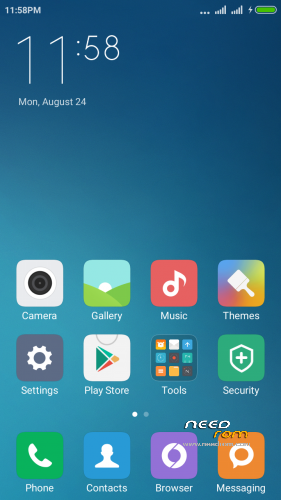
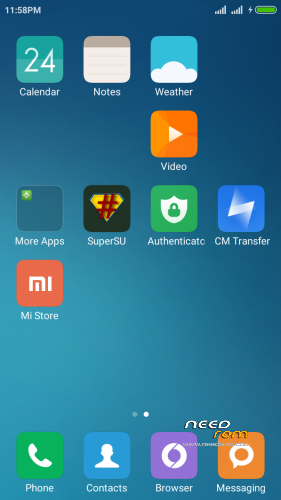

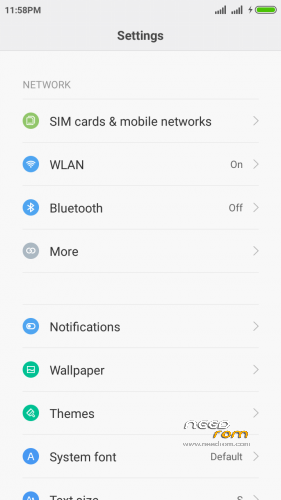
 Member Info
DESCRIPTION
IN THIS ROM DON'T INSTALL OTA UPDATE
If you liked this project, you can donate
Updated – every Friday
Hello
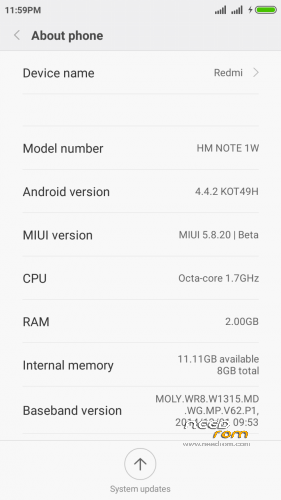
This is port based on Redmi Note wcdma multilanguage
instruction of installation:
-Install recovery whit MobileUncle tool
-wipe data ….cache….dalvik
-Install "rom.zip" and rebot phone
first start may take a long time
OK you have miui V7 5.9.10
———————–
if you have low sound
install patch "Audio Patch.zip" in recovery
should be better
————————–UPDATE—————————-
new port 5.9.17
if you have my old miui rom install new version and only wipe cache (after install) -all should work ok
if you first install miui rom
first wipe data ….cache….dalvik and then install rom
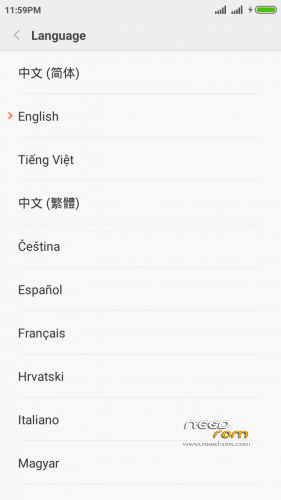
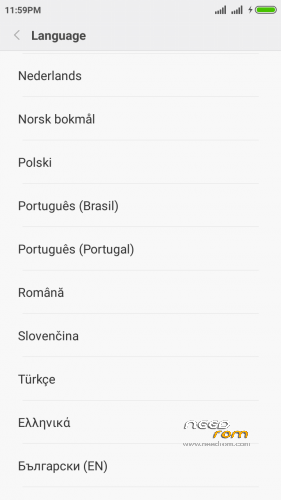
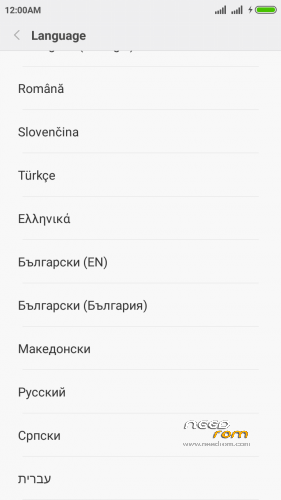
this port is multilanguage
Changelog: http://xiaomi.eu/community/threads/5-9-17-18.28347/
————————–UPDATE—————————-
new port 5.9.24
if you have my old miui rom install new version and only wipe cache (after install) -all should work ok
if you first install miui rom
first wipe data ….cache….dalvik and then install rom
this port is multilanguage
Changelog: http://xiaomi.eu/community/threads/5-9-24.28459/
-add German Language!
————————–UPDATE—————————-
new port 5.9.26
if you have my old miui rom install new version and only wipe cache (after install) -all should work ok
if you first install miui rom
first wipe data ….cache….dalvik and then install rom
this port is multilanguage
Changelog: fix FC PIN Code
————————–UPDATE—————————-
new port 5.10.8
if you have my old miui rom install new version and only wipe cache (after install) -all should work ok
if you first install miui rom
first wipe data ….cache….dalvik and then install rom
this port is multilanguage
Changelog: http://xiaomi.eu/community/threads/5-10-8.28692/
————————–UPDATE—————————-
new port 5.10.15
if you have my old miui rom install new version and only wipe cache (after install) -all should work ok
if you first install miui rom
first wipe data ….cache….dalvik and then install rom
this port is multilanguage
Changelog: http://xiaomi.eu/community/threads/5-10-15-16.28809/
————————–UPDATE—————————-
new port 5.10.22
if you have my old miui rom install new version and only wipe cache (after install) -all should work ok
if you first install miui rom
first wipe data ….cache….dalvik and then install rom
this port is multilanguage
Changelog: http://xiaomi.eu/community/threads/5-10-22.28856/
————————–UPDATE—————————-
new port 5.10.29
if you have my old miui rom install new version and only wipe cache (after install) -all should work ok
if you first install miui rom
first wipe data ….cache….dalvik and then install rom
this port is multilanguage
Changelog: http://xiaomi.eu/community/threads/5-10-29-30.28909/
————————–UPDATE—————————-
new port 5.11.1
if you have my old miui rom install new version and only wipe cache (after install) -all should work ok
if you first install miui rom
first wipe data ….cache….dalvik and then install rom
this port is multilanguage
Changelog: http://xiaomi.eu/community/threads/5-11-1.28929/
————————–UPDATE—————————-
new port 5.11.5
if you have my old miui rom install new version and only wipe cache (after install) -all should work ok
if you first install miui rom
first wipe data ….cache….dalvik and then install rom
this port is multilanguage
Changelog: http://xiaomi.eu/community/threads/5-11-5.28947/
————————–UPDATE—————————-
new port 5.11.12
if you have my old miui rom install new version and only wipe cache (after install) -all should work ok
if you first install miui rom
first wipe data ….cache….dalvik and then install rom
this port is multilanguage
Changelog: http://xiaomi.eu/community/threads/5-11-12-13.28972/
————————–UPDATE—————————-
New Recovery
TWRP 2.8.7.0 – install whit mobile uncle tool
————————–UPDATE—————————-
new port 5.11.19
if you have my old miui rom install new version and only wipe cache (after install) -all should work ok
if you first install miui rom
first wipe data ….cache….dalvik and then install rom
this port is multilanguage
Changelog: http://xiaomi.eu/community/threads/5-11-19-20.28998/
————————–UPDATE—————————-
new port 5.12.17
if you have my old miui rom install new version and only wipe cache (after install) -all should work ok
if you first install miui rom
first wipe data ….cache….dalvik and then install rom
this port is multilanguage
Changelog: http://xiaomi.eu/community/threads/5-12-17.29180/
- If you have MiCloud FC during initial setup, set your lang to EN. after setup you can switch back to your lang..
this is error in all miui port and original rom! – i think xiaomi fix it in new version!
on this rom and any subsequent I add new xperia keyboard
————————–UPDATE—————————-
new port 5.12.24
if you have my old miui rom install new version and only wipe cache (after install) -all should work ok
if you first install miui rom
first wipe data ….cache….dalvik and then install rom
this port is multilanguage
Changelog: http://xiaomi.eu/community/threads/5-12-24.29212/
Known issues:
- If you have MiCloud FC during initial setup, set your lang to EN. after setup you can switch back to your lang..
————————–UPDATE—————————-
new port 5.12.31
if you have my old miui rom install new version and only wipe cache (after install) -all should work ok
if you first install miui rom
first wipe data ….cache….dalvik and then install rom
this port is multilanguage
Changelog: http://xiaomi.eu/community/threads/5-12-31.29247/
————————–UPDATE—————————-
new port 6.1.7
if you have my old miui rom install new version and only wipe cache (after install) -all should work ok
if you first install miui rom
first wipe data ….cache….dalvik and then install rom
this port is multilanguage
Changelog: http://xiaomi.eu/community/threads/6-1-7.29342/
————————–UPDATE—————————-
new port 6.1.14
if you have my old miui rom install new version and only wipe cache (after install) -all should work ok
if you first install miui rom
first wipe data ….cache….dalvik and then install rom
this port is multilanguage
Changelog: http://xiaomi.eu/community/threads/6-1-14.29462/
————————–UPDATE—————————-
new port 6.1.21
if you have my old miui rom install new version and only wipe cache (after install) -all should work ok
if you first install miui rom
first wipe data ….cache….dalvik and then install rom
this port is multilanguage
Changelog: http://xiaomi.eu/community/threads/6-1-21.29600/
————————–UPDATE—————————-
new port 6.1.28
if you have my old miui rom install new version and only wipe cache (after install) -all should work ok
if you first install miui rom
first wipe data ….cache….dalvik and then install rom
this port is multilanguage
Changelog: http://xiaomi.eu/community/threads/6-1-28-29.29731/
————————–UPDATE—————————-
new port 6.2.18
if you have my old miui rom install new version and only wipe cache (after install) -all should work ok
if you first install miui rom
first wipe data ….cache….dalvik and then install rom
this port is multilanguage
Changelog: http://xiaomi.eu/community/threads/6-2-18.30143/
————————–UPDATE—————————-
new port 6.2.25
if you have my old miui rom install new version and only wipe cache (after install) -all should work ok
if you first install miui rom
first wipe data ….cache….dalvik and then install rom
this port is multilanguage
Changelog: http://xiaomi.eu/community/threads/6-2-25.30340/
————————–UPDATE—————————-
new port 6.3.3
if you have my old miui rom install new version and only wipe cache (after install) -all should work ok
if you first install miui rom
first wipe data ….cache….dalvik and then install rom
this port is multilanguage
Changelog: http://xiaomi.eu/community/threads/6-3-3.30464/
——————————————————————–
Language included in MIUIv7:
- English (miui.com, xiaomi.eu)
- Chinese (Xiaomi, miui.com)
- Polish (Acid, miuipolska.pl)
- Slovak (ingbrzy, miuios.cz)
- Czech (kynio, miuios.cz)
- Bulgarian (MIUI.BG)
- Hungarian (vagyula, miui.hu)
- French (cpasmoi, MiFrance)
- Russian (miui.su)
- Croatian (Masva, MIUI Adria)
- Vietnamese (Belmont-Gabriel)
- Italian (miui.it)
- Greek (Xiaomi-Miui Hellas TEAM)
- Norwegian (datagutt, miuios.no)
- Dutch (jacketti, cueie, redmaner)
- Spanish (rpperezr and spanish users)
- Turkish (Celaleddin, ekilciler)
- Brazilian-Portuguese (MIUIBrasil, miuirom.com.br)
- Portuguese (Efex, x1704e, KcNirvana)
- Macedonian (FYROM)(thenewmaker)
- Serbian (BalcanGSM, dudjaa, petar, perga, Daconi, MASVA)
- Hebrew (Kkffiirr, Eliran0216)
- Romanian (ygorigor)
- German (muhamed89, cp82, dahool2016, and more)
- Catalan (deivids84)
If you liked this project, you can donate
※Please make a backup of your device before installing or updating ROM
x2 what recove you have installed?
pleas update recovery to philz from my post and everything should work
I have CWM recovery 6.0.5 ,where can I see your post,I can find ?
download recovery from this page https://www.needrom.com/wp-con.....8/recovery5.img
install mobileuncletool and in this app you se "update recovery"
Thanks a lot,it fixed my problem
Do you know by any luck how to move apps from internal storage to SD card on MIUI,third party apps cant help…
Also there is bug with Google Play Services,they keep awake phone and drain a lot battery,any fix ?
I flashed 5.10.29 everything works for except my accelerometer any idea how to fix it
Coolpad don't have accelerometer
Sorry, my bad Coolpad have accelerometer i check. Antutu show: Bosch BMA-056….
Why cant we update via OTA ? I tried updating from 5.10.8 do 5.10.15 and it was fine,Xiaomi has MTK 6592 chipset smarthphone,same SoC
x2
-5.11.1 fix fc google service
-update via ota – yes this is the same soc etc. but boot.img is different.
if ota update will be with boot.img phone does not start!
Gps not functional properly on this rom. Found less sattelite than previuous ROM.
SIM 2 not support 3G.
How to fix it?
tjahilank
this is normal in miui rom!
I like this ROM.
So light.
but I cant use 2nd card for default ibanking.
Any solutions?