# begin build properties
# autogenerated by buildinfo.sh
ro.build.id=JOP40D
ro.build.display.id=JOP40D
ro.build.version.incremental=3.10.28
ro.custom.build.version=S47_A03V2B10_131128
ro.build.version.sdk=17
ro.build.version.codename=REL
ro.build.version.release=4.2.1
ro.build.date=2013年 11月 29日 星期五 15:39:33 CST
ro.build.date.utc=1385710773
ro.build.type=user
ro.build.user=builder
ro.build.host=wcc-miui-ota-bd02.bj
ro.build.tags=test-keys
ro.product.model=MI 3
ro.product.brand=Xiao**
ro.product.name=pisc**
ro.product.device=pisc**
ro.product.board=pisc**
ro.product.cpu.abi=armeabi-v7a
ro.product.cpu.abi2=armeabi
ro.product.manufacturer=Xiao**
ro.product.locale.language=zh
ro.product.locale.region=CN
ro.wifi.channels=
ro.board.platform=
# ro.build.product is obsolete; use ro.product.device
ro.build.product=pisces
# Do not try to parse ro.build.description or .fingerprint
ro.build.description=pisc**-user 4.2.1 JOP40D 3.10.12 release-keys
ro.build.fingerprint=Xiao**/pisc**/pisc**:4.2.1/JOP40D/3.10.12:user/release-keys
ro.build.flavor=
ro.build.characteristics=default
persist.sys.timezone=Asia/Shanghai
ro.skia.use_data_fonts=1
ro.product.mod_device=Unknown
ro.skia.use_data_fonts=1
# end build properties
# begin mediatek build properties
ro.mediatek.version.release=ALPS.JB2.MP.V1.30
ro.mediatek.platform=MT6589
ro.mediatek.chip_ver=S01
ro.mediatek.version.branch=ALPS.JB2.MP
ro.mediatek.version.sdk=1
# end mediatek build properties
#
# system.prop for generic sdk
#
rild.libpath=/system/lib/mtk-ril.so
rild.libargs=-d /dev/ttyC0
# MTK, Infinity, 20090720 {
wifi.interface=wlan0
# MTK, Infinity, 20090720 }
# MTK, mtk03034, 20101210 {
ro.mediatek.wlan.wsc=1
# MTK, mtk03034 20101210}
# MTK, mtk03034, 20110318 {
ro.mediatek.wlan.p2p=1
# MTK, mtk03034 20110318}
# MTK, mtk03034, 20101213 {
mediatek.wlan.ctia=0
# MTK, mtk03034 20101213}
#
wifi.tethering.interface=ap0
#
ro.opengles.version=131072
wifi.direct.interface=p2p0
dalvik.vm.heapgrowthlimit=128m
dalvik.vm.heapsize=256m
# USB MTP WHQL
ro.sys.usb.mtp.whql.enable=0
# Power off opt in IPO
sys.ipo.pwrdncap=2
ro.sys.usb.storage.type=mtp,mass_storage
# USB BICR function
ro.sys.usb.bicr=yes
# USB Charge only function
ro.sys.usb.charging.only=yes
# audio
ro.camera.sound.forced=0
ro.audio.silent=0
ro.zygote.preload.enable=0
#
# ADDITIONAL_BUILD_PROPERTIES
#
ril.specific.sm_cause=0
gps.solution.combo.chip=1
ril.external.md=0
fmradio.driver.chip=3
ro.sf.hwrotation=0
ril.current.share_modem=2
launcher2.allappsgrid=3d_20
curlockscreen=1
ro.mediatek.gemini_support=true
ro.gemini.smart_3g_switch=0
persist.radio.fd.counter=15
persist.radio.fd.off.counter=5
persist.radio.fd.r8.counter=15
persist.radio.fd.off.r8.counter=5
persist.mtk.wcn.combo.chipid=-1
drm.service.enabled=true
fmradio.driver.enable=1
ril.first.md=1
ril.flightmode.poweroffMD=1
ril.telephony.mode=1
ril.radiooff.poweroffMD=0
dalvik.vm.mtk-stack-trace-file=/data/anr/mtk_traces.txt
mediatek.wlan.chip=MT6628
mediatek.wlan.module.postfix=_mt6628
ro.config.notification_sound=FadeIn.ogg
ro.config.alarm_alert=GoodMorning.ogg
ro.config.ringtone=MI.ogg
net.bt.name=Android
dalvik.vm.stack-trace-file=/data/anr/traces.txt


 Member Info
Please add the Russian language
this version rom android 4.2.1 has killed my telepone fake Mi3 mt6589 1.8 gigagertz CPU !?
P.S.Nvidia tegra 2 ,1.8 Gg, display – JOP40
Hi, I have the same MI3 fake. Did you found a valid rom? With this one I can see a display backlight but nothing more after power it on.
Beside me such fake Mi3.
SDK;4.2.1,
ID:JOP40D,
OS version:3.4.5,
Dalvik VM version:1.6.0,
Model:Mi3,
Product:pisces,
Board:pisces,
Brand:Xiaomi,
Fingerprint:Xiaomi/pisces/
pisces:4.2.1/JOP40D/3.10.12:user/
release-keys
CPU:
Name:ARMv7 Processor rev 2 (v7I)
Current frent freg:1209 MHz
Max freg:1810.5MHz
min freg:1020MHz
Core:4
Arhitecture:7
BogoMIPS:2439.94
Hardware:MT6589
Revision:2
Diaplay
Resolution:720:1280
DPI:320:320
Refresh rate:57.8 Hz
GPU (OpenGL)
Vendor:NVIDIA Corporation
Renderer:NVIDIA Tegra
Version:OpenGL ES 2.0
Max texture units:4
Max texture size:4096
Max Lights:8
After lace trim this Rom after enabling display to glow black,radio module does not work, but through WIFI audible sound of the notice of that that came the message.
As this correct?
Has Analysed telephone,on main to charge is written;K3_MB_V2.0_PCB_20131117.
else, there is inscription on sticker;K3_HD_A01809_140120_Factory
and handle is written: A71.
What lace trim needs for this telephone.
sewed by reason of flown down radio modulya.ne saw network a card
in telephone memory not integrated , but is installed slot for micro сdcard,presently сdcard is extracted.
this photo inscription on most charge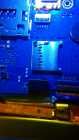
I do not know correct this Rom or no.
take photographs other telephone or camera and sweep the photo zdesi. think together we shall be able to brighten their own telephones.
you has native boot.img for our telephone?
Sweep here.
probably this lace trim not for JOP40D,but the other.
No, I don't have native. I'm trying to find it by writting aliexpress sellers selling the same fake phone!!!! The seller I bought has dissapear!!!!