
- Title: GFIVE G9 – S4UI
- Listed: June, 2013
- Last modified: 09/16/2013 4:41 pm
- Version: ROM Android 4.2.2
You must be logged for ROM download.
45780 total views, 4 today
130 Total favorites



 Member Info
DESCRIPTION
ROM Mobile GFIVE G9 – ROM Android 4.2.2 S4UI
Update 09/16/2013
Repair Bluetooth
Fix compass
Fix automatic brightness
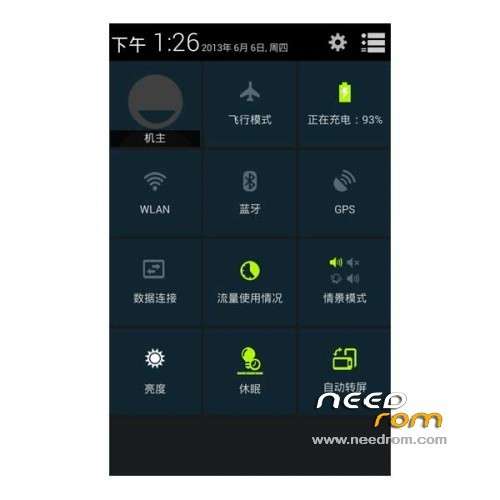
Notification bar culture
APP program icon for the S4 dressing style
—————————————————————————————————————————————————–
08/23/2013
1: Gesture function properly
2: Auto Backlight normal
3: GPS optimization, positioning soon … Samsung's gesture function well
Features ROM:
1, to improve camera – Fix Driver – etc. ……. More Brush experience it!
2, the camera does not have dark red.
3, let the phone smoother drive repair
4, to fix the white screen
5, optimize the kernel, power
6, the optimal camera
7, fix root privileges
8, can not turn off the alarm, etc. encounter boot problems related to the set – Accessibility – fast boot remove the check mark!
9, amended wlan and 3g
Language support: Multi Lang
Install ROM :
CWM
Step 1: Download the custom ROM copied to an external SD card root directory
Step 2: the shutdown state. While holding down:
– Power button + volume button up, to enter the recovery mode.
– Wipe Data / Factory Reset -> delete all user data
– Wipe Cache Partition -> Wipe cache
– Advanced -> Wipe Dalvik Cache
Step 3: Return to recovery main interface Install zip from sdcard -> choose zip from sdcard -> Select your ROM
Step 4: Brush complete, restart the phone Patience required – first boot takes a while
※Please make a backup of your device before installing or updating ROM
u can find google play store apk file on internet (google it) and then install it on ur fone using root explorer or any file manager tat have root permissions.
I can install the Google Play, but when it's started always crash.
Please take the Google Play to the next version!
u have to install it via root explorer to make it work
I installed via root explorer
Can someone tell me how to install the file"G9-recovery.rar". I am able to install ROM through CWM but phone does not boot and It hangs up at start on G-Cloud logo.
extract the rar file on ur phone, n u should finally get recovery.img file. copy it in ur phone sd card. now install mobileuncle tools from googleplay , run it and over there install recovery by pointing towards this .img file on ur sd card. it will reboot to recovery once done. emjoy ur twrp recovery
Problem found many of aplication is error & wifi is error too…
Hhow to install this?can any one help me
Can I install this ROM on.my GFive A86 ???
Back key is not appearing on the bottom on this ROM