
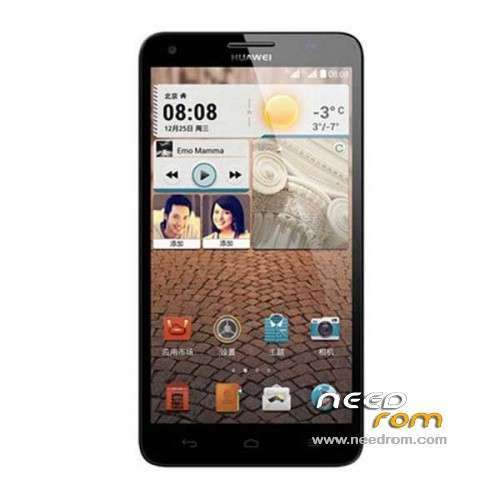
- Title: Glory H3X T00
- Listed: January, 2014
- Last modified: 12/19/2014 5:14 pm
- Version: ROM Android 4.2.2
You must be logged for ROM download.
29181 total views, 1 today
1 Total favorites
 Member Info
DESCRIPTION
ROM HUAWEI Glory H3X T00 – ROM Android 4.2.2
Update Official ROM Glory H3X T00 version mobile : G750-T00-Android 4.2-Emotion UI-V100R001CHNC00B256
Changelog:
1. Increase EMUI3.0 feature
2. Optimize System Performance
—————————————————————————————————————————————–
Official ROM Glory H3X T00 version mobile : G750-T00-Android 4.2-Emotion UI-V100R001CHNC00B152
Changelog:
Solution HOTA upgrade process, the small probability HOTA problems can not be upgraded to upgrade the system running in the background
Google service include – No Rooted
Language support: EN/CN
ROM install :
Step one: Prepare an SD card, it is recommended to use Sandisk, Kingstone, or Kingmax, size is recommended that more than 1G.
Step Two: Formatting SD card (optional).
The step three: copy a large package path UPDATA.APP to the SD card dload UPDATA.APP.
Step four: Check the root directory of the SD card you dload UPDATA.APP.
Step 5: SD card into the phone is switched on in the main screen, press the Menu key, the system updates -> SD card upgrade -> confirm -> upgrade, backup data, select the backup data; upgrade.
Step Six: The upgrade process progress bar shows after the finish of the pending progress bar, the phone automatically restart.
or
Step one: Prepare an SD card, it is recommended to use Sandisk, Kingstone, or Kingmax, size is recommended that more than 1G.
Step Two: Formatting SD card (optional).
The step three: copy a large package path UPDATA.APP to the SD card dload UPDATA.APP.
Step four: Check the root directory of the SD card you dload UPDATA.APP.
Step Four: cell phone turned off, insert the SD card, while pressing the volume up button + volume down key switch button, the phone automatically enters the upgrade mode, and then begin the upgrade in Figure
Step Five: After the progress bar to go full fixed, the phone will automatically restart If you do not manually remove the battery.
※Please make a backup of your device before installing or updating ROM
Dear SoCr@Te,
Thanks for your work. What do you think, can we root Huawei Honor 3X in the near future?
Do you have this device or did you just re-upload the original ROM from Huawei's official site?
Thanks
Zsoltee
Hello,
Do you know any multilanguage rom for honor 3x?
Regards.
Install the B611 ROM. This is multilanguage ROM.
hi,
what is the difference between the B118 B120 and B601 firmware?
Thanks
Hi,
sorry but between below A – B – C different ROMs, which is the last one?
A) HUAWEI G750-T00
B) Glory H3X T00 – B120
C) Glory H3X T00 – B601
B6xx is development, B1xx is production.
anyone having problems with autofocus? Mine is not working at all.
Hi,
Step Four: cell phone turned off, insert the SD card, while pressing the volume up button + volume down key switch button, the phone automatically enters the upgrade mode, and then begin the upgrade in Figure.
I can't boot, what are button have to press ???
I have only CWM recevery V6.0.3.0 because I erase ALL DATA.
Need multilanguage rom
Gracias…
No hay rom multilenguaje?
Hi,
Do you want a great MIUI official rom for the beautiful Huawei Honor 3X (G750-T00) ?
Please just take a minute to vote for official MIUI port on the MIUI english forum at this link :http://en.miui.com/thread-1862.....9-1-1.html
Thanks for your time,
MasTacK
I copy &paste this on Italian Greek and Russian forums
hi
did Google service include – No Rooted at G750-T00-Android 4.2-Emotion UI-V100R001CHNC00B129?