
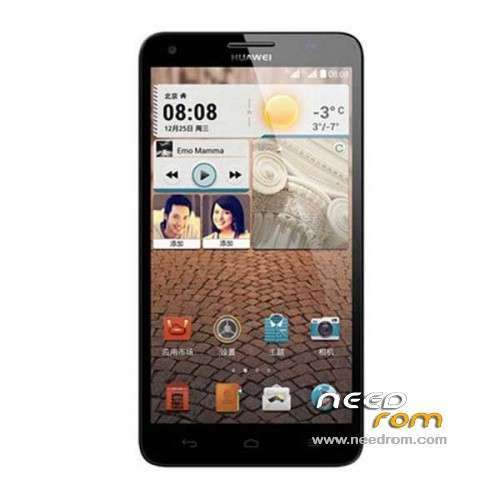
- Title: Glory H3X T00
- Listed: January, 2014
- Last modified: 12/19/2014 5:14 pm
- Version: ROM Android 4.2.2
You must be logged for ROM download.
29499 total views, N/A today
1 Total favorites
 Member Info
DESCRIPTION
ROM HUAWEI Glory H3X T00 – ROM Android 4.2.2
Update Official ROM Glory H3X T00 version mobile : G750-T00-Android 4.2-Emotion UI-V100R001CHNC00B256
Changelog:
1. Increase EMUI3.0 feature
2. Optimize System Performance
—————————————————————————————————————————————–
Official ROM Glory H3X T00 version mobile : G750-T00-Android 4.2-Emotion UI-V100R001CHNC00B152
Changelog:
Solution HOTA upgrade process, the small probability HOTA problems can not be upgraded to upgrade the system running in the background
Google service include – No Rooted
Language support: EN/CN
ROM install :
Step one: Prepare an SD card, it is recommended to use Sandisk, Kingstone, or Kingmax, size is recommended that more than 1G.
Step Two: Formatting SD card (optional).
The step three: copy a large package path UPDATA.APP to the SD card dload UPDATA.APP.
Step four: Check the root directory of the SD card you dload UPDATA.APP.
Step 5: SD card into the phone is switched on in the main screen, press the Menu key, the system updates -> SD card upgrade -> confirm -> upgrade, backup data, select the backup data; upgrade.
Step Six: The upgrade process progress bar shows after the finish of the pending progress bar, the phone automatically restart.
or
Step one: Prepare an SD card, it is recommended to use Sandisk, Kingstone, or Kingmax, size is recommended that more than 1G.
Step Two: Formatting SD card (optional).
The step three: copy a large package path UPDATA.APP to the SD card dload UPDATA.APP.
Step four: Check the root directory of the SD card you dload UPDATA.APP.
Step Four: cell phone turned off, insert the SD card, while pressing the volume up button + volume down key switch button, the phone automatically enters the upgrade mode, and then begin the upgrade in Figure
Step Five: After the progress bar to go full fixed, the phone will automatically restart If you do not manually remove the battery.
※Please make a backup of your device before installing or updating ROM
thank you very much..
Multilingual pleaseeee
Be careful, I've installed this version on my phone, and I can't root it anymore (it was rooted with b123)
If someone did it, please tell me how, because rootgenius, framaroot and srsroot don't work
Hi, you can read on
http://forum.xda-developers.co.....08&page=51
posts #197 (and #504). Only this method of rooting may work. I tried on ROM B129, it worked.
Regards,
I downloaded and tried to install this B137 ROM from B129. First I changed back to original recovery, via Mobileuncle Tools (v2.9.9), then unrooted in SuperSU v1.94.
Update failed: "Main Version From Property is G750-T00 ….. B607. ….
Current version is not in VERLIST"
So it was compiled from B607???
Then I tried to do OTA update, also failed.
Who wants real multilanguage, it is B609 new ROM.
I have downloaded from here:
http://www.emui.com/plugin.php.....ail&mid=28
Press
ROM包下载
button.
How i'll install on my phone the NEW multilanguage ROM B609???
I have ROOT it and i go to a Rocoveru Mode and says i can't do it cause it's ROOT it.
my android version is G750-T00 V100R101CHNC00B122
when i wan't install rom Glory H3X T00 – B137
error not found md5 file
My device is "Huawei G750-U10" !
Are there any difference between T00 and U10?
PLEASE answer quickly.
Hi dear friends,does this rom work in Huawei Honor 3X PRO G750-T20?
Thank you in advance.
Rom B152 doesn't work. System is suspended until taking the battery up and reboot again then the system is still suspened at Huawei logo.