
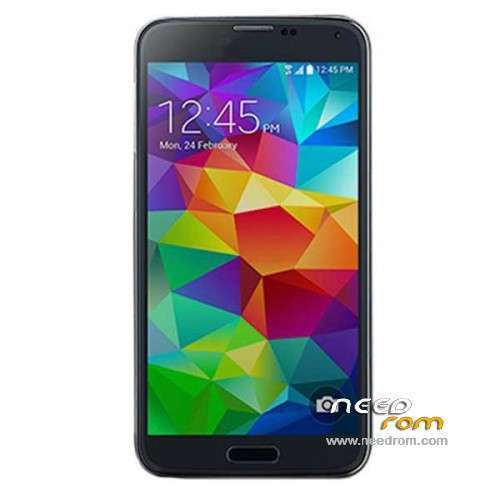
- Title: HDC S5 SM-G900 MT6572
- Listed: September, 2014
- Last modified: 04/20/2015 3:25 am
- Version: ROM Android 4.4.2(4.2.2)
You must be logged for ROM download.
90945 total views, 2 today
46 Total favorites
 Member Info
DESCRIPTION
ROM Phone HDC S5 SM-G900 – ROM Android 4.4.2(4.2.2)
ONLY MT6572
Update Official ROM HDC S5 SM-G900 version: KOT49H.G900DKEU1ANCC – I7228.GS5.FW.W1.A.A-V0.1.6.B1107
———————————————————————————————————————————————————————-
Official ROM HDC S5 SM-G900 version: KOT49H.G900DKEU1ANCC – I7228.GS5.FW.W1.A.A-V0.1.3.B0729
MT6572 + 512 Ram + 4G Rom + 854×480 + Dual sim
KERNEL: Linux version 3.4.0-1590669 (se.infra@SEP-136) (gcc version 4.6.x-google 20120106 (prerelease) (GCC) ) #1 SMP PREEMPT Fri May 23 17:31:12 CST 2014
CODENAME: REL
Mainboard: MSM8974
BRAND: sam***
CPU_ABI: armeabi-v7a
CPU_ABI2: armeabi
DEVICE: klte
DISPLAY: KOT49H.G900DKEU1ANCC
FINGERPRINT: sam***/k3gduosctc/klte:4.4.2/KOT49H/G900DKEU1ANCC:user/release-keys
HARDWARE: mt6572
ID: KOT49H
Gapps include - No Rooted
Language support : Multilang
Install ROM :
- Unpack FlashTools, and Click on Flash_tool.exe
- Select a the MT6572_Android_scatter.txt in ROM
- Wait file to be added into Flash Tool
- choose Option->USB Model,click USB Model
–> Choose Option->DA DownLoad All->Speed->High Speed, click High Speed
- Turn off your phone, remove the battery.
- "Press F9 (hit Download button)" OR " if upgrade ROM Firmware->Upgrade "
- and connect your phone into the computer via USB data cable.
- The process will start and a red progress bar will appear after color purple, yellow.
- And green circles display
- Finish !
- You can now safely disconnect your phone and turn it on.
※Please make a backup of your device before installing or updating ROM
single sim , not dual sim
gracias
thanks, work
This rom is the same as the original s5? thanks buddy good contribution.
no
thanks for the rom, great job!!
Hello, im eduardo one question Esta ROM es la misma que la s5 original?
i have problems with this rom, all right, but cannot make calls or 3g data, but network is ok and sim work fine. i dont understand what happen.
imei restored with droid tools, and rooted.
what's the problem?? please help!!!!
thanks.
hello the problem is k imei your phone will delete
MtkDroidTools v2.5.3 download this program you install and then connect your phone to the usb and give you restart restore imei and ready
Tengo el mismo problema que tu, encontraste la solucion??
not work,, my phone screen black and not launching boot logo…
i need preloader
Hello download didn't start. does anyone know why?
the phone does not turn with this rom
amigo me la podria pasar para instalarla del recovery?? por favor .. le agradeceria