
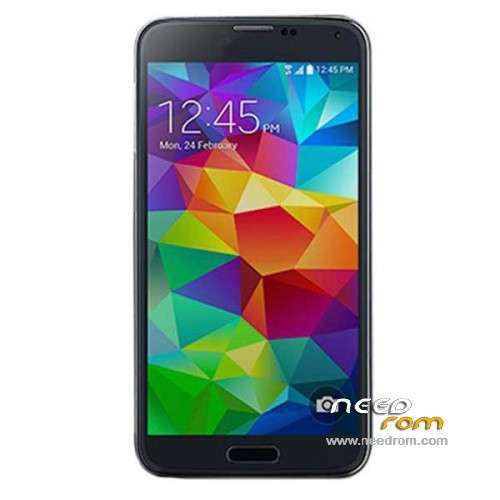
- Title: HDC S5 SM-G900 MT6572
- Listed: September, 2014
- Last modified: 04/20/2015 3:25 am
- Version: ROM Android 4.4.2(4.2.2)
You must be logged for ROM download.
91297 total views, 2 today
46 Total favorites
 Member Info

DESCRIPTION
ROM Phone HDC S5 SM-G900 – ROM Android 4.4.2(4.2.2)
ONLY MT6572
Update Official ROM HDC S5 SM-G900 version: KOT49H.G900DKEU1ANCC – I7228.GS5.FW.W1.A.A-V0.1.6.B1107
———————————————————————————————————————————————————————-
Official ROM HDC S5 SM-G900 version: KOT49H.G900DKEU1ANCC – I7228.GS5.FW.W1.A.A-V0.1.3.B0729
MT6572 + 512 Ram + 4G Rom + 854×480 + Dual sim
KERNEL: Linux version 3.4.0-1590669 (se.infra@SEP-136) (gcc version 4.6.x-google 20120106 (prerelease) (GCC) ) #1 SMP PREEMPT Fri May 23 17:31:12 CST 2014
CODENAME: REL
Mainboard: MSM8974
BRAND: sam***
CPU_ABI: armeabi-v7a
CPU_ABI2: armeabi
DEVICE: klte
DISPLAY: KOT49H.G900DKEU1ANCC
FINGERPRINT: sam***/k3gduosctc/klte:4.4.2/KOT49H/G900DKEU1ANCC:user/release-keys
HARDWARE: mt6572
ID: KOT49H
Gapps include - No Rooted
Language support : Multilang
Install ROM :
- Unpack FlashTools, and Click on Flash_tool.exe
- Select a the MT6572_Android_scatter.txt in ROM
- Wait file to be added into Flash Tool
- choose Option->USB Model,click USB Model
–> Choose Option->DA DownLoad All->Speed->High Speed, click High Speed
- Turn off your phone, remove the battery.
- "Press F9 (hit Download button)" OR " if upgrade ROM Firmware->Upgrade "
- and connect your phone into the computer via USB data cable.
- The process will start and a red progress bar will appear after color purple, yellow.
- And green circles display
- Finish !
- You can now safely disconnect your phone and turn it on.
※Please make a backup of your device before installing or updating ROM
Thankyou
how to change boot animation logo
*#*#789789#*#*
GooD Lucky
tested with sm-g900 cpu: mt6572 work %
CPU: MT6572 SW:0000 Ver: CA01
Downloading Boot8 …
EMMC Size: 0xE9000000
Nor/SF Flash Type: NOR_UNKNOWN
>>INT/EXT RAM Size: 0×0+0×0
great job
thank you very much
it works.. thanks!
thank you so much, it workfull , just do it step by step, and also note, firmware and that smartphoe must be sama tipe. thank you so much
It Worked For Me I Have The SM-G900F MT6572.
how to fix bug camera?
INGLES: hello I have samsung s5 Korean model SM- G900 but this is 1 single sim as aria to get 1 single sim thanks. ESPAÑOL: hola yo tengo el modelo samsung s5 coreano SM-G900 pero este es de 1 solo sim como aria para conseguir el de 1 solo sim gracias.