
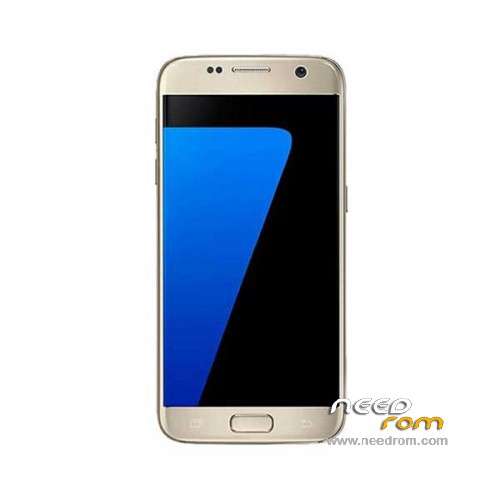
- Title: HDC S7 SM-G930F
- Listed: May, 2016
- Last modified: 05/24/2016 4:59 pm
- Version: ROM Android 5.1
You must be logged for ROM download.
67783 total views, 3 today
51 Total favorites
 Member Info
DESCRIPTION
ROM Phone HDC S7 SM-G930F – ROM Android 6.0 ( Real 5.1)
ONLY MT6580
ROM 2 – Official HDC S7 SM-G930F version: S205_EN_SK_V0.0.5 – full_hexing6580_we_l-user 6.0.1 LMY47I
—————————————————————————————————————————————————————————–
ROM 1 – Official HDC S7 SM-G930F version: S205_EN_V0.1.1 – full_hexing6580_we_l-user 6.0.1 LMY47I
Gapps not include – No Rooted
Language support : Multilang
Install ROM:
- Unpack FlashTools, and Click on Flash_tool.exe
- Select "scatter-Loading" and search MT6580_Android_scatter.txt in ROM
- Wait file to be added into Flash Tool
- Select "Download Only" or if upgrade "Firmware upgrade"
- Turn off your phone, remove the battery (if the battery is removable) and replace it after some seconds (and don't turn on the phone).
- Press “Download” button to start
- and connect your phone into the computer via USB data cable.
- The process will start and a red progress bar will appear after color purple, yellow.
- And green circles display
- Finish !
- You can now safely disconnect your phone and turn it on.
※Please make a backup of your device before installing or updating ROM
buen dia un s7 mt5672 rom q me ayuden por favor
Hi i have a Galaxy S7 Clone (MT6580) and i bricked it with Error 0xFC0 (4032) i even tried every tutorial but it didn't worked for me. When i plug in the USB cable – the phone only reacts when i press the volume up or down button (the red led on the backside flashes when nothing is pressed and stays on if i press a button. if no program runs the phone disconnect after a few seconds. In device manager there is "MediaTek USB Port (COM5)" when its "on" , when i start SPFlash V5 , press Download / Firmware / Format the red line appears for about 45 seconds and then error 0xFC0 (4032)
When i got it, the original Firmware seems to got a virus in it, so i decided it to update (original firmware : ALPS.L1.MP6.V2_GXQ6580.WEG.L_P62) and downloaded this one to apply with SPFlash : http://www.gsmchinamobile.com/......html
After the worked update, phone started – but no screen (only backlight) , but sound and ADB etc (blind used) worked. I decided to flash it again and then it got that error after the update got green
i will try to update to this : https://www.needrom.com/downlo.....dc-s7-sm-g930f/
Maybe you have a idea how to fix that error and unbrick it ((
((
Greetings from germany
Björ
I am having a similar issue as with DJ Tomcat here. I kinda' messed up with the stock firmware on my Galaxy S7 clone, so I flashed what appears to be a similar ROM which I got off XDA. Turns out that it got flat-out rejected and now all I got is that red LED at the heartrate sensor lighting up whenever I plug it in or press the power button for more than a few seconds. The phone's still detected by the PC though, and I was wondering if anyone has an S7 ROM with the preloader preloader_gxq6580_weg_l.bin, and take note of this, the ro.build.display ID Z6U030HA_V101En. There is one site which appears to have the ROM in question, but the link is dead and I am yet to get a reply from any of the forum members.
ami me paso lo mismo pero le instale una equivocada la mia es s7 dual sim mt6580 y ahora se quedo en negro NO enciende ni tira nada
did you have hdc s7 4g ex dual sim mtk6735 64bit rom?
I need this rom too …. MTk6735
hola alguien me puede ayudar mi telefono no pasa de el logo istalo la rom varias veces y sigue igual o se apaga iniciando el android
Low Please how can i install gaps
my flastool could not detect my phone
I guys,
I really need your help, i don't know if you all has this problem, but i don't have menu button, so i have to root my phone to be able to emulate the menu button, but i have no ideia how can i root it, and don't even know what my processor is.
i hope you can help me.
thanks
best regards
Thanks for the wonderful ROM,
Tmobile LTE not working please help
That's most likely a hardware limitation, as most of these clones only work for certain cellular bands and aren't necessarily designed with US carriers in mind.
Have 2 backup readed via CM2:
1) MT6580__alps__tx6580_weg_xz_l__tx6580_weg_xz_l__5.1__ALPS.L1.MP6.V2.19_TX6580.WEG.XZ.L
2) MT6580__samsung___tx6580_weg_xz_l__5.1__ALPS.L1.MP6.V2.19_TX6580.WEG.XZ.L
Hi abzalz..did u manage to make backup from stock rom? Can u send me the files? I need it to flash as i using this firmware and my touchscreen not.working..thx in advance
who ever bricked it, you should search those 6 only pages of comments. the answer is in there. Anyway.
You need to use the
ROM 1 – Official HDC S7 SM-G930F version: S205_EN_V0.1.1 – full_hexing6580_we_l-user 6.0.1 LMY47I
as for the usb problem, keep the device manager open at the COM ports section and immidiately when you see the vcom press to start the format+download to unbrick it, or just download if you didn't mess with system files and tried to install busybox , supersu or anything else.
Later, update to fix the camera. Update again and again.
At 1.5 and later you will notice that you installed ads. Those ads are forced in from the rom developer,even the stock webview , browser have ads.
If you want to install busybox,supersu,xposed and everything else use flashfire.
But after that you will need flashfire to flash later OTAs too.