
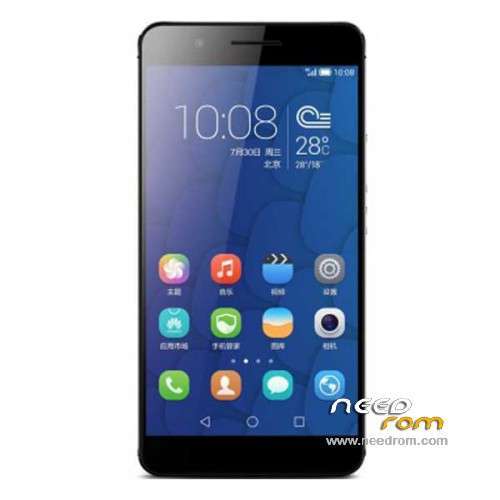
- Title: Honor 6+ 4G PE-TL10
- Listed: December, 2014
- Last modified: 06/17/2016 4:36 pm
- Version: ROM Android 4.4.4
You must be logged for ROM download.
28195 total views, 2 today
17 Total favorites
 Member Info
DESCRIPTION
ROM Mobile Honor 6 Plus 4G PE-TL10 high version – ROM Android 4.4.4
ONLY CPU: Huawei HiSilicon KIRIN925 Hi3830 + 3G Ram
Update Official ROM HUAWEI Honor 6+ 4G PE-TL10 high version: PE-TL10 V100R001CHNC00B361 – Emotion UI 3.1 – Mobile – Dual sim – Android 5.1
—————————————————————————————————————————————————————————————-
Official ROM HUAWEI Honor 6+ 4G PE-TL10 high version: PE-TL10 V100R001CHNC00B260 – Emotion UI 3.0 – Mobile – Dual sim
Gapps not include – No Rooted
Language support: EN/CN
ROM install :
Step one: Prepare an SD card, it is recommended to use Sandisk, Kingstone, or Kingmax, size is recommended that more than 1G.
Step Two: Formatting SD card (optional).
The step three: copy a large package path UPDATA.APP to the SD card dload UPDATA.APP.
Step four: Check the root directory of the SD card you dload UPDATA.APP.
Step 5: SD card into the phone is switched on in the main screen, press the Menu key, the system updates -> SD card upgrade -> confirm -> upgrade, backup data, select the backup data; upgrade.
Step Six: The upgrade process progress bar shows after the finish of the pending progress bar, the phone automatically restart.
or
Step one: Prepare an SD card, it is recommended to use Sandisk, Kingstone, or Kingmax, size is recommended that more than 1G.
Step Two: Formatting SD card (optional).
The step three: copy a large package path UPDATA.APP to the SD card dload UPDATA.APP.
Step four: Check the root directory of the SD card you dload UPDATA.APP.
Step Four: cell phone turned off, insert the SD card, while pressing the volume up button + volume down key switch button, the phone automatically enters the upgrade mode, and then begin the upgrade in Figure
Step Five: After the progress bar to go full fixed, the phone will automatically restart If you do not manually remove the battery.
※Please make a backup of your device before installing or updating ROM
Hello is this official update firmware?
Because i alreadly update my 6+ to B133 through OTA but the android version remain 4.4.2
Bonjour
Comment on telecharge le fichier ?
Merci
Tu doit avoir adblock qui coince… laisse le libre pour ce sîte et actualise 2 fois ta page…
B160?
Yes have news from B160?
Thanks
Merci pour la dernière mise à jour…
B173?
tnx SoCr
Thanks
i have problem when i try to make local update
software install failed!!
anyone with solution ?
i have v173 auto update but ? is that same but 4.4.4 ?
mine 4.4.2
Is this for the PE-TL10 in the UK or for India?