
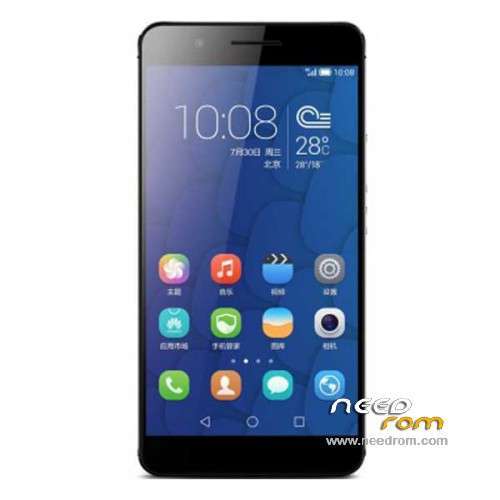
- Title: Honor 6+ 4G PE-TL10
- Listed: December, 2014
- Last modified: 06/17/2016 4:36 pm
- Version: ROM Android 4.4.4
You must be logged for ROM download.
27886 total views, 4 today
17 Total favorites
 Member Info
DESCRIPTION
ROM Mobile Honor 6 Plus 4G PE-TL10 high version – ROM Android 4.4.4
ONLY CPU: Huawei HiSilicon KIRIN925 Hi3830 + 3G Ram
Update Official ROM HUAWEI Honor 6+ 4G PE-TL10 high version: PE-TL10 V100R001CHNC00B361 – Emotion UI 3.1 – Mobile – Dual sim – Android 5.1
—————————————————————————————————————————————————————————————-
Official ROM HUAWEI Honor 6+ 4G PE-TL10 high version: PE-TL10 V100R001CHNC00B260 – Emotion UI 3.0 – Mobile – Dual sim
Gapps not include – No Rooted
Language support: EN/CN
ROM install :
Step one: Prepare an SD card, it is recommended to use Sandisk, Kingstone, or Kingmax, size is recommended that more than 1G.
Step Two: Formatting SD card (optional).
The step three: copy a large package path UPDATA.APP to the SD card dload UPDATA.APP.
Step four: Check the root directory of the SD card you dload UPDATA.APP.
Step 5: SD card into the phone is switched on in the main screen, press the Menu key, the system updates -> SD card upgrade -> confirm -> upgrade, backup data, select the backup data; upgrade.
Step Six: The upgrade process progress bar shows after the finish of the pending progress bar, the phone automatically restart.
or
Step one: Prepare an SD card, it is recommended to use Sandisk, Kingstone, or Kingmax, size is recommended that more than 1G.
Step Two: Formatting SD card (optional).
The step three: copy a large package path UPDATA.APP to the SD card dload UPDATA.APP.
Step four: Check the root directory of the SD card you dload UPDATA.APP.
Step Four: cell phone turned off, insert the SD card, while pressing the volume up button + volume down key switch button, the phone automatically enters the upgrade mode, and then begin the upgrade in Figure
Step Five: After the progress bar to go full fixed, the phone will automatically restart If you do not manually remove the battery.
※Please make a backup of your device before installing or updating ROM
thank you
I tried installing but keeps failing.
same here
How can I update my phone PE-TL10V100R001C900B147 to PE-TL10-V100R001CHNC00B250 or 5.8.5 ??
1. Unzip it and copy the 'dload' folder (including the UPDATE.APP file) to the root of the storage on your phone.
2. You need to have Stock recovery installed: Open the Updater app and choose Local update from the Menu, make a backup first, then install the update.
Here's the Android 5.1 Lollipop Bèta with EMUI 3.1 for the Honor 6 Plus 4G (PE-TL10):
Official EMUI site:
http://www.emui.com/cn/plugin......il&mid=125
Mirror on Mega:
https://mega.nz/#!5ox3wByI!ajc.....0i7NZyATwiHMa0w
I cannot see any links for clicking download a firmware. Please suggest
Now here is all of Honor 6 Plus firmwares with Android 4.4 Kitkat. No Lollipop. I tried a lot of Lollipop firmware variants, but a security app settings on these varriants block applications that should not block, even if I set to run at startup and run when the screen is off. Because of these more applications do not work me.
Sorry, I forgot to mention: Honor 6 Plus firmwares with Android 4.4 Kitkat FROM CHINA. In this varriants of ROM it is possible to switch 4G/3G from SIM 1 to SIM 2 and from SIM 2 to SIM 1. I tested a Honor 6 Plus PE-TL10 firmware varriant from EU, but this setting is absent from SIM management menu.
thank youuuuuuuuuuuuuuuuuuu